EAM Checklist
The EAM checklist feature is an integration that allows for pre and post-trip vehicle checklist inspections to be displayed from EAM's Electronic Vehicle Inspection Reporting (eVIR).
Attention: The EAM Checklist integration may require
additional EAM licensing, contact your Trapeze Representative for more
information.
With this functionality, Drivers will be able to complete the checklist for both pre and post-trip inspections from the checklist sent by integrated EAM APIs. Pass or failure of the checklists will determine whether a driver can login and log off DriverMate.
Configuration
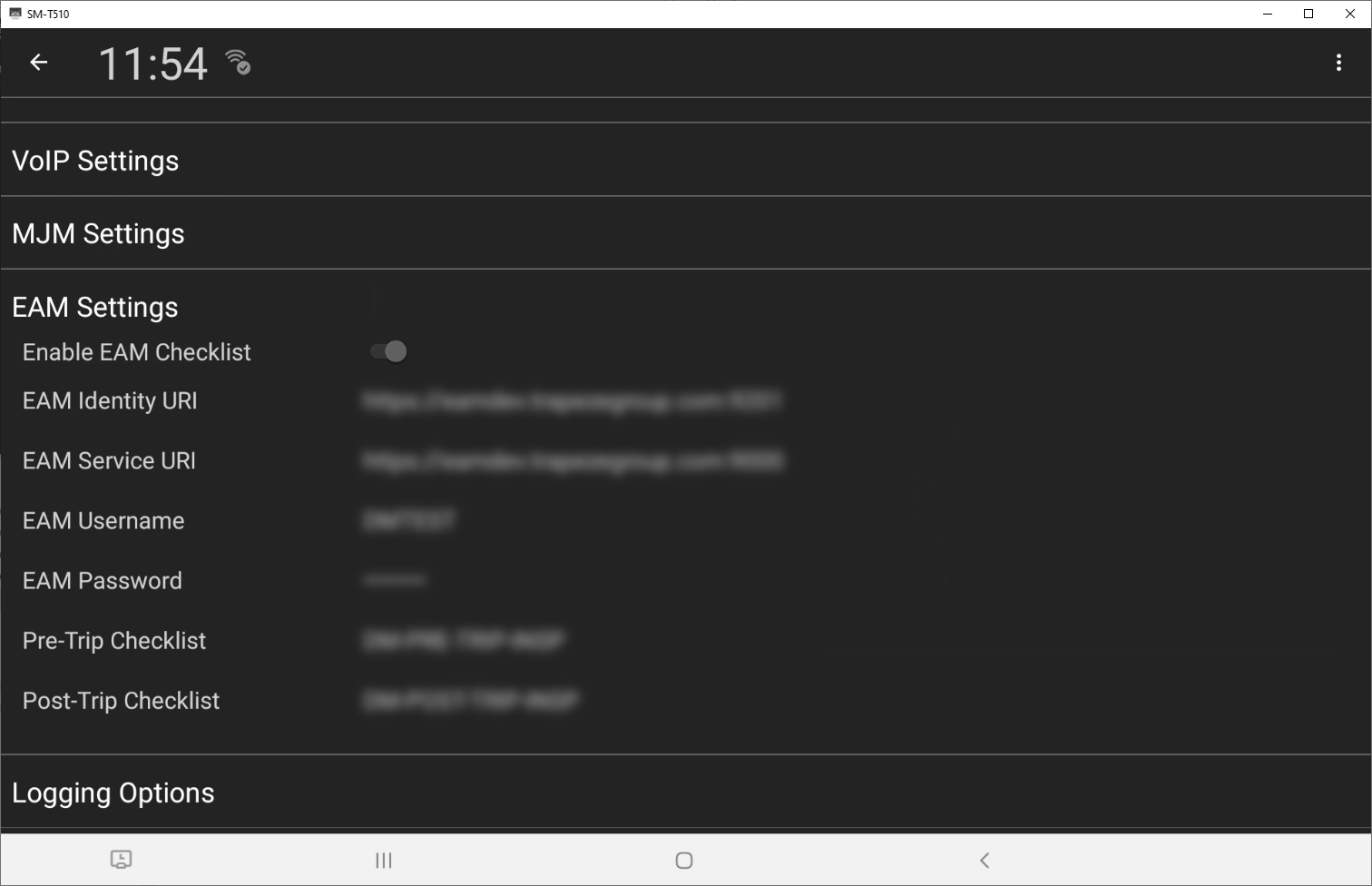
The following table shows the configuration settings related to the EAM checklist
feature.
| ID | Name | Description | Default |
|---|---|---|---|
| 2400 | Enable EAM Checklist | To enable/disable the EAM Checklist feature. | off |
| 2405 | EAM Identity URI | The URI for the EAM Identity endpoint. When you setup the EAM Identity, make sure the correct URI is entered in order to get the token for EAM services | blank |
| 2410 | EAM Service URI | The URI for the EAM Service endpoint. Ensure that the correct URI is entered to get the token for EAM services. | blank |
| EAM Username | The username for the EAM API. | blank | |
| EAM Password | The password for the EAM API. | blank | |
| 2420 | Pre-Trip Checklist | To configure you must enter the TestType ID for EAM. The TestTypeId is a key in the EAM System that is used to retrieve the EAM Pre-Trip Checklist. | blank |
| 2430 | Post-Trip Checklist | To configure you must enter the TestType ID for EAM. The TestTypeId is a key in the EAM System that is used to retrieve the EAM Post-Trip Checklist. | blank |