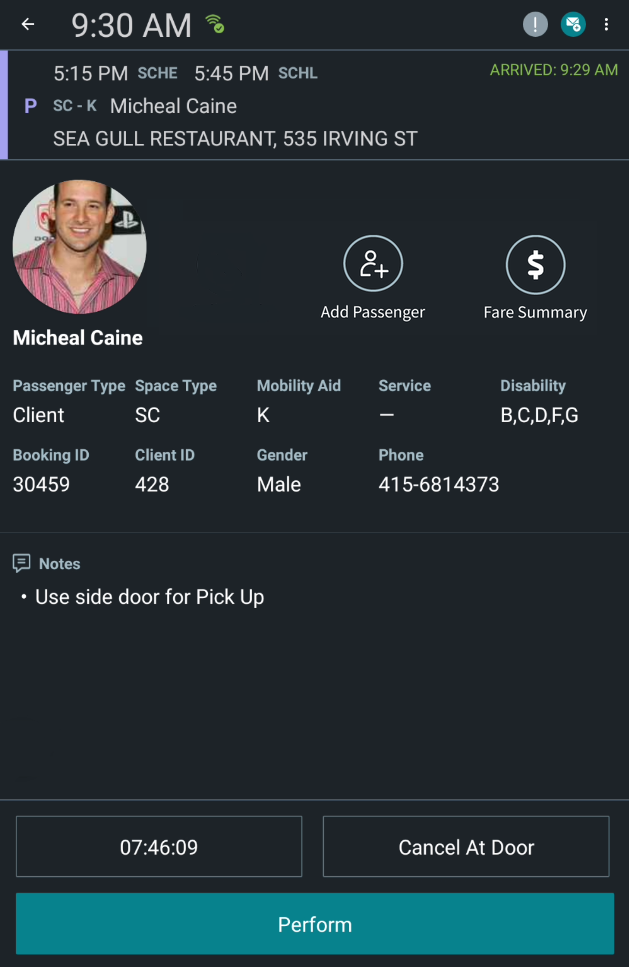
Portrait Mode is now available in DriverMate. This features enables DriverMate to be
viewed in portrait orientation without the need for any setting changes. To enable, simply
rotate your tablet vertically.
Flex Stop Functionality
The Flex Stop feature adds flex configuration into the current DriverMate
configuration to make one configuration for both paratransit and flex. This will
allow any DriverMate vehicle to operate a flex run.
This feature is seamlessly integrated into DriverMate and does not interfere with the
current workflow of paratransit operaters. Flag stops will remain disabled, meaning
only the Auto Arrive/Auto Perform of Nodes and Stops will be enabled. Therefore, the
enhancement will only apply when a flex run (for example, nodes and stops) is sent
to the DriverMate tablet.
Auto Configuration
The Automated Configuration feature allows administrators to automatically configure
DriverMate to their operational needs. There will be no more file management or
landing files on devices.
Attention:
This will only work for agencies that have
been granted access to the automated configuration servers and given credentials to
authenticate.
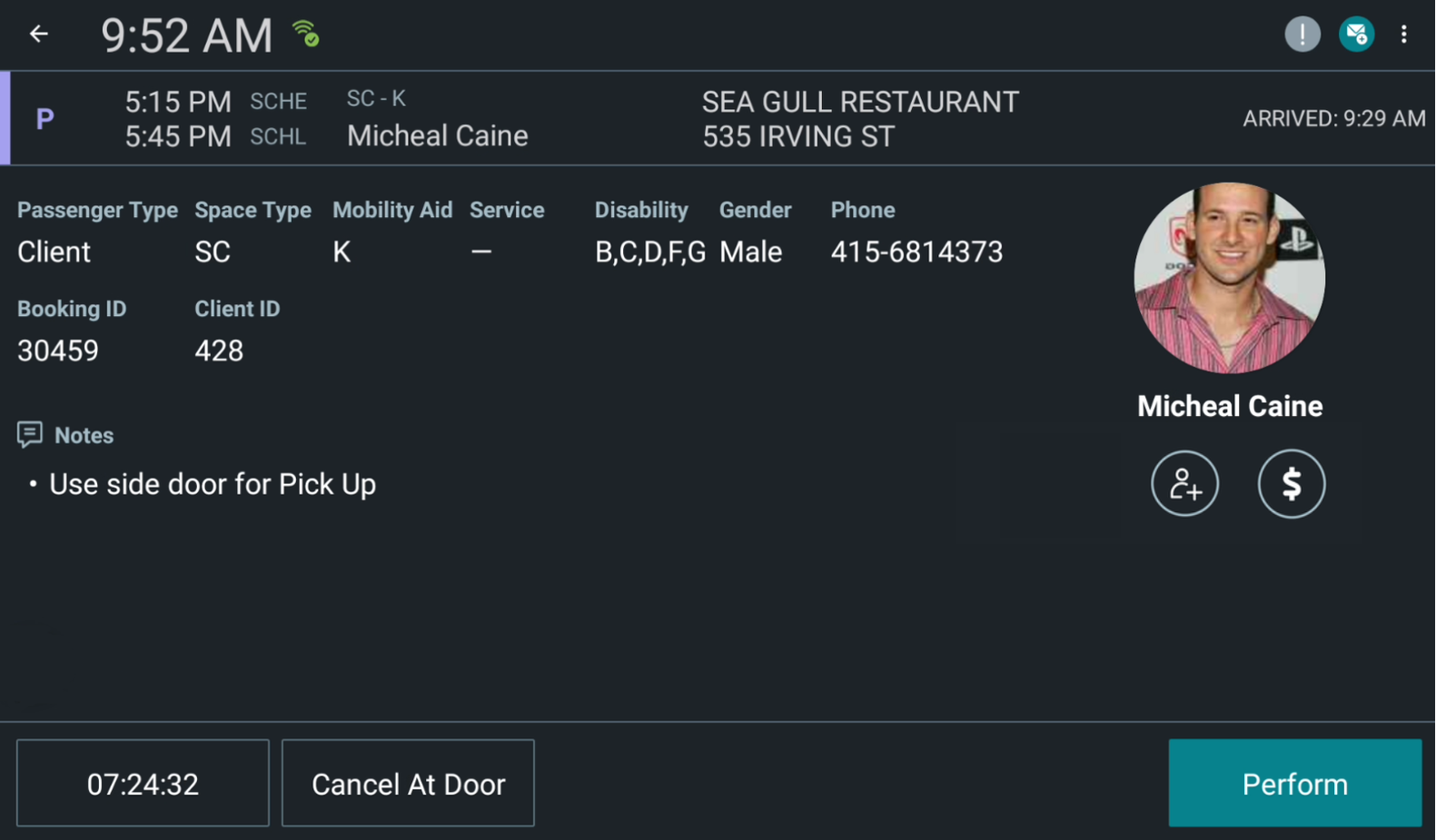
Portrait Mode
It provides flexibility for users when running DriverMate, where the display can
adjust on the fly to the driver's preference.
Note:
Some of the
user interface has also been redesigned and enhanced to accommodate for portrait
mode.
Figure 1. Portrait Mode:
Figure 2. Landscape Mode:
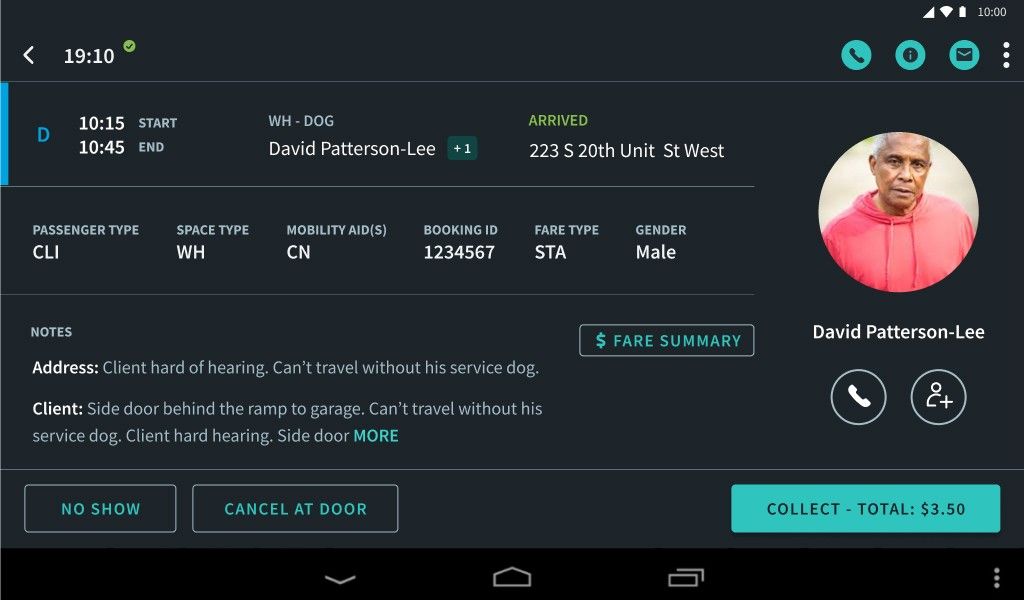
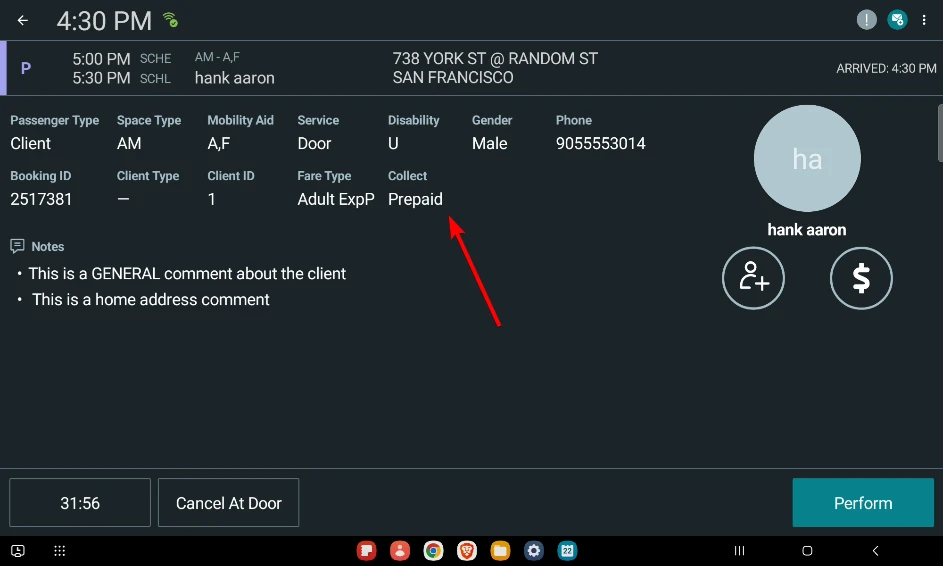
User Interface enhancements for EZ-Wallet fare collection.
EZ-Wallet fare collection will show Collect - Total button
when there is fare to collect, and a Perforrm button when
there is no fare to collect. This will simplify the EZ-Wallet fare collection user
experience.Figure 3. An example of the Collect - Total button when there is a fare to
collect. Figure 4. An example of the Perform button when there is no fare to
collect.