
Improvements and Bug Fixes
Additional improvements and fixes in this version include:
Clients
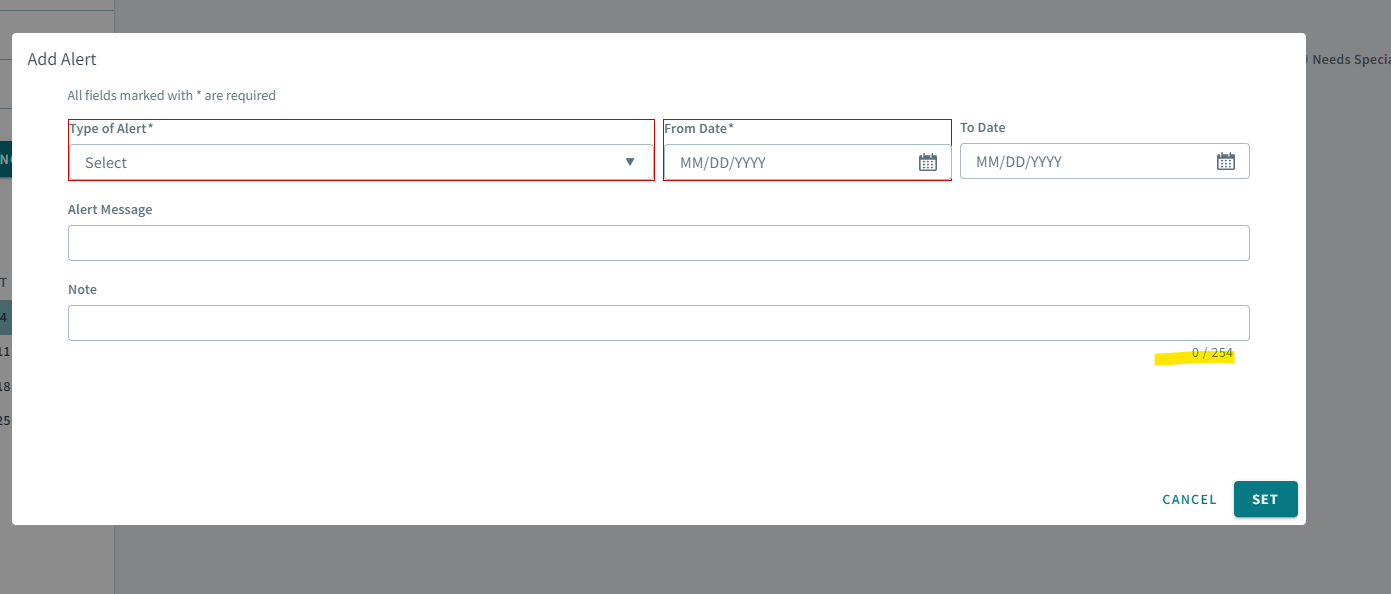
- In the Add Alert modal, added a maximum character limit of 254 in the
Type of Alert field.
- The following updates were made for IVR notifications when creating and editing
bookings:
-
Updated the client profile with the IVR Call-back client field.
-
On the booking form, the same default logic as the workstation is applied. Notification preferences are auto populated based on what is in the clients profile.
-
When the Notification toggle is off in the Bookings page, it will clear the client’s preferences, but when it is toggled on, it will restore the default preference in the client's profile.
-
-
Added alert pop-ups for when manually geocoding an address without latitude and longitude co-ordinates, and for when saving a client profile without a geocoded address.
Figure 1. Manually geocoding without latitude and longtitude coordinates 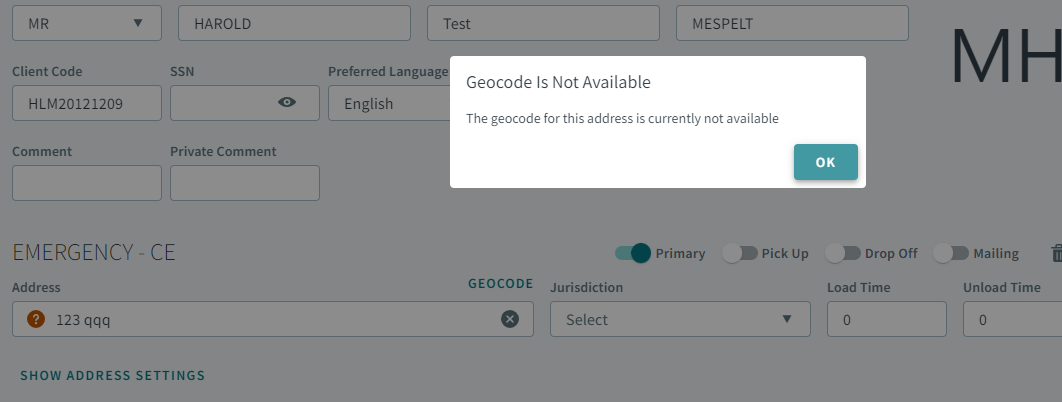
Figure 2. Saving an un-geocoded address. 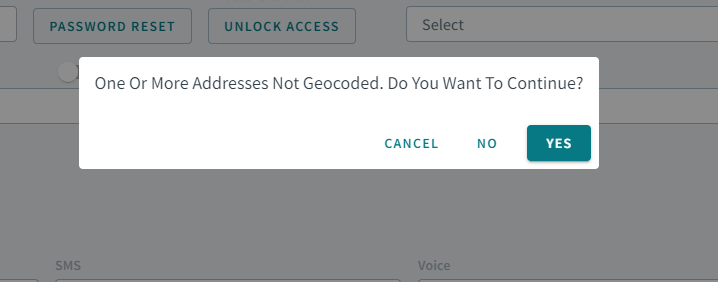
- Contact Types have been redesigned with new icons that are displayed by default.
The previous design utilized a context menu (three dots menu), where the user
had to perform multiple steps to add a contact type. Now, it can be added with
one click.

Bookings
-
Updated the search filter logic for the From Time and To Time fields with the time range component. This will allow either From Time or To Time fields to be empty when performing a search. Previously, an alert message displayed under the field. For example, From Time cannot be greater than To Time.
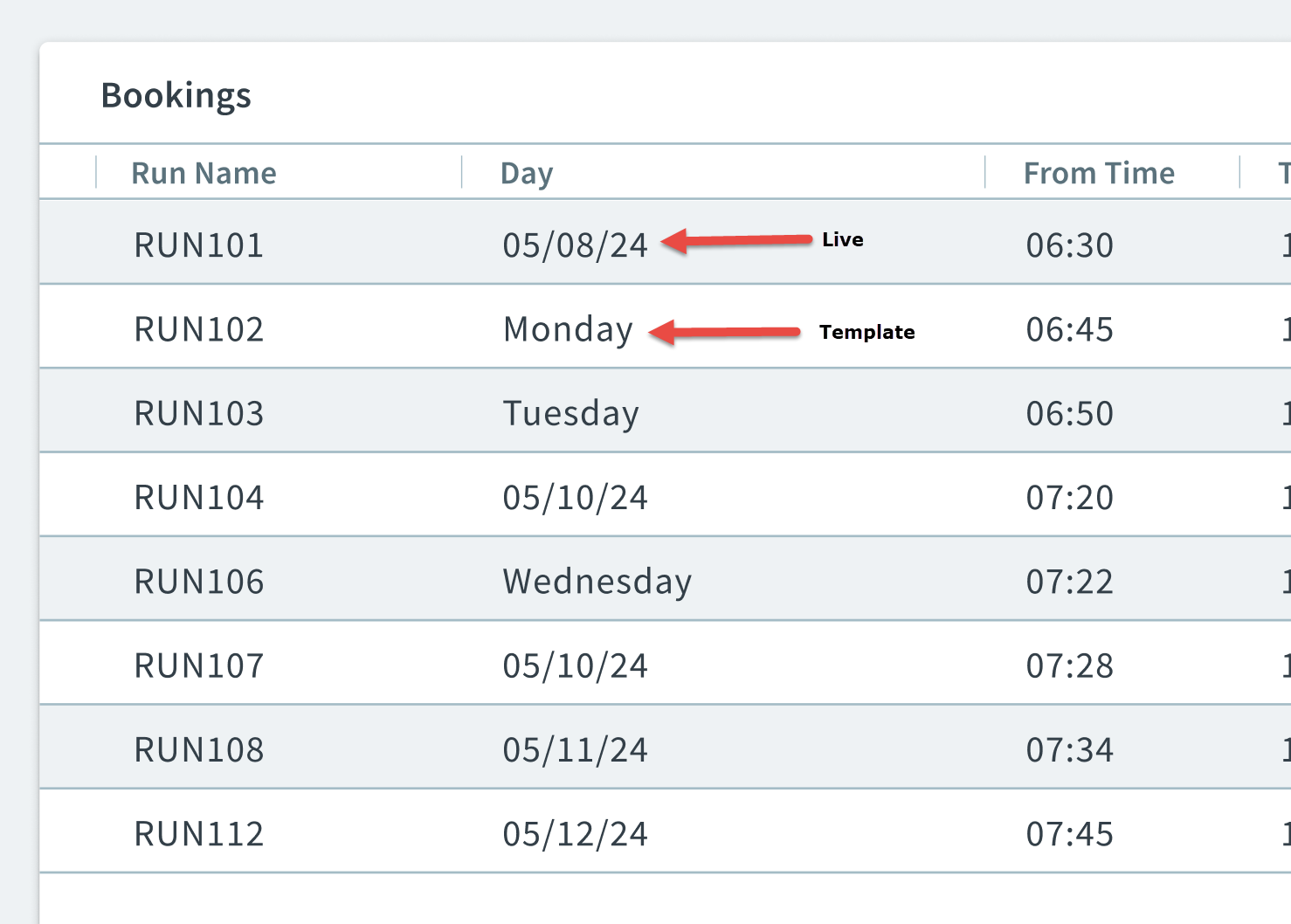
- The following improvements were added to the Bookings grid.
- Day column was added and Date column was removed.
- For Template bookings, the weekday of the booking will display in the Day column.
- For Live bookings, the date of the booking will be displayed in the Day column
- When creating a new booking, and adding a return trip to it. After clicking
Add Return, there is a new header label at the top of the booking
that indicates where the user is in the booking creation process.

-
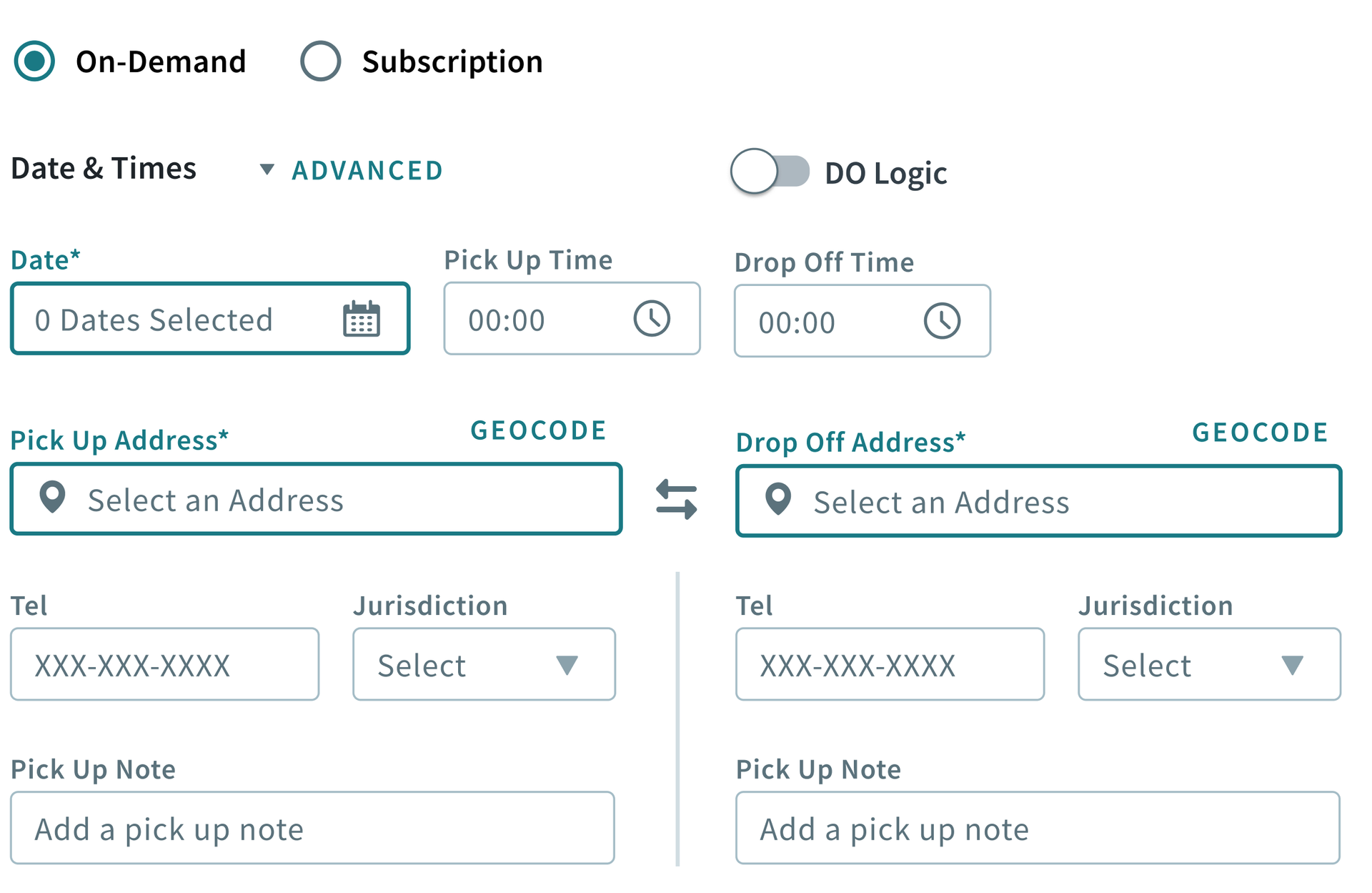
When opening a booking, the required fields are now highlighted to notify the user what needs to be filled.
-
The Cancel Booking option is now selectable in the context menu (three dots menu), when editing a booking with invalid fields.
-
When making changes to a booking, and then clicking Add Leg or Add Return, if the update failed, add return or add Leg should not be allowed. Now, a new booking will not open into a new tab when the update fails.
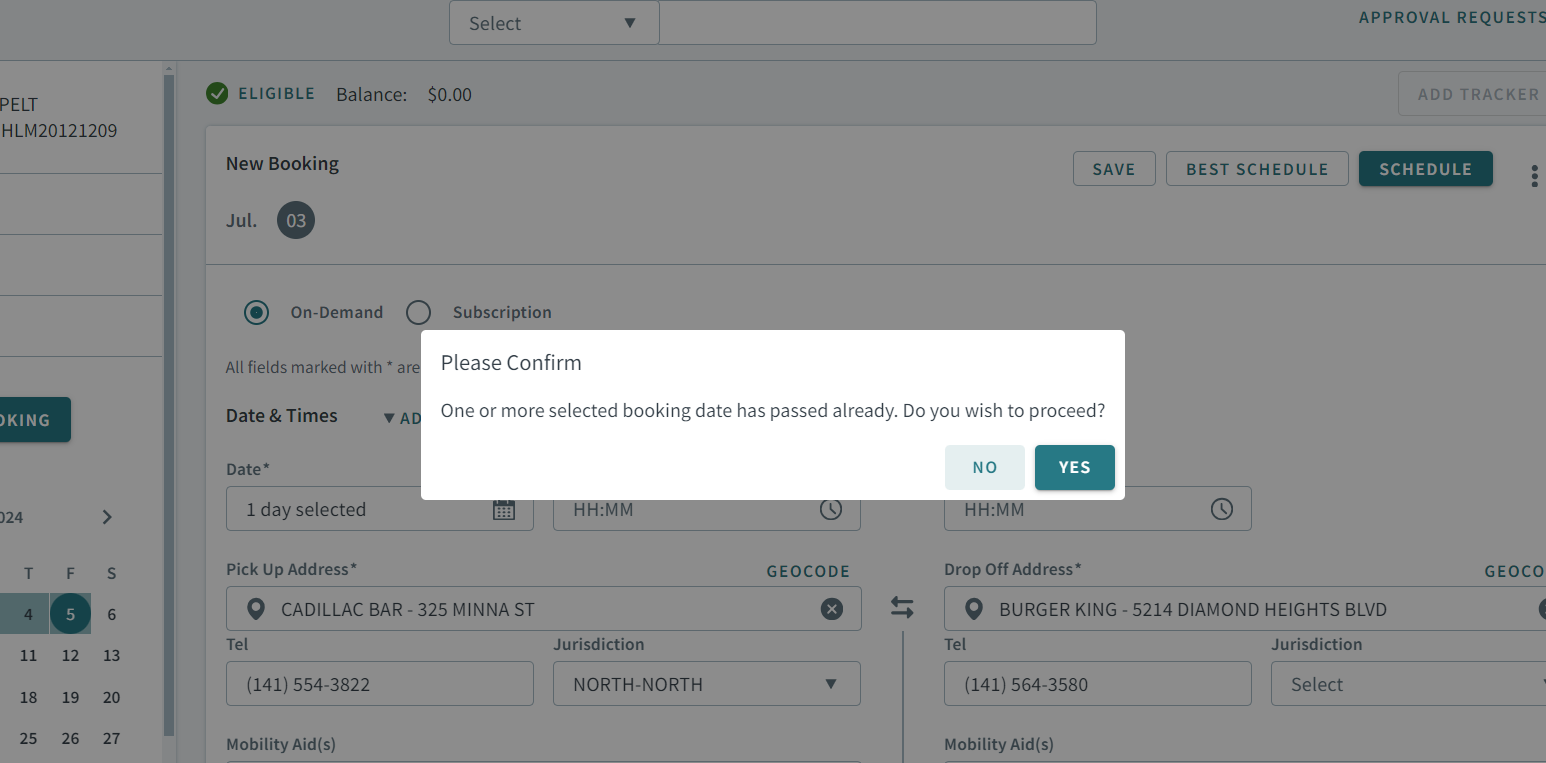
- For On-Demand/Casual bookings, a pop-up alert will notify you when you are
booking a trip with a past date.
- The Cancel Booking button was removed for “Add Leg” bookings. This should not be allowed as the booking has not been created yet. The Cancel Booking button is only visible when editing bookings.
- Fixed an issue where when switching from an On-Demand to Subscription booking, the Active toggle was enabled by default. Also, a security permission (Trapeze4/Trip Booking/Override Pending Subscriptions) was added to stop users from turning the toggle on.
- Fixed an issue where the map did not show an address pin after creating or editing a booking, and then saving it.
-
Fixed an issue where Best Schedule could not be performed with future dates.
- Fixed an issue where when refreshing the Date Rules modal with one more more empty date rules, the calendar displays the incorrect dates.
-
Fixed an issue in the Funding Source modal where the down arrow to sort the order of the funding sources did not work.
-
Fixed an issue that occurs when manually geocoding a dropoff address in the Geocode details of the map, and then clicking the Swap button to switch the address with a pick-up address. The swapped pickup address did not have the manually geocoded address details, but contained the location name of the pickup address.
-
Fixed an issue where the Mobility Aid dropdown menu displayed the number “1” even though no value was selected.
- Fixed an issue where when adding a return or leg to a booking, but then deciding to click New Booking in the sidepane of the add return or add leg page, the new booking did not have the details from the original booking. Also, an improvement was implemented where when the new booking page opens, the add return or add leg page will automatically redirect back to the original booking.
-
Fixed an issue where DO logic was not enabled when context property: PASS4/Booking/Activate Requested Drop-Off Logic was set to Only Apply to Casual Trips.
-
Fixed an issue where no fields were showing on the Accessibility tab.
-
Fixed an issue where when changing a provider setting, date intervals that were previously set were cleared.
-
Fixed an issue that occurred when creating and editing a subscription booking. The Provider ID did not display correctly after the booking was saved. A different value was displayed, but the backend showed the correct value.
- Fixed an issue where the Day column did not display when Active, Casual, and Subscription was selected in the Type dropdown menu.
- Fixed an issue where Best Schedule and Put On Taxi buttons did not work when clicked before a save.
-
Fixed an issue where the context menu (three dots menu) did not display when opening an “Add Leg” booking.
Booking Wizard
-
When looking for a booking solution, previously manually selected Transport Modes will remain when changing the time in the pending list to generate new solutions.
-
Fixed an issue in the Booking Wizard map where when the map was collapsed, the
Maplabel string was missing in the web browser's console. After, when navigating to the Clients page and maximizing the map, and then navigating back to the Booking Wizard, the map displays a Minimize icon despite being in the default size. -
Fixed an issue where in the Sequence column of the Itinerary Solutions grid, all the numbers were the same, but should be in sequential order.
Address matcher
-
Fixed an issue where the map pins were highlighting unselected addresses from the grid.