
Improvements and Bug Fixes
Additional improvements and fixes in this version include:
General
-
Fixed an issue where date formats were not consistent with language and region settings. For example, American English language setting: mm/dd/yyyy and French (France) language setting: dd/mm/yyyy.
-
To support the new Booking Subscription Sync feature, the following security permissions were added to enable the Synchronize button:
-
Trapeze4/Trip Management/Delete Trips
-
Trapeze4/Trip Management/Trip Edit
-
Clients
-
The Tracker Note text area is now a required field. When cancelling a booking from a Client Itinerary, the Submit button will be disabled in the Cancel pop-up window, and enabled once a tracker note is entered.
-
Fixed an issue in the Client details page where after clicking Save, the button was not disabled, allowing the user to click on it multiple times. This then sends multiple requests to the backend.
-
Fixed an issue where when searching for an un-geocoded address, No results found for the address was displayed under the Address textbox. Then, after successfully manually geocoding, the No results found for the address should have been cleared.
Bookings
-
When creating multiple day bookings, clicking a booking ID of a previously created booking (at the top of the page) does not prompt a Save Changes popup window. Now, it is ignored and Save Changes will only appear when the current booking is saved.
-
When switching between an On-Demand booking and Subscription booking, the options for the Paraservice and Provider dropdown menus should update and be relevant to the booking type.
- When searching for an address, you now must make a selection from the search
results in order for the address input to pass through in the backend. If no
search result is selected, the search box will display Invalid
Selection.

-
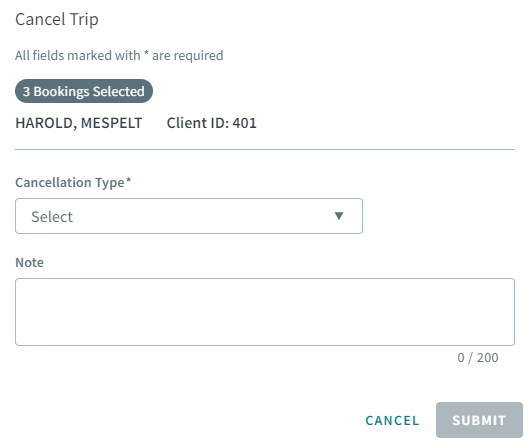
You can now cancel multiple bookings at once. In the Cancel Trip dialog box, the number of bookings selected will be displayed, and the client name and ID.
-
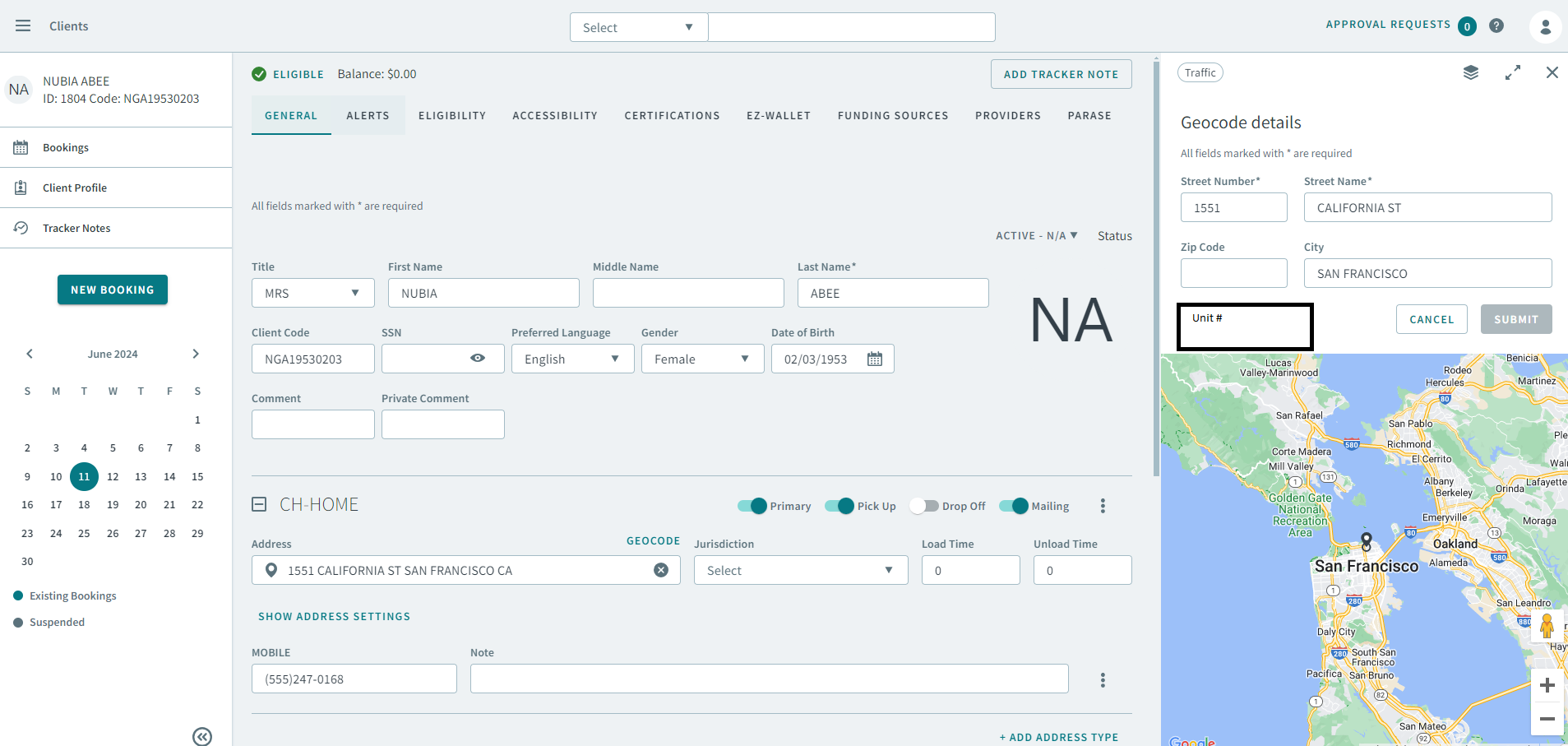
There is a new Unit # textbox to enter an apartment complex unit number when manually geocoding a location.
-
The Check button in the Date Rules modal is now disabled if there are no date rules.
-
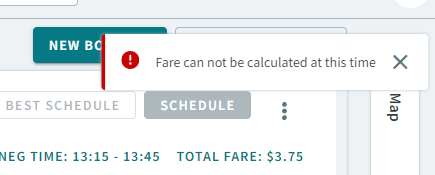
Added a toast message: Fare can not be calculated at this time when there is a backend error affecting fare calculation.
-
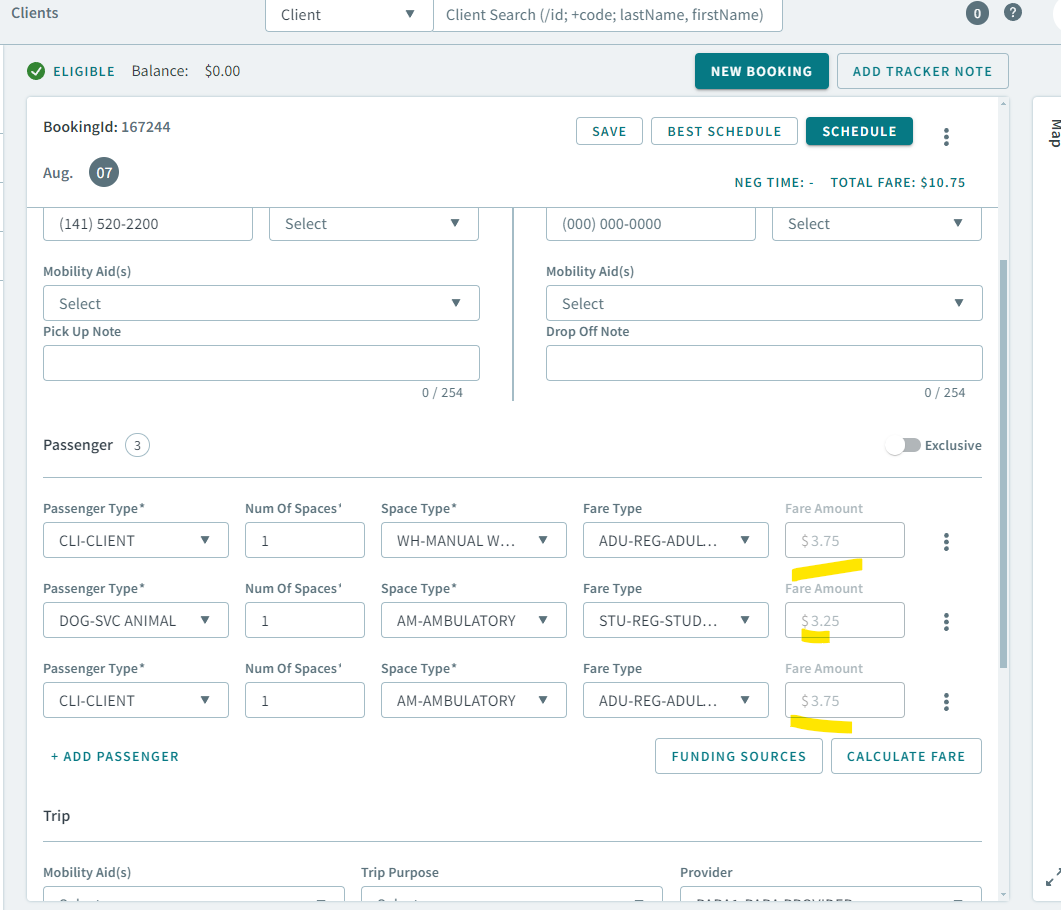
Fare amount inputs for passenger records are now greyed out and no longer editable.
-
Fixed an issue where the dollar sign ($) did not display in front of the fare amount in the Fare Amount textbox.
-
Fixed an issue in the Subscription Synchronization modal, where the the following After Synchronization dropdown menus were not populating schedule violation options:
-
Unschedule when it exceeds Violation Set
-
Unschedule then “Best Schedule” with Violation Set
-
-
Fixed an issue where when attempting to filter the bookings in the grid by schedule ID (selecting Live in Schedule Type dropdown menu, removing dates in the From Date and To Date boxes, and selecting a date in Schedule dropdown menu), the current date is automatically populated and booking data for the current date is displayed in the grid.
-
Fixed an issue where Vehicle Type Exclusions were not displaying in the Vehicle Exclusions dropdown menu for pick up and drop off legs of a booking. Only after the web browser was refreshed, then the Vehicle Type Exclusions would appear in the dropdown menu.
-
Fixed an issue in the Booking details pages where several action buttons (Save, Best Schedule and Schedule) did not disable after being clicked, allowing the user to click on them multiple times, which continues to send requests to the backend.
-
Fixed an issue where the Fare Summary modal displayed incorrect fares, as the fare calculation logic was incorrect.
-
Fixed an issue where the Fare Summary modal was not showing correct fare beside the client and in the Total Fare when the passenger type and fare type were the same.
-
Fixed an issue where an incorrect fare displayed in the Fare Amount textbox for a passenger after clicking Calculate Fare.
-
Fixed an issue where payment details were not updating in the Fare Summary modal after removing a passenger type, or changing a fare type.
Booking Wizard
-
Fixed an issue where in the Edit Violations dialog box, creating a custom preset violation did not update in the Violation Set dropdown menu.
Live Vehicles
-
Added the traffic layer from the Bookings page in the Live Vehicles page. Click the Traffic icon above the map to enable it.
-
Fixed an issue where the Live Vehicles map was not showing locations.