New Features and Enhancements
OneMobility 1.6 introduces major enhancements for Auto Scheduling.
Auto Scheduling (Batch/Match)
Batch Scheduling
- Previously in the Trapeze4 workstation, the Batch Scheduling process
required end users to click through various modals. Now, the new UI uses a
single page with text to provide guidance, which makes the process easier
and quicker.
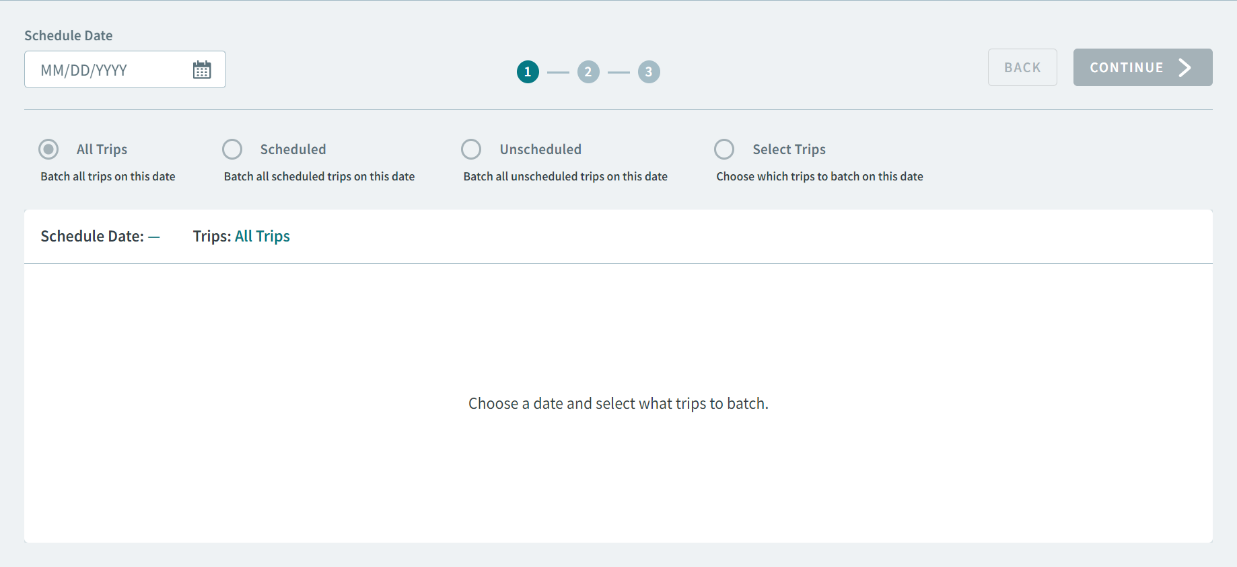
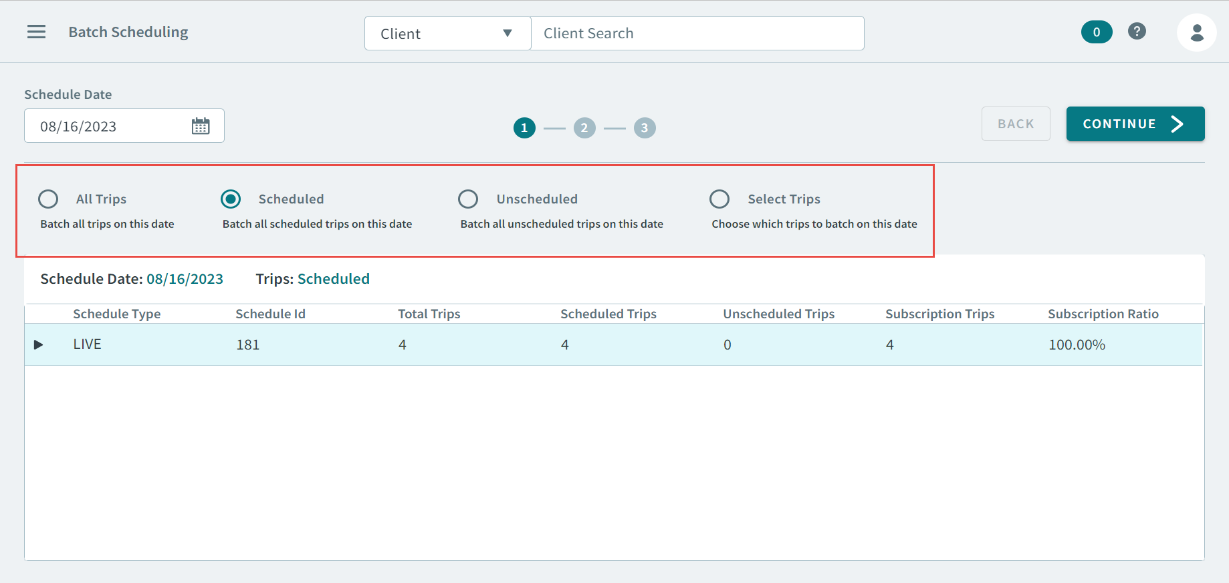
- Radio options that allow you to filter which types of trips in a schedule
that you want to batch. Selecting an option will display the schedule and
the number of trips for that selection.
-
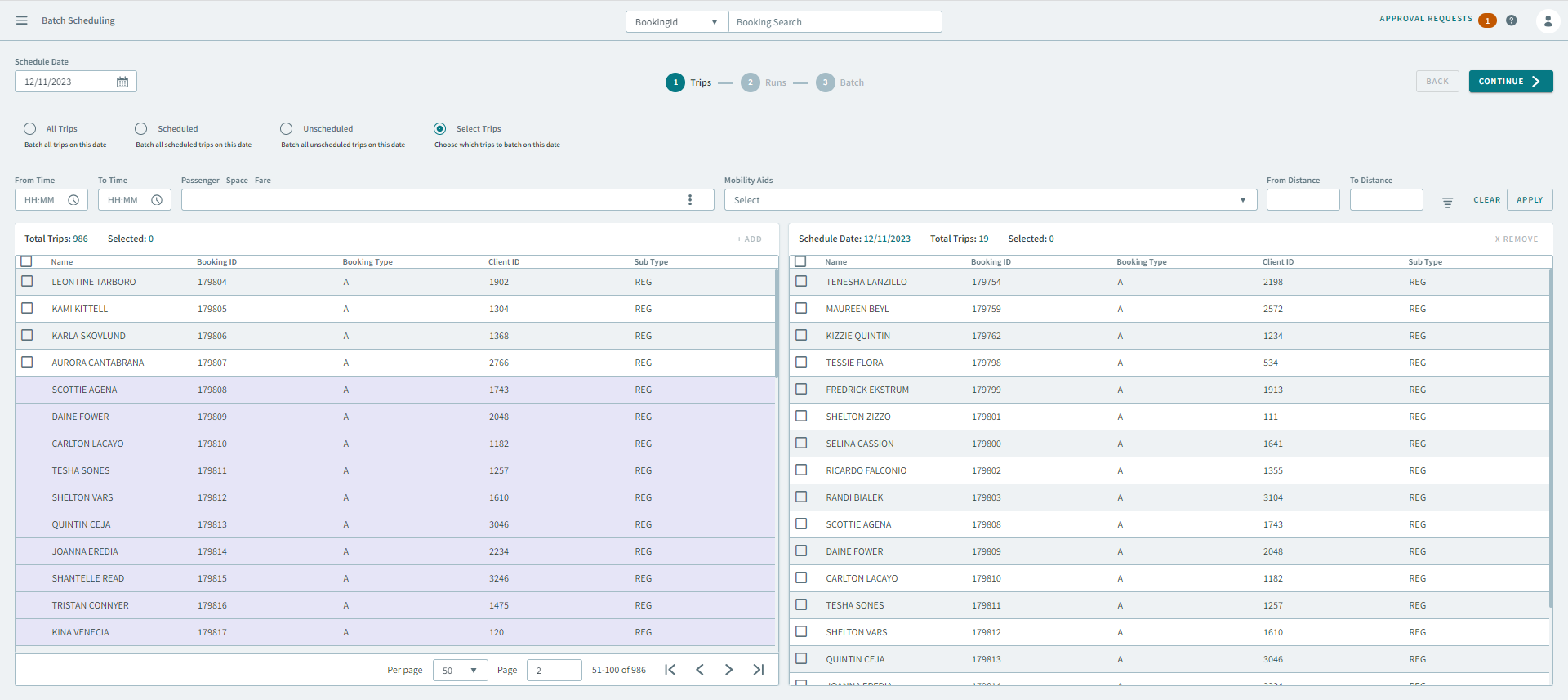
You can also batch Select Trips. This allows the user to select specific trips for batch scheduling.
-
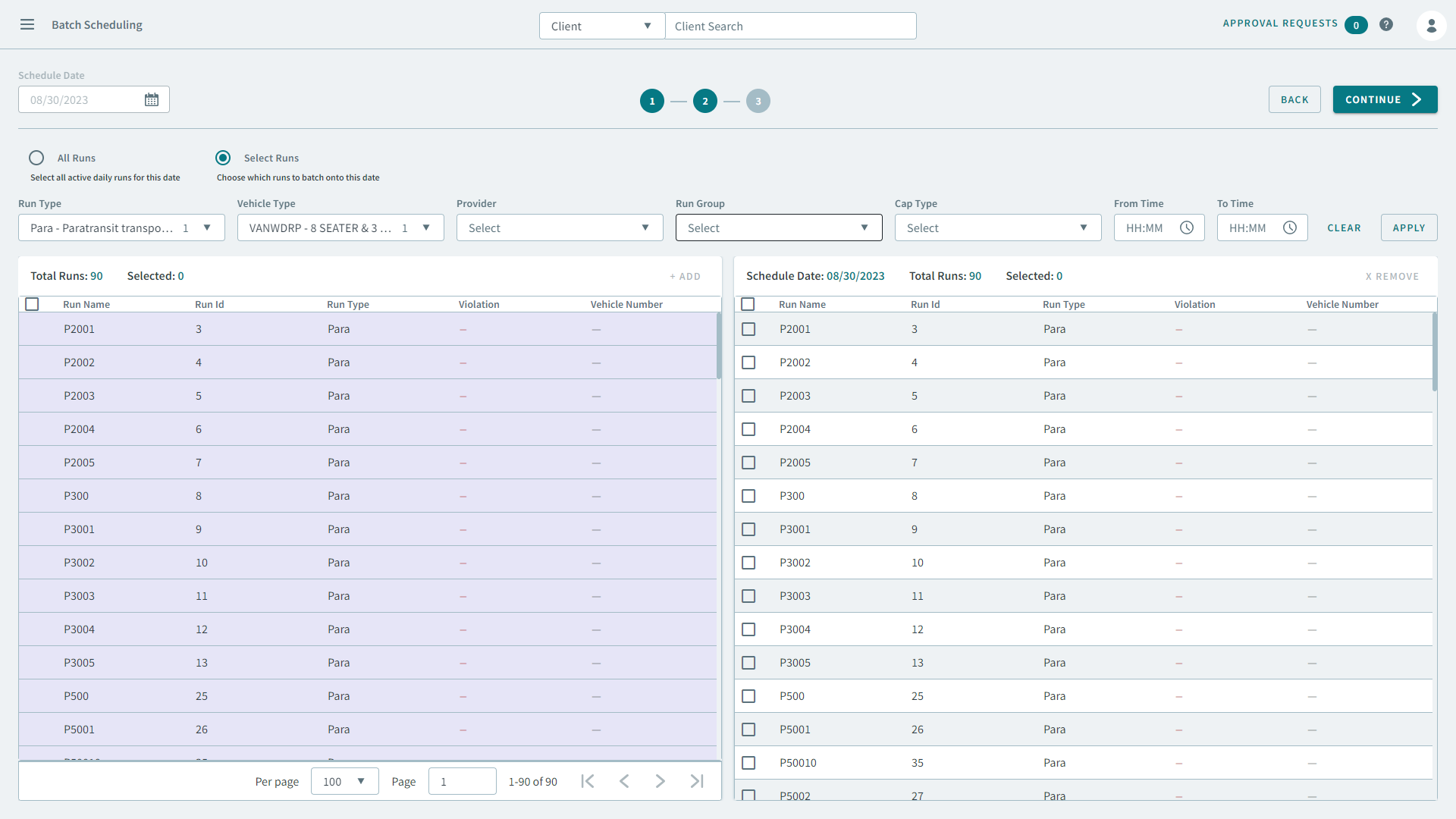
As part of the batch process, you can also Select Runs. This allows the user to select specific runs for batch scheduling.
Matching
-
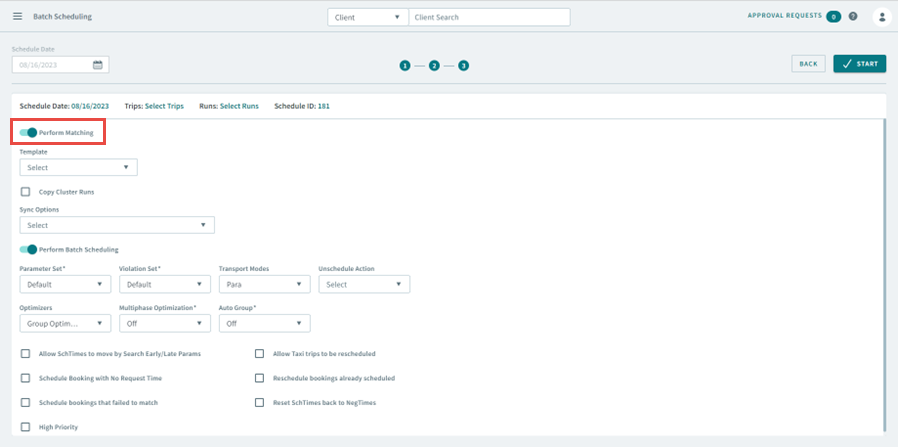
A Perform Matching toggle can be turned on. This allows users to determine if they want to match to a template before running the batch.
Batch Monitor
Batch History
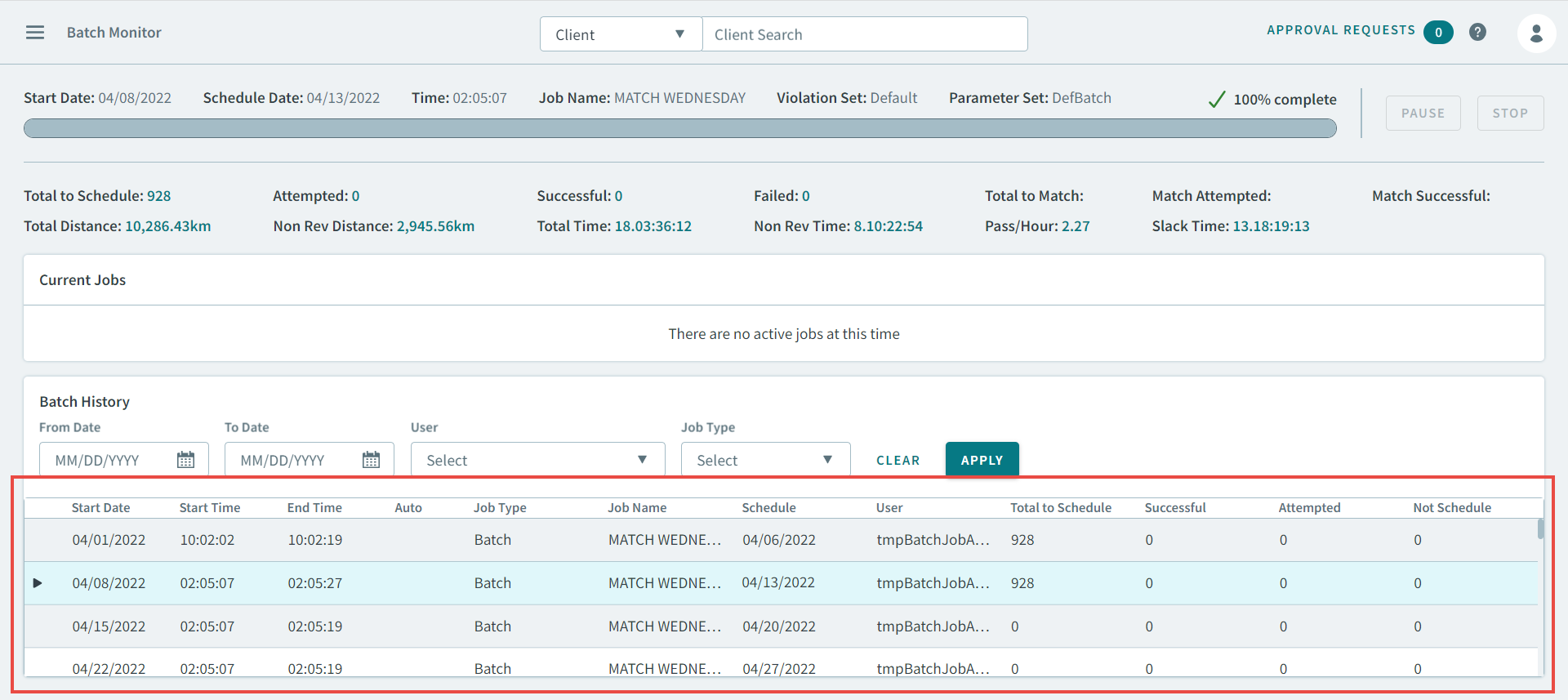
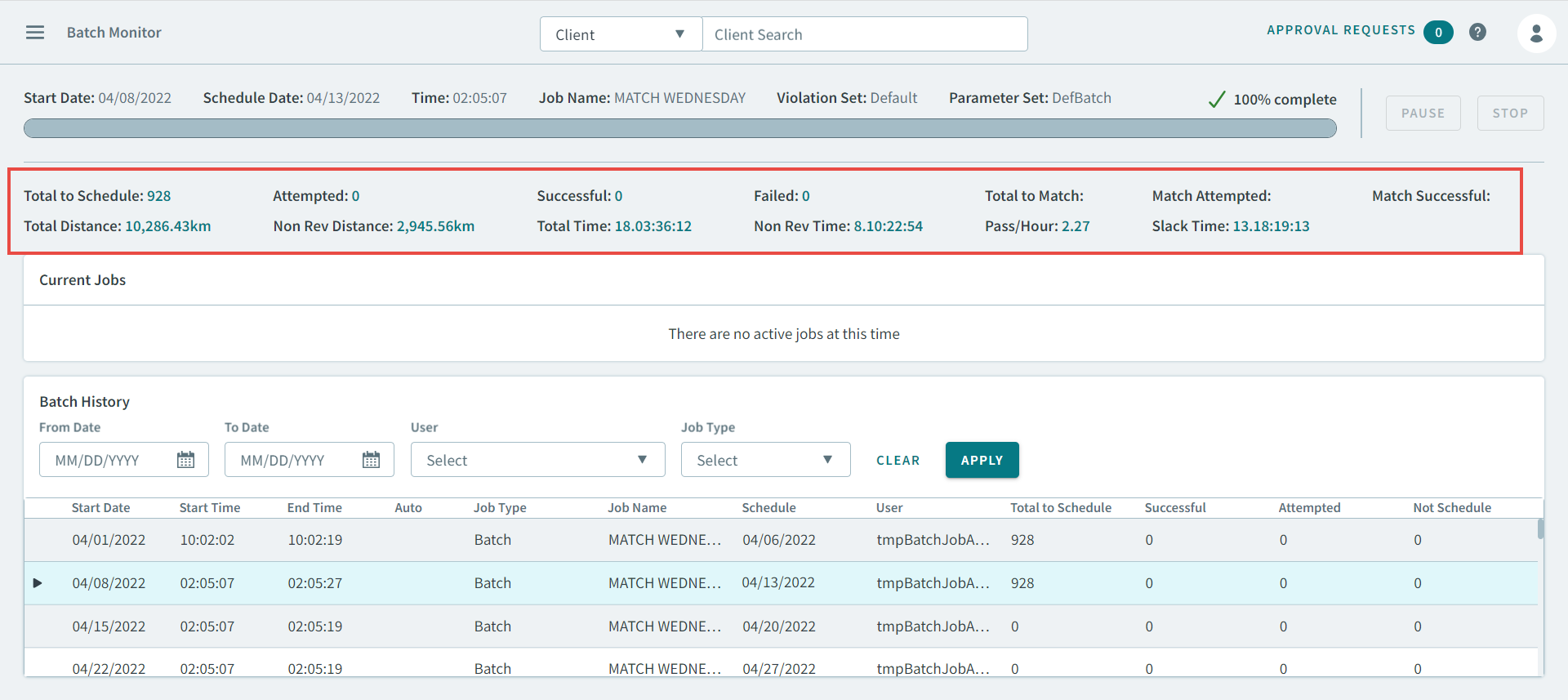
- A Batch Monitor grid. Previously when a new batch job was performed in the
Trapeze4 Workstation, it removed the batch detail from the previous job.
Now, you can view all the historical batch jobs in the grid.
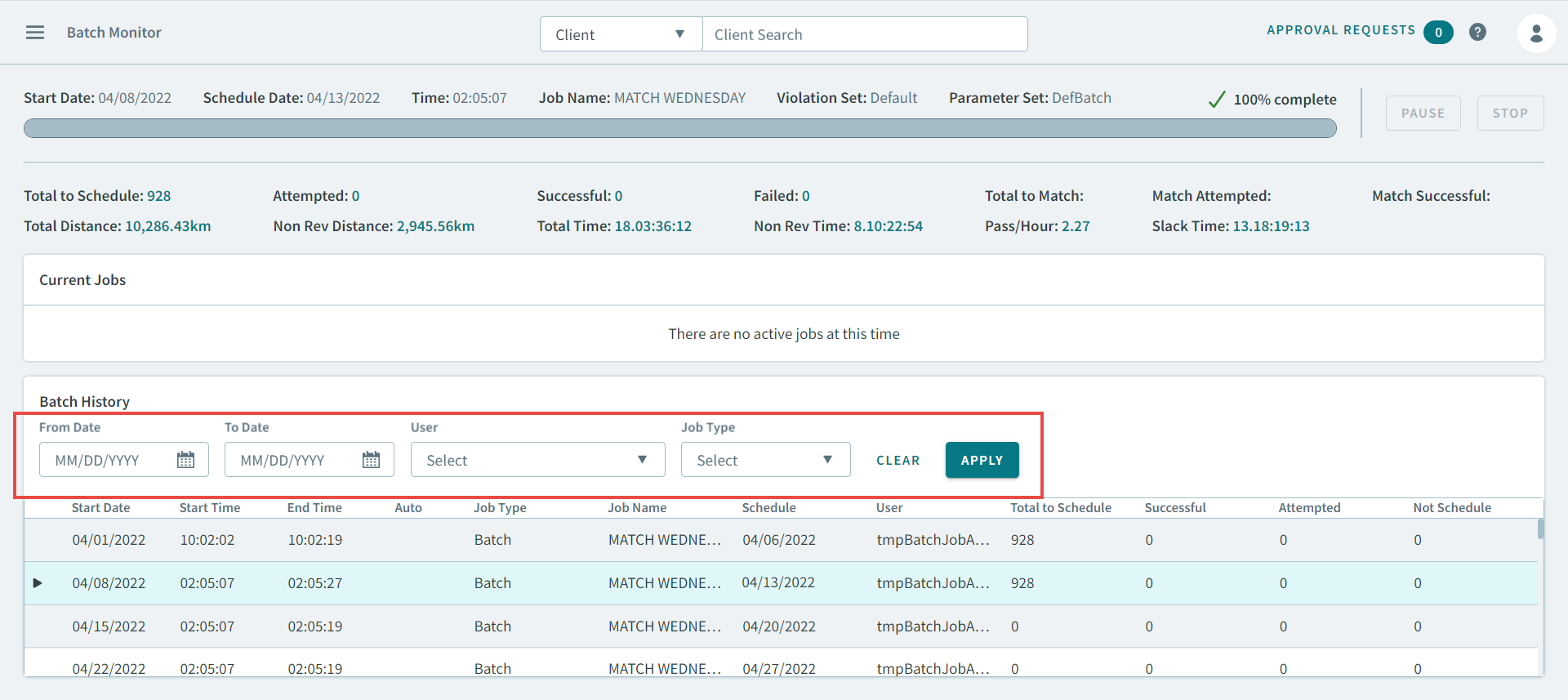
- User Interface (UI) controls that allow you to filter out the batch
history.
- KPIs displayed above the grid.
-
You no longer have to query databases to review the batch job history.
Status Bar
-
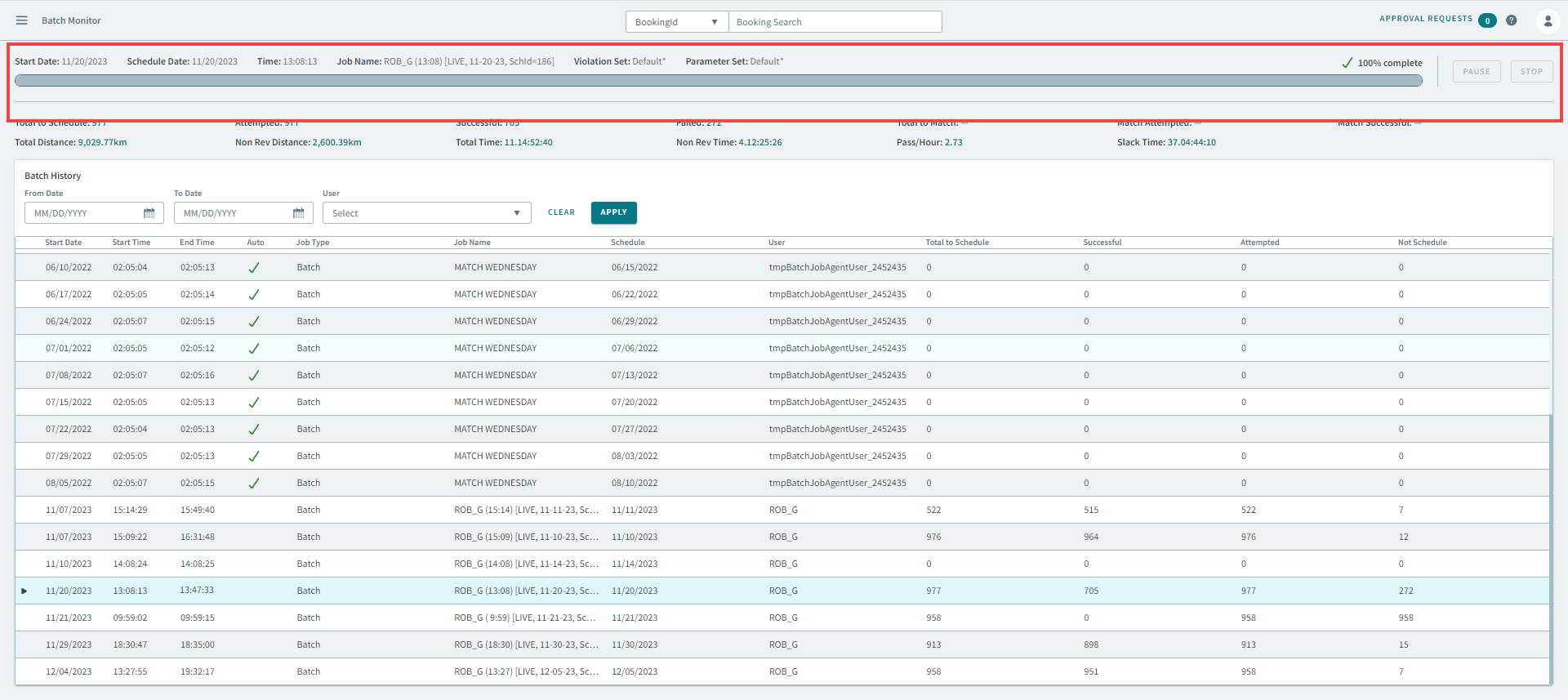
When batch jobs are activated, there is now a status bar that will show the progress of batch jobs. This provides confidence that jobs are now running properly by showing the level of completion.
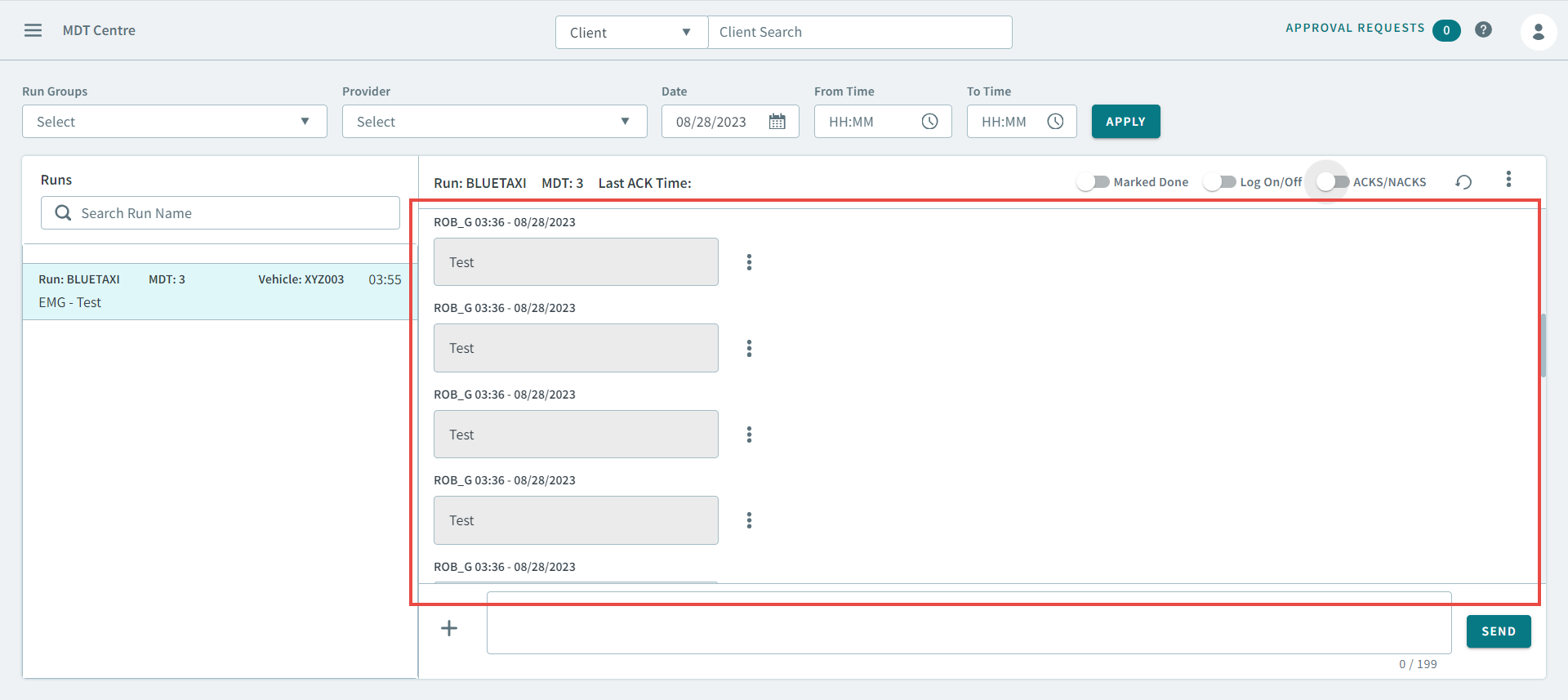
MDT Center
- A full view of communication between dispatch and drivers. In the previous
Trapeze4 workstation MDT Centre, it was difficult to view messaging between
Dispatch and Drivers. Now, the new UI provides an easier way by allowing users
to scroll through the entire conversation for that day.