
Improvements and Bug Fixes
Additional improvements and fixes in this version include:
General
-
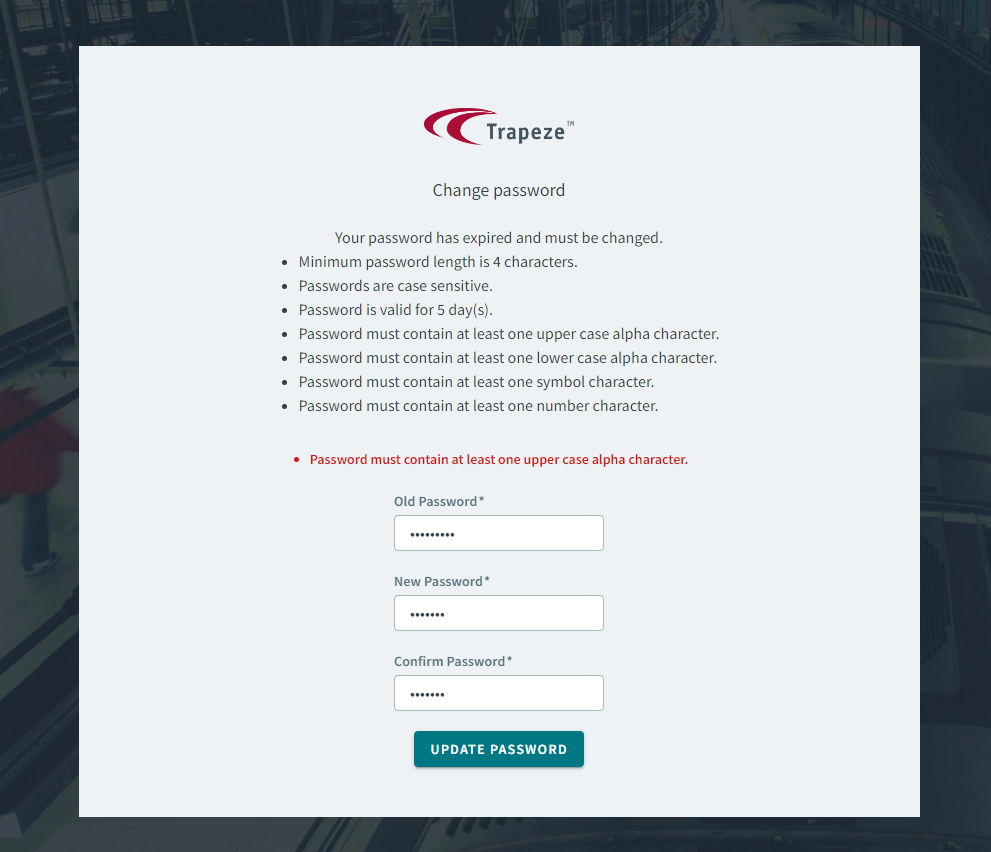
When a user’s password is set to expire, a pop-up warning now prompts the user to reset the password.
A Change password screen allows the user to modify the password according to a set of restrictions.

Address Matcher
- When searching for a new address, a map pin appears on the map after
selecting an address result. Additionally, clicking on the map pin will
highlight that specific address.
- Filters are now removed from the grid of the following pages:
- Clients
-
Dispatch
-
Schedule Editor
- Bookings
- Ancillary
Bookings
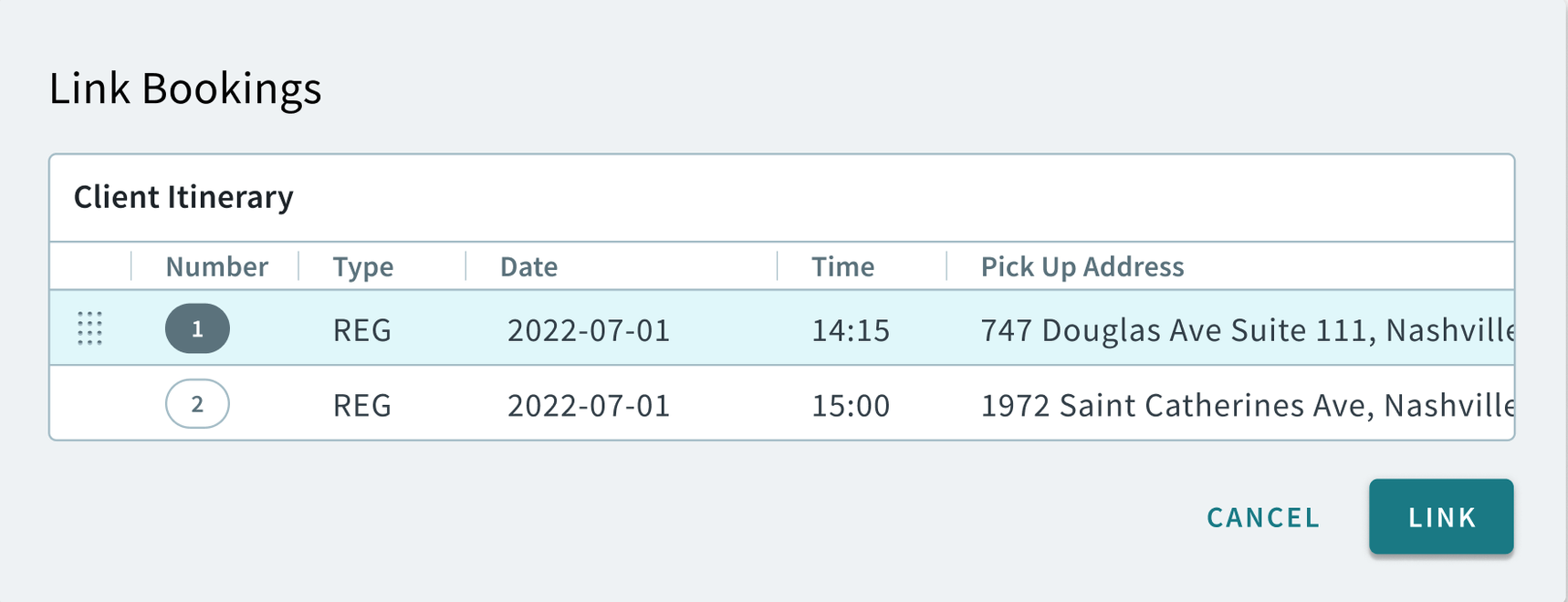
- Linking and unlinking bookings functionality has been integrated into the
Bookings page. The feature now includes the following enhancements:
- When right-clicking a booking in the Bookings
page, a shortcut menu will allow you to link or unlink
bookings.
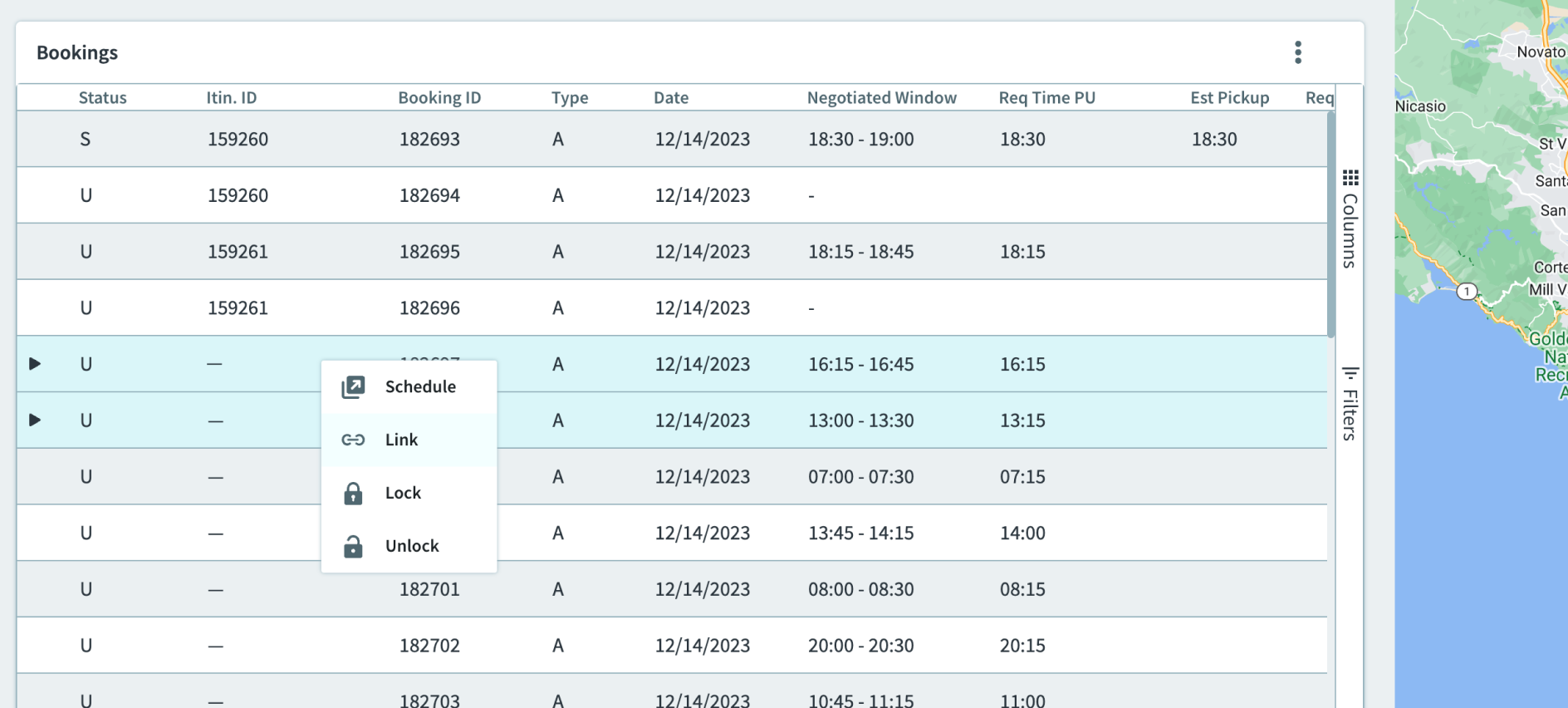
- Additionally, you can hover over a booking to enable click and drag
functionality for linking bookings.
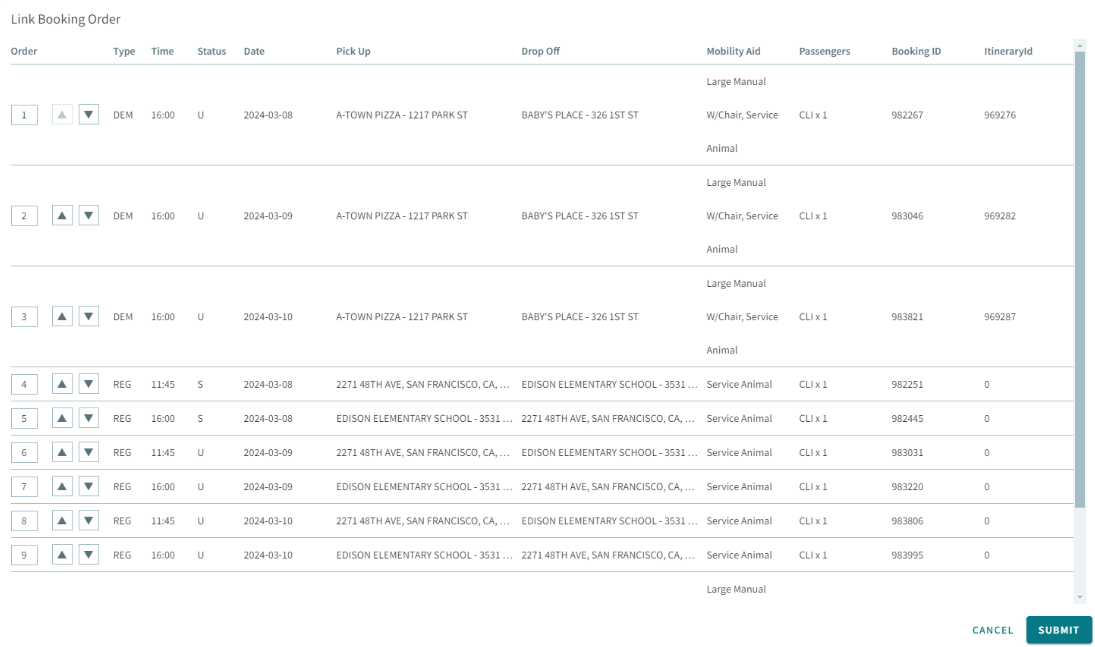
- The Link Booking Order modal allows you to modify the
sequence of the linked bookings.
- When right-clicking a booking in the Bookings
page, a shortcut menu will allow you to link or unlink
bookings.
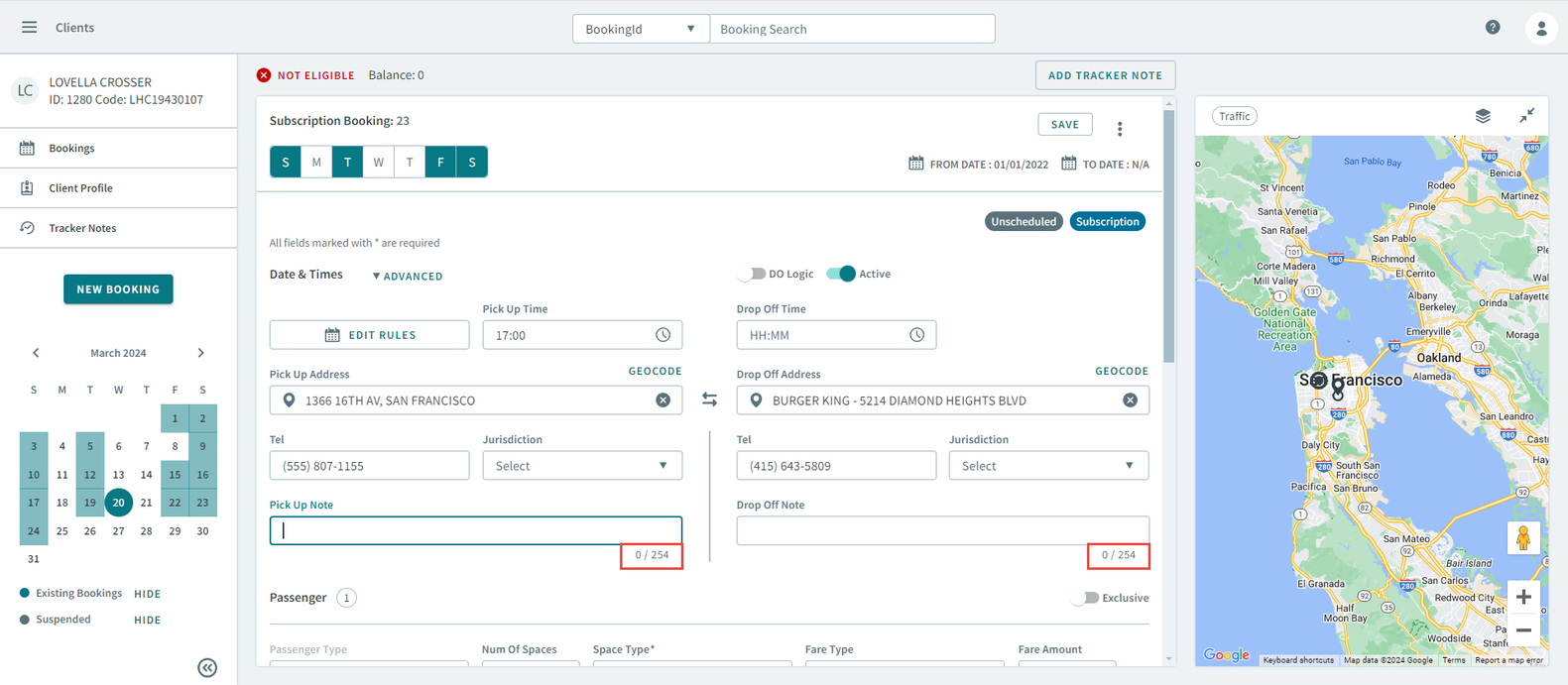
- In the booking details, the character limit for Pick Up
Note and Drop Off Note has been
increased from 108 to 254 characters.
-
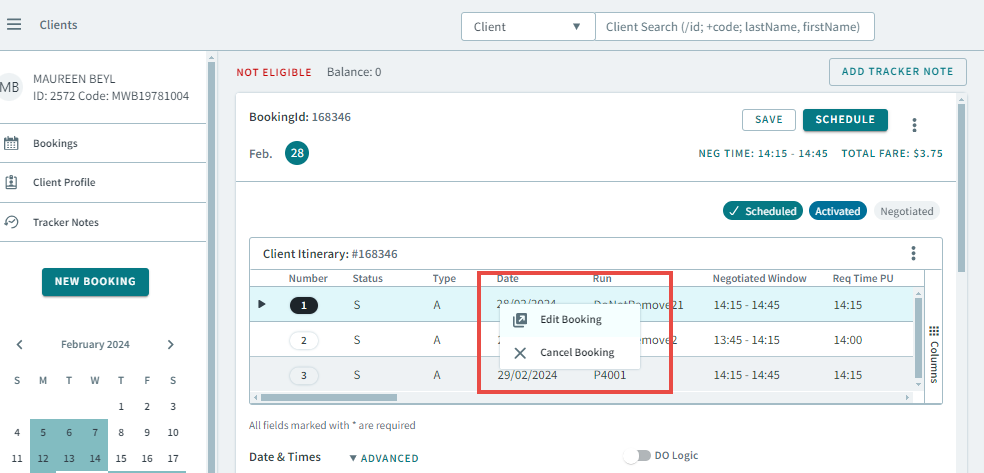
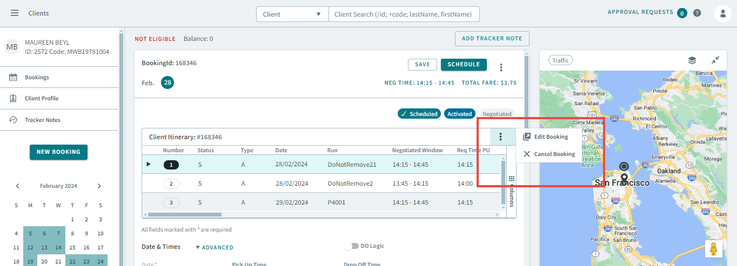
In the Client Itinerary grid, a short-cut menu was added. The short-cut menu can be opened by doing the following:
- When a booking is cloned, the context menu icon will not be displayed until
the cloned booking is saved.Before the booking is cloned, the context menu can be accessed.
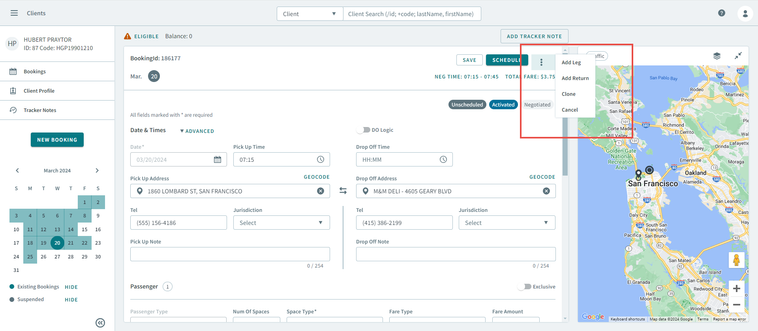 After the booking is cloned but hasn't been saved, the context menu no longer appears.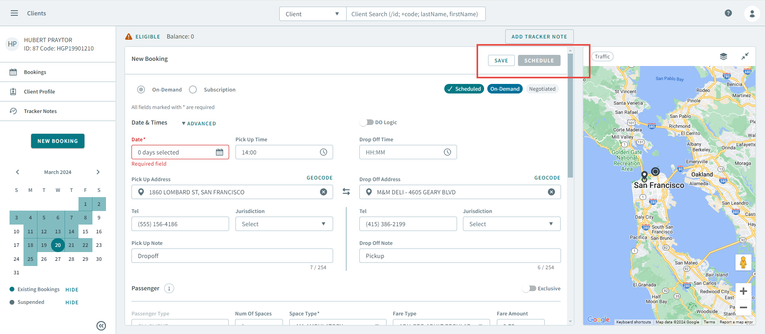
-
Manual geocoding is now available for bookings. If an address is not populated from the Pick Up Address or Drop Off Address boxes, you can click Geocode and manually add the address as map data.
-
Removed the Status dropdown menu from the Advanced Filters of the Bookings page.
- In the Date Rules popup window (when adding a new date rule), the modal text was changed from No date rules found to All fields marked with * are required.
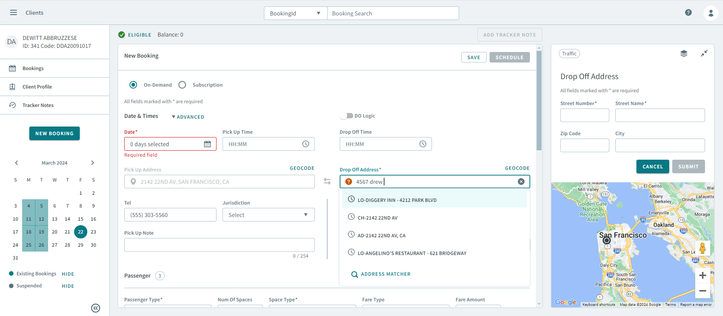
- The pop-up message, "Either origin or destination Not Geocoded. Do you want to continue?" will be displayed if an ungeocoded address is entered into the Pick Up Address or Drop Off Address box. Selecting No will cancel the action, whereas selecting Yes will insert the address.
- Fixed an issue in the Filter fields where you could not enter decimal numbers in the Min Distance and Max Distance boxes.
- Fixed an issue that occurred when editing or creating a new booking. The time fields (Pick Up Time, Earliest Pick Up (ET), and Latest Pick Up (LT) ) did not validate correctly and should have been highlighted in red when conflicting inputs were entered.
- Fixed an issue where the Save button was not enabled even though no Fare Type was selected, and the FareTypeRequired context property was set to False.
-
Fixed an issue where when a new Passenger Type was added, the default Passenger Type did not show up at the very top, and also the Fare Type selection was not correct. These issues occurred after the booking was saved, and then the page was refreshed.
-
Fixed an issue where the Supervisor Override Approval Request feature was not working when editing a booking of an ineligible client.
- Fixed an issue where when clicking View Bookings in the Access Denied alert box, it did not navigate back to the Bookings page.
-
Fixed an issue where updating a Passenger Type did not automatically update the Fare Type to default when the Fare Type dropdown list box was empty.
- Fixed an issue where when searching for a booking (with no provider or para service applied) by booking ID in the Global Search Bar, a duplicate toast message appears. It should only appear once.
- Fixed an issue where when clicking Save or Advanced would turn the DO Logic toggle off.
-
Fixed an issue where a booking with a location address and no addrid could not be edited or saved.
- Fixed an issue where the Provider dropdown list box was not highlighted red as a required field.
-
Fixed an issue where when creating a new booking for an inactive client threw Developer Console errors.
-
Fixed an issue where the Best Schedule option was enabled in the context menu for canceled bookings in an itinerary. The Best Schedule option has also been removed from the shortcut menu for canceled bookings.
Clients
- When submitting a manually geocoded address in the map, an alert popup should appear notifying that the geocode is not available.
-
Fixed an issue where the client id and status did not appear in the grid columns when Client Status Type was selected from the dropdown menu.
-
Fixed an issue where Client in the Passenger Type dropdown menu did not display.
- Fixed an issue where a general polygon could not be saved for a client’s address.
- Fixed an issue where the Clients grid was missing the three dots icon at the top-right of the grid.
Dispatch
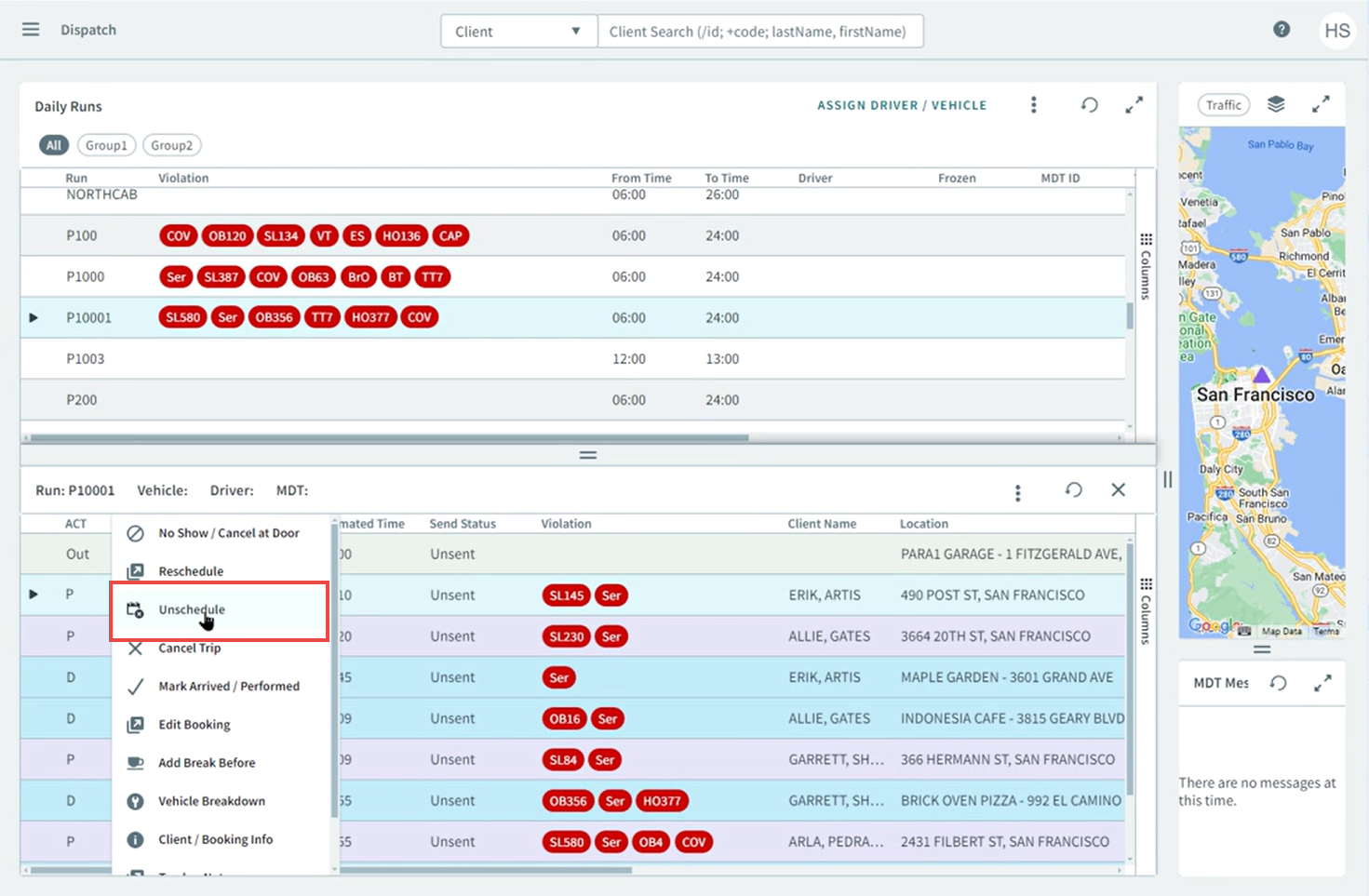
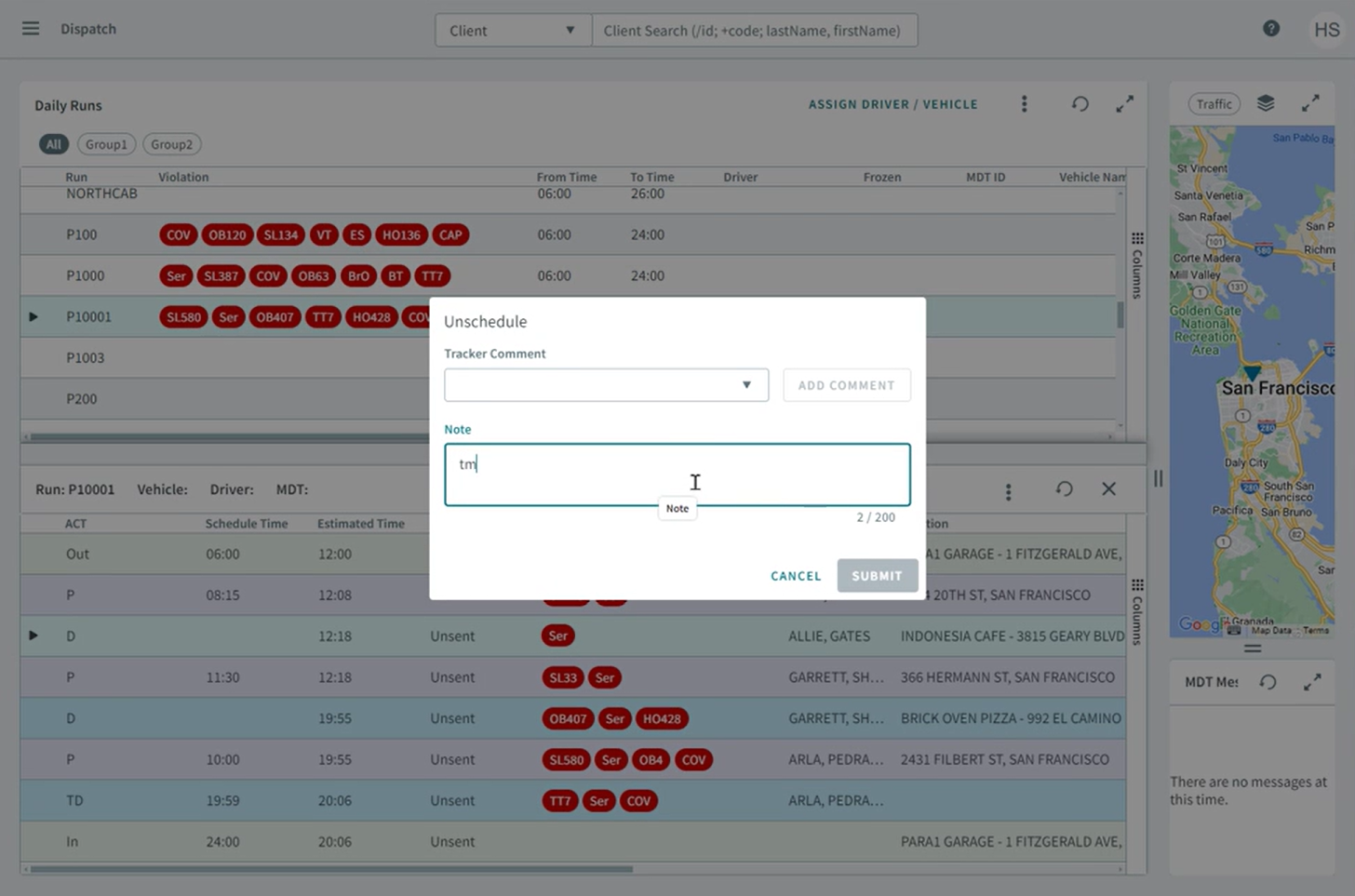
- The unscheduling feature has been implemented in the Dispatch page. From the
Runs grid, right-click on an event and select Unschedule from the
shortcut menu.
Booking Wizard
- Fixed an issue where when two bookings were opened in Booking Wizard, and then one of the bookings with a Mode of Transport was scheduled, this would automatically change the Mode of Transport of the other booking.
- Fixed an issue where violations were not appearing in the Run Itinerary grid.
Schedule Editor
-
When you click the Refresh icon, any open run itinerary tabs will also get updated if there have been any changes made to the runs while the tabs were open.
-
Fixed an issue where the Add button in the Add Break pop-up window was enabled despite the required fields not being filled.
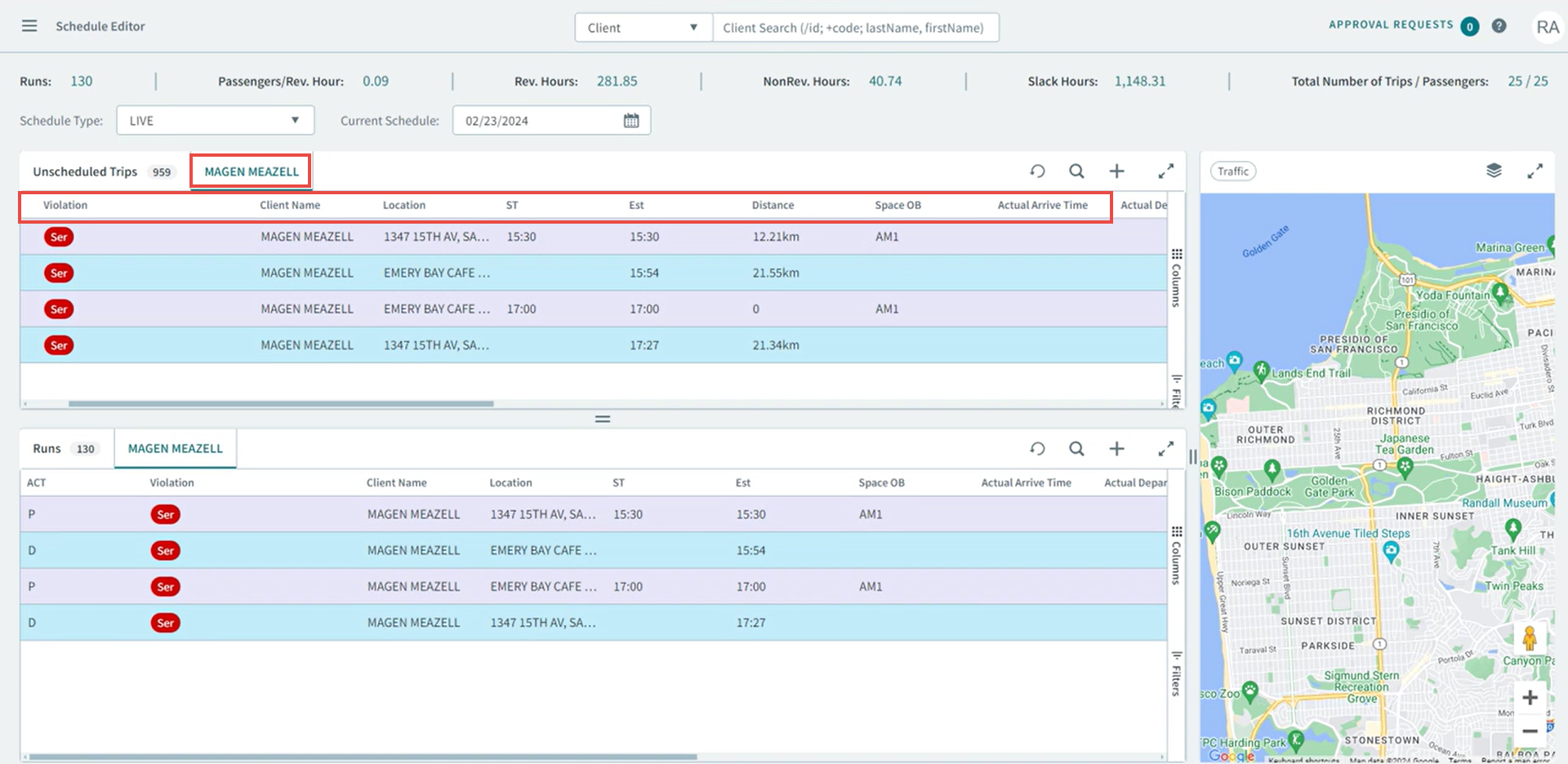
- When you click the Search icon, and enter a client name, a tab will
open with the grid showing all of the client’s trip information.
Runs
-
Fixed an issue where the Synchronize option was not disabled in the shortcut menu and the context menu in the grid when the Trapeze4/Runs/Daily Runs/Run Edit security permission was not allowed.
- Fixed an issue where when searching for a run, all runs are populated in the grid instead of the specific run.
-
Fixed an issue where when creating a Template or Live run, it could not be saved.
-
Fixed an issue where when selecting a run from a future schedule date, the schedule that was displayed on the Run Details page was for the current day instead.
- Fixed an issue where the Schedule Type dropdown menu was not highlighted red as a required field when attempting a new daily run.
-
Fixed an issue where the incorrect data was being sent through the API when options from the filter dropdown menus were selected.
- Fixed an issue where selecting Template from the Schedule Type dropdown menu could not be loaded (the Apply button was stuck in loading).