
Viewing Itinerary Details on the Batch Tab
In the Trip Plan Analyzer Wizard, solutions can be viewed in greater detail on the Batch tab.
Before you begin
About this task
Procedure
- On the Batch tab, select the appropriate row.
-
Click the Show Batch Details button:

Two additional grids appear. -
Select a solution in the middle grid and view its details in the bottom grid.
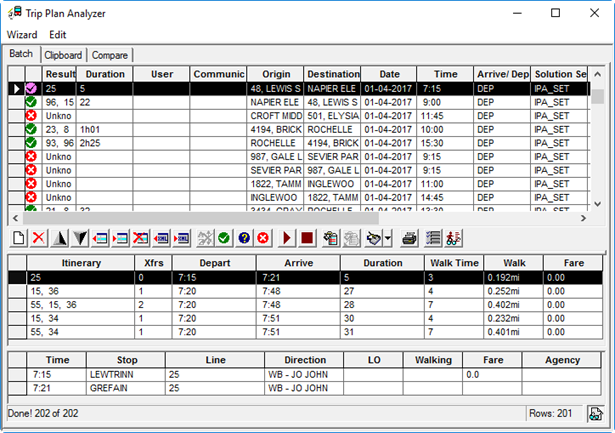
LO stands for layover. This is the amount of time the passenger will have to wait for the second bus.
A result line with an asterisk after it indicates that it is the first of two lines involving an in-seat transfer. The bottom grid shows the stop where the in-seat line transfer occurs and identifies the two lines.