
Example: Client's Trip is Fully Prepaid
The fare for a client trip that is fully prepaid is deducted from the client's EZ-Wallet purse.
- When the booking is first created, in Trip Booking, in the Leg
Details frame, the fare amount is listed as $10.00.
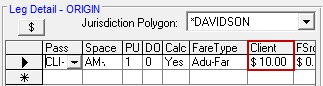
- Clicking the Calculate Fare button ($)
shows the breakdown of the client's fare.
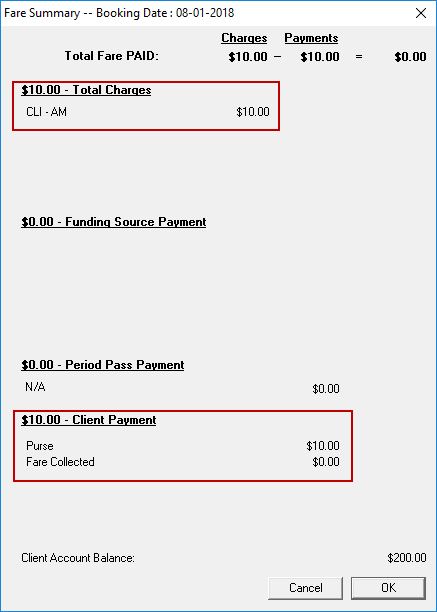 The fare summary shows that the full fare was deducted from the client's purse, so the client will not need to pay the driver for the trip.Note: To update the Client Account Balance to reflect the new total, save the booking and reopen the Fare Summary dialog box.
 - The driver does not need to collect any money from the client when the trip is performed, because the full fare was paid in advance.
-
In Schedule Editor, the FareAmount is $10.00 and the FareToCollect and FareCollected amounts are $0.00.

-
The fare amount is debited from the client's purse in EZ-Wallet, as shown in the Transactions pane.
