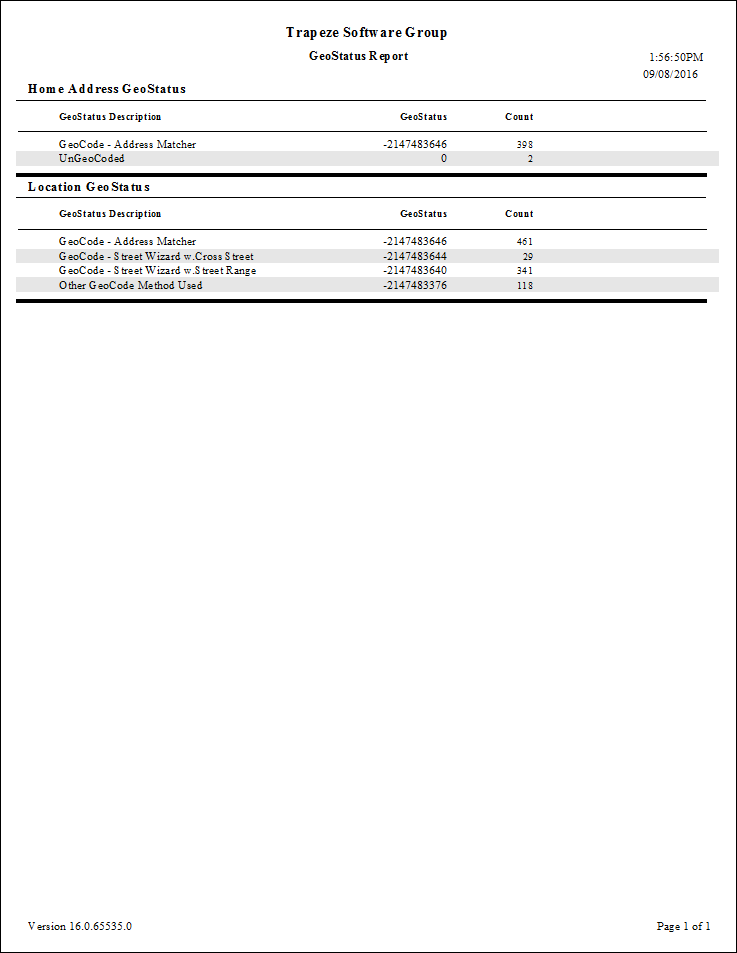
GeoStatus Report
The GeoStatus report indicates whether and how client, booking, and location addresses were geocoded based on their geostatus values.
Negative numbers in the report represent geocoded addresses. Positive numbers represent ungeocoded addresses and indicate the geocoding methods that were used in attempting to geocode the addresses.
| Parameter | Description |
|---|---|
| Booking GeoStatus | Whether to include geostatus information for trip pick-up and drop-off locations. |
| Home Address GeoStatus | Whether to include the geocoding information for the selected Home Address Type. |
| Home Address Type | Home address type. Address types are defined in ancillary data in the Trapeze4 Workstation. |
| Location GeoStatus | If selected, geostatus information for common locations defined in the database
is included. For more information on geocoding locations, see the PASS System Administrator and User Guide. |
| GeoStatus Value | Description |
|---|---|
| 1 | Unknown mode. |
| 2 | Geocoding attempted using Address Matcher. |
| 4 | Geocoding attempted using Street Wizard's Cross tab. |
| 8 | Geocoding attempted using Street Wizard's Range tab. |
| 16 | Geocoding attempted using mouse. |
| 32 | Geocoding attempted using map page. |
| 64 | Geocoding attempted outside of the map span. |