
Defining Solution Sets
Solution sets can contain multiple rows of solutions, which are associated with parameter sets.
Before you begin
About this task
Procedure
-
Click .
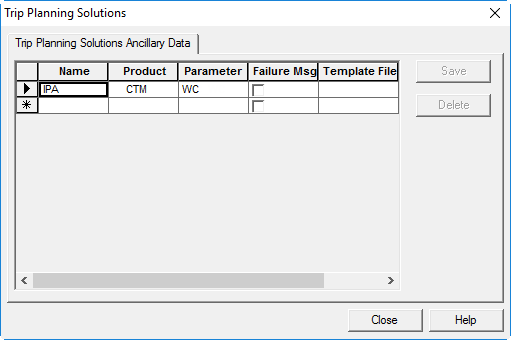
The Trip Planning Solutions dialog box appears.
- In the Name column, type a name for the solution set you are defining.
-
In the Product list, click the product:
Option Description ATIS Used with ATIS. Note: This functionality is only available if you have Trapeze4 on your main computer screen. If the application is used on a secondary computer screen, move the dialog box to the main computer screen to see the available options. -
Click the appropriate parameter set in the Parameter Set
list.
For example, the default parameter set for requested pick-up trips.
-
Click Save.
The solution set is listed in Trip Planning Solutions ancillary data.
- Click Close.
-
Do one of the following:
- Click .
- Click the Personal Trip Planning button:

Personal Trip Planning appears. - Click the Solutions tab.
-
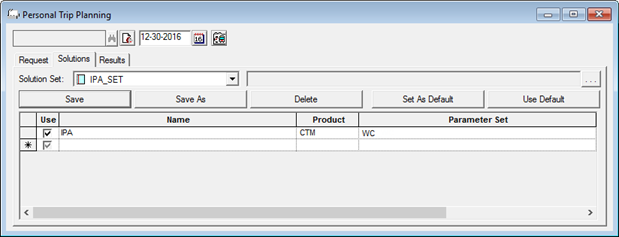
In the Solution Set list, click the solution sets for requested
pick-up trips and requested drop-off trips, if required.
In the following image, one solution set is used.
-
Click .
The Properties dialog box appears.
-
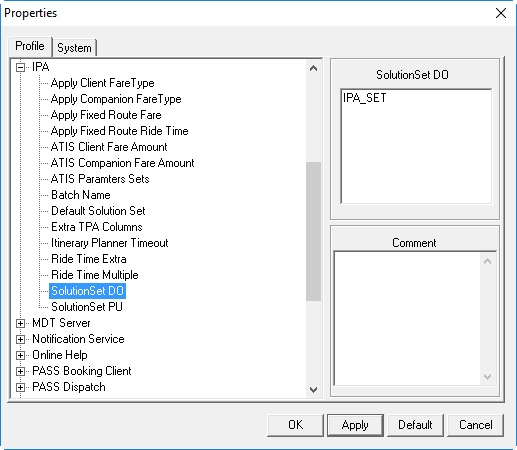
On the Profile tab, click IPA.
More properties appear.
-
Confirm the solution parameter set is available in Trapeze4 ancillary data:
- Click OK.