
Adding Travels
You can add travel records that are used specifically in the Run Block Optimizer.
-
In the Navigator, click the Travels
button:
 The Travels screen appears. The mandatory fields are From Node, To Node, From Time, and To Time.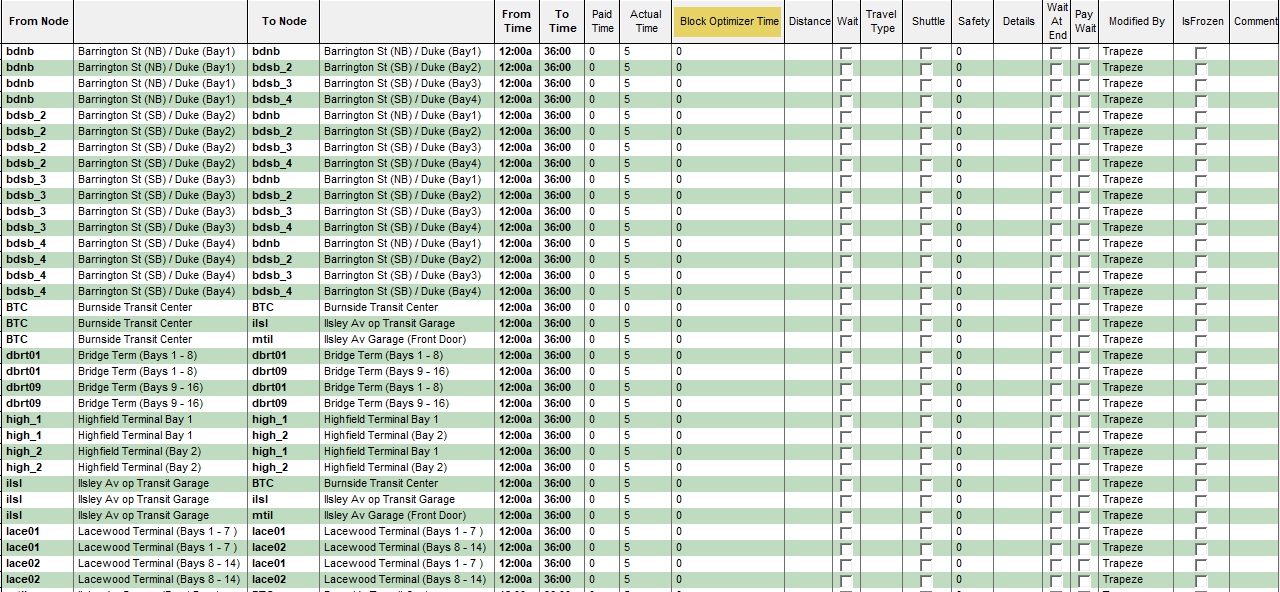
- Fill in the mandatory fields, the Block Optimizer Time, and other fields that you want to apply to the new travel.
-
Click the Save button:
 If you move to a different row without saving the record, a message prompts you to save it. Click Yes.Note: Travel records can be saved and loaded as an xml file. When loading the file and a record with an Abbr (same as in the file) already exists, the existing record is updated.