Configuring the Client Shell

To configure the Client Shell, you must specify screen modules, or plug-ins, to load in the Client Shell.

Each module contains functionality for a specific Trapeze application.

You can configure the Client Shell by selecting the required screen modules and typing directory information.

  1. Open and log on to the Client Shell.
  2. Click Tools > Extensions.
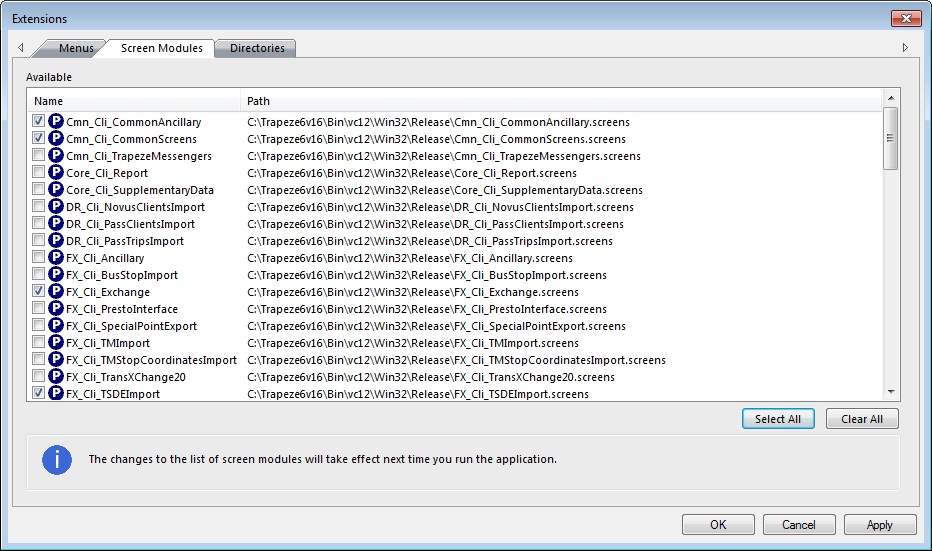
    The Extensions dialog box appears.
  3. Open the Screen Modules tab.
    Screen Modules Tab in the Extensions dialog box
  4. Select the following modules:
    • Cmn_Cli_CommonAncillary

    • Cmn_Cli_CommonScreens
    • FX_Cli_Exchange
    • FX_Cli_TSDEImport
    • FX_Cli_TSDExport
  5. Click Apply.
  6. Click OK.

The system brings all the extensions you selected into TSDE. These modules contain the core information you need to use the application.