
About the Spell Checker
The Spell Check feature flags words in the memo or text fields that may not be spelled correctly in both the COM Representative and COM Investigator screens.
The application of this feature is determined by whether Spell Check has been activated in the memo fields you are working on. (The fields where the feature is activated are selected when the COM screens are set up. Contact your system administrator for more information.)
For fields that have Spell Check activated, the system automatically checks the spelling of the words you type in the selected fields. When you type in the selected field and move to another field, the system automatically checks the spelling of the text you typed in the previous field.
When you click Save, the system also automatically checks all the text fields that have the Spell Check feature activated.
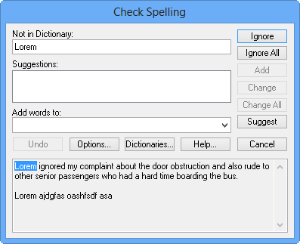
It offers replacements for the word it considers incorrectly spelled.