
Displaying Notifications
You can display specific notifications through filters in the Notification Manager screen.
- On the Filter pane, select the filter criteria you want to apply.
- Click Refresh on the screen toolbar.
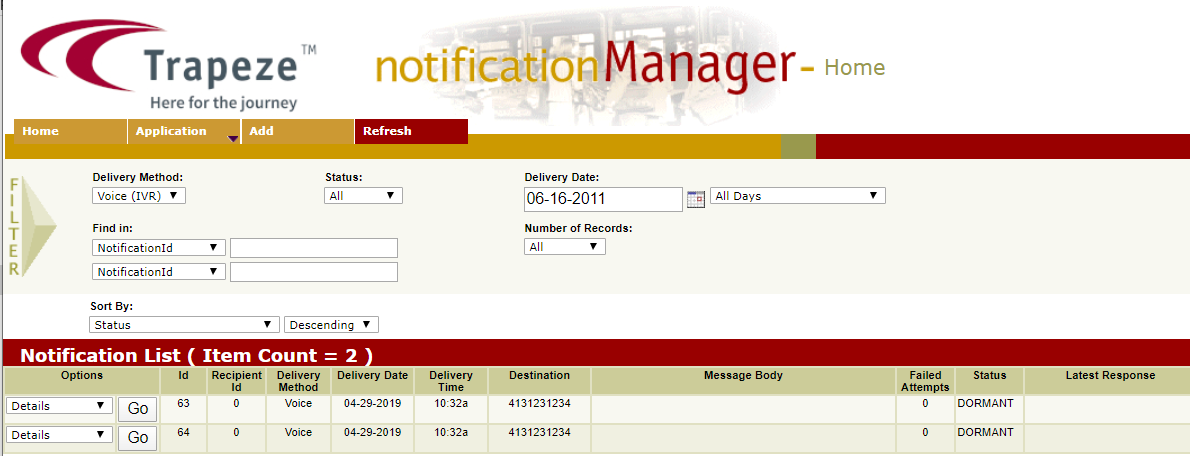
You can display specific notifications through filters in the Notification Manager screen.