
Improvements and Bug Fixes
Improvements and fixes in this version include:
June 12, 2024 - TP6 21.28.0.0
PASS-APP
-
Fixed an issue where the Help page was missing Schedule Status icons, and the description at the top of the page was not displaying properly.
-
Fixed an issue where a generic error message appeared when a booking was refused due to an insufficient purse balance. The error message should be relevant to the error.
Figure 1. Before: generic error message pop-up 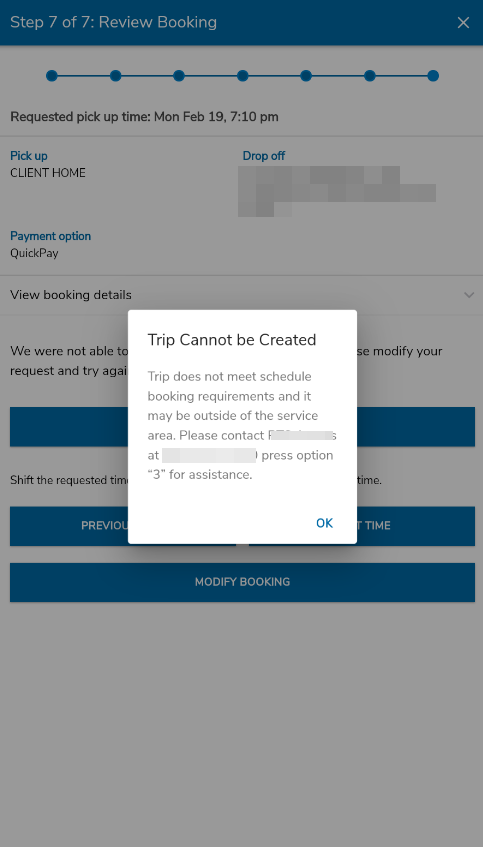
Figure 2. After: new error message pop-up 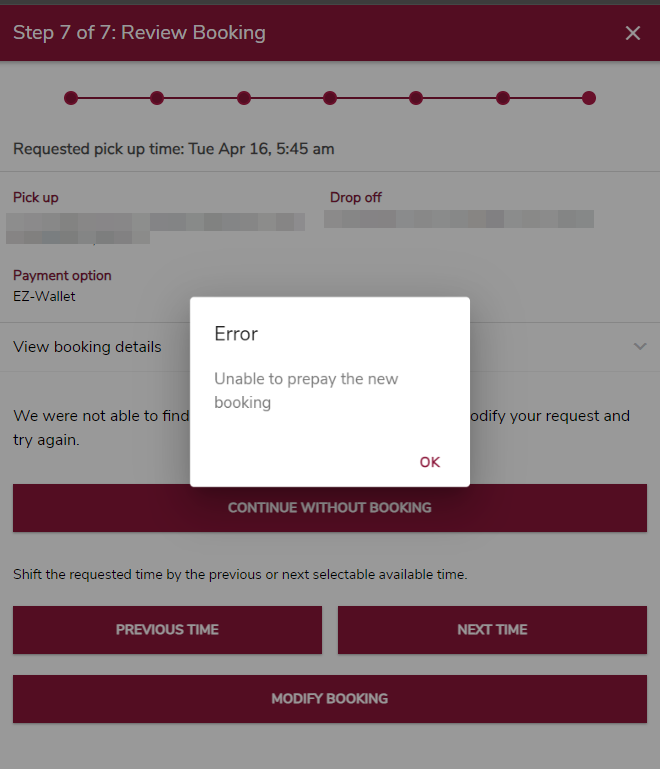
PASS-Notifications
-
Fixed an issue where the Trip Reminder Push Notification was not generating. Added logic so that if the corresponding push notification is enabled in
TripReminder/TripUpdate, the value of the required member variables are set. -
Fixed an issue where more than one call was being sent to
scountper delivery interval, resulting in the incorrect number of notifications sent to GVP for the available lines allowed. -
Fixed an issue where the Imminent arrival notification email subject line arrived empty.
PASS-Web
-
Fixed an issue where trips booked by dropoff time through PASS-Web contain Scheduled and Negotiated times for both the pickup and dropoff.
-
Fixed an issue where bookings could not be made on an extra day if the closing time window exceeded midnight. Updates were made to ensure that the extra date was correctly handled within the allowed date range, allowing for successful trip bookings.
PASS-Web G3
-
Fixed an issue where a No Show status was displayed instead of Missed Trip in the Trip details for a missed trip.
- Added the following improvements for inactive or suspended client accounts:
-
Toast messages now shown for when the client account is inactive / suspended.
Figure 3. Toast message for a suspended client account
Figure 3. Toast message for an inactive client account 
Figure 3. Toast message for an expired client account 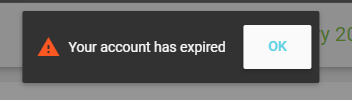
-
The inactive and suspended alert will always be shown automatically after a login attempt, instead of having to configure the alert to be shown.
-
There’s a precedence for which alert message is shown to the client/worker when the client account is expired, inactive or suspended at the same time. The order of messages is: expired > inactive > suspended.
-
- Fixed an issue where when viewing the page in List view, the left part of the month banners were getting cropped out.
PASS Webcare
-
Fixed the issue where workers could not load the trip history for clients in webcare.
PASS IVR
-
Fixed the issue to ensure that the additional login options are successful upon validation.