
Adding Users and User Groups to Audiences
You can add users and user group to Audiences in the Location screen.
Make sure that the necessary switches have been turned on.
- Select the location whose audiences to which you want to add users and user groups.
-
On the Detail tab, click the ellipsis button beside the Audiences
label
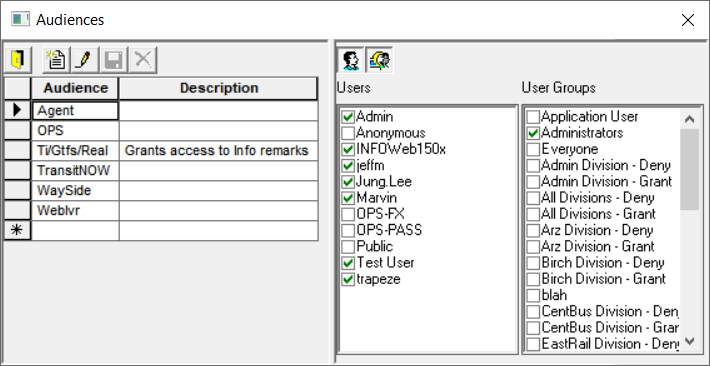
The Audiences dialog box appears.
-
In the left pane, select the Audience you want and click the Edit button:
On the right pane, the Users and the User Groups configured in Trapeze6 are shown.
- Select the check box beside the appropriate users and/or user groups you want to add to the selected audience.
-
Click the Save button:
