When generating an itinerary, select the accessible parameter set or click on the
Accessible Itineraries command that activates the accessibility set as
the default.
Itineraries are then generated using only lines that have this accessibility mask, use
only accessible stops (including transfers) and involve only trips that have the appropriate
accessible vehicles assigned to them.
Note the following conditions:
To view accessibility in headway sheets, if the line selected is accessible, the
wheelchair icon is active and the accessibility mask appears in the bottom right hand
side of the headway sheet.
The accessibility characteristics for each trip are displayed in the A column on the
left hand side of the headway sheet.
When you hold the pointer over the node or stop name or over a field, the Tooltip
shows the accessibility characteristics of each stop.
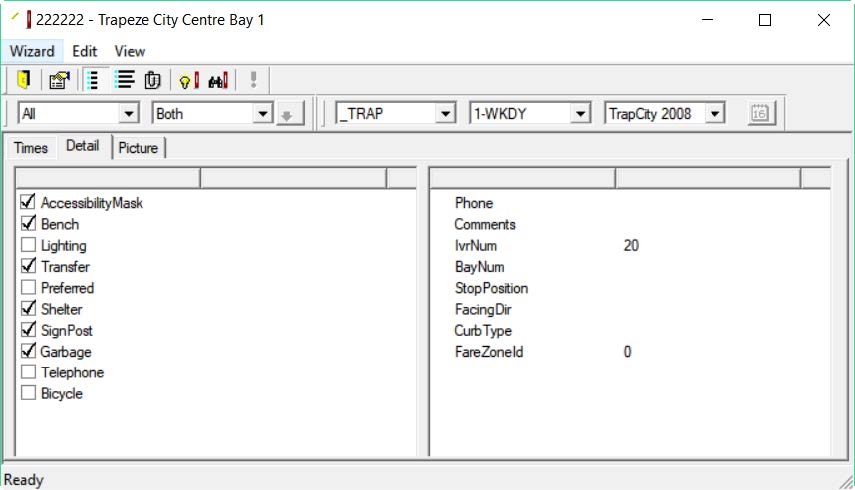
The Show Stop command (stop sheet) displays the accessibility
characteristics on its Detail tab:
The following graphic shows the Accessibility Mask option
selected: