Searching for Closest Events
You can search for scheduled events within close proximity of a specified address.
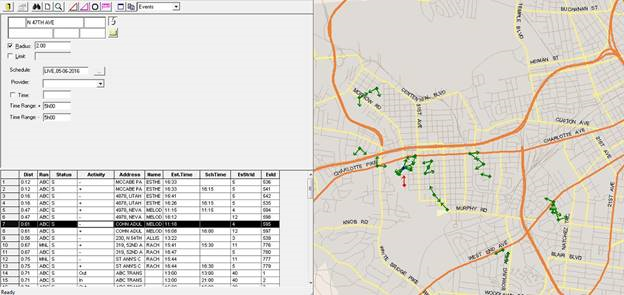
- Geocode a point near which to perform the search.Geocoded addresses typically appear in black text. Addresses that require geocoding appear in red.To copy a geocoded point in an active window into the Find Closest Wizard dialog box, click the Retrieve Address button:
 If the map is open, a yellow dot appears to confirm that the search point has been geocoded.
 - In the Find Closest Wizard toolbar, in the drop-down list, click Events.
- Select Radius and type the distance to search around the geocoded point.
- Optional:
Select Limit and type the maximum number of results to
show.
The default maximum is 200 search results. The found events are the ones closest to your search point.
- In the Schedule field, click the ellipsis button (…) to use the Please Select a Schedule dialog.
- Click a Schedule Type (Live or Template) and Schedule (for example, 04-08-2021 or Thursday) from their lists.
- In the Provider field, click the providers to search for that have been assigned to the event.
- Click OK to close the dialog.
-
Select the Time check box and in the field to the right, type a
time (for example, 14:17).
The system searches for events with estimated times close to this time.
-
Accept the times set in the Time Ranges fields or overwrite
these fields.
These fields set the search window. The Time Range+ field looks for events estimated to occur after the specified time by a certain amount of minutes and the Time Range- field looks for events estimated to occur before the specified time by a certain amount of minutes.For example, if the time is 14:17 and you type 60 in each field, the system looks for events estimated to occur from 13:17 to 15:17. By default, they are each set at 15 minutes.
-
Click the Find button:

The system looks for events estimated to occur within close proximity of the specified time and geocoded location. -
Double-click the event row.
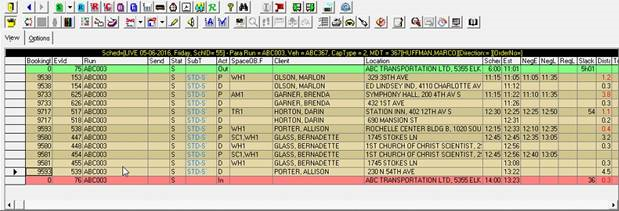
The event opens in Run Itinerary view in Schedule Editor