
Improvements and Bug Fixes
Additional improvements and fixes in this version include:
General
- The OneMobility version number is now displayed in the Profile sidebar.
-
Empty state messages are now displayed in the grids of the following pages when no data is found:
-
Clients page - No clients found message.
-
Employees page - No employees found message.
-
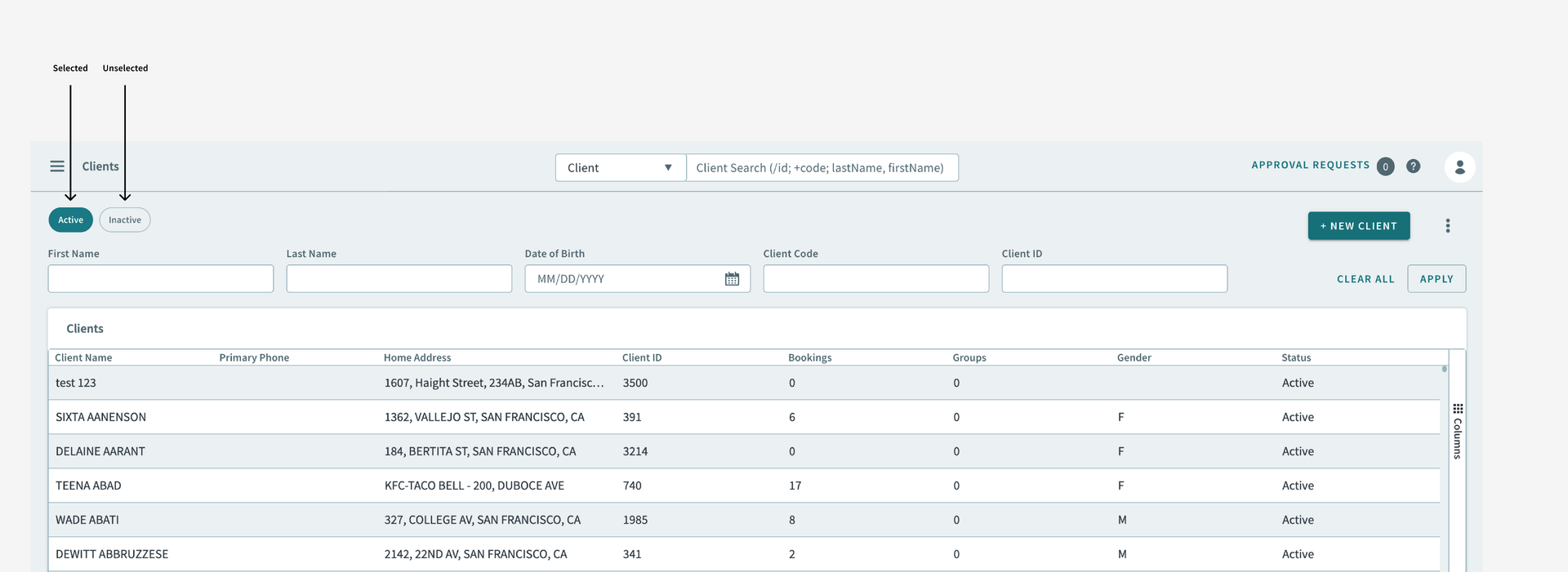
- The Active Only toggle has been replaced with Active and
Inactive filter chips. Previously, the Active Only toggle
when turned on, limited the grid to only displaying active trips, or when
turned off, displayed every other status. Now, the filter chips allow for
either active or inactive items to be shown specifically.
-
Clicking the OneMobility icon in the Main Menu sidebar now opens the Dashboard/home page while simultaneously closing the sidebar.
-
Fixed an issue where items in the Main Menu sidebar were not highlighting when hovering over it.
Clients
- Inactive client profiles now appear as search results in the Global Search Bar. This provides better search functionality as this update addresses a previous limitation where users were unable to locate inactive profiles, potentially leading to incorrect assumptions about their existence.
-
Fixed an issue where the Save button froze, displaying an infinite loading animation. This occurred when a primary address was entered, and then the Primary toggle was turned off and Save was clicked.
-
Fixed an issue in the General tab, where the Save Changes Before Leaving popup window appeared again after changes were already saved.
-
Fixed an issue where multiple eligibility conditions were unable to save.
-
Fixed an issue where a blank toast message appeared for a Web/IVR invalid password validation. The error toast message should appear as The supplied new password matches with a previous password.
Bookings
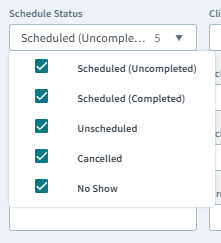
- A Completed checkbox option has been integrated into the Schedule
Status dropdown menu, enabling users to filter and display completed
trips within the grid.
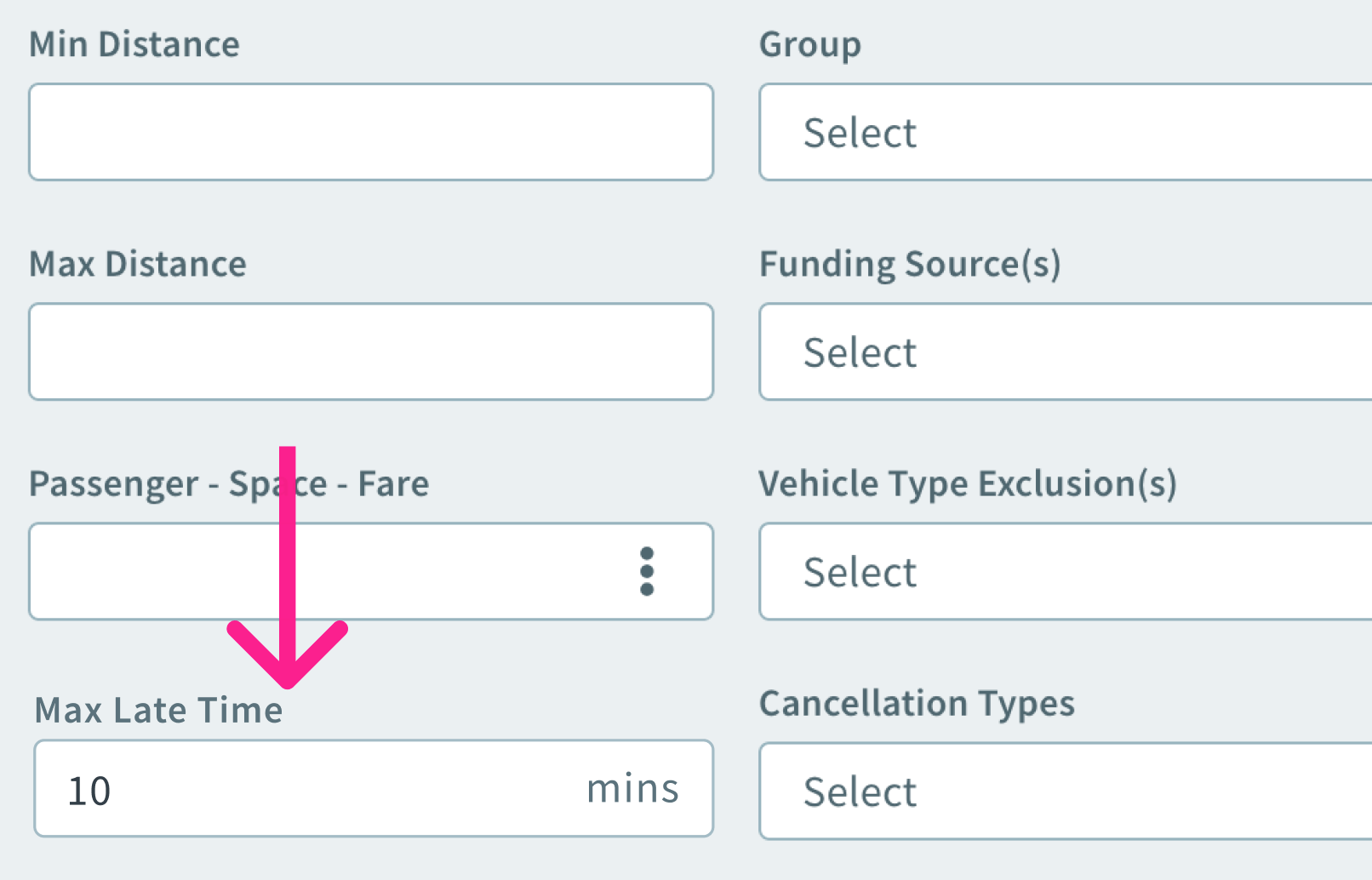
- A Max Late Time textbox has been implemented, allowing users to
specify the maximum allowable time a booking can be late. This input is
integrated with the Late Trips widget on the Dashboard, which shows
the number of late trips according to the chosen date range.
-
When attempting to manually geocoding a location, it was difficult to point to the exact location because the cursor was a hand icon. Now the cursor has been improved by changing it to an arrow pointer.
-
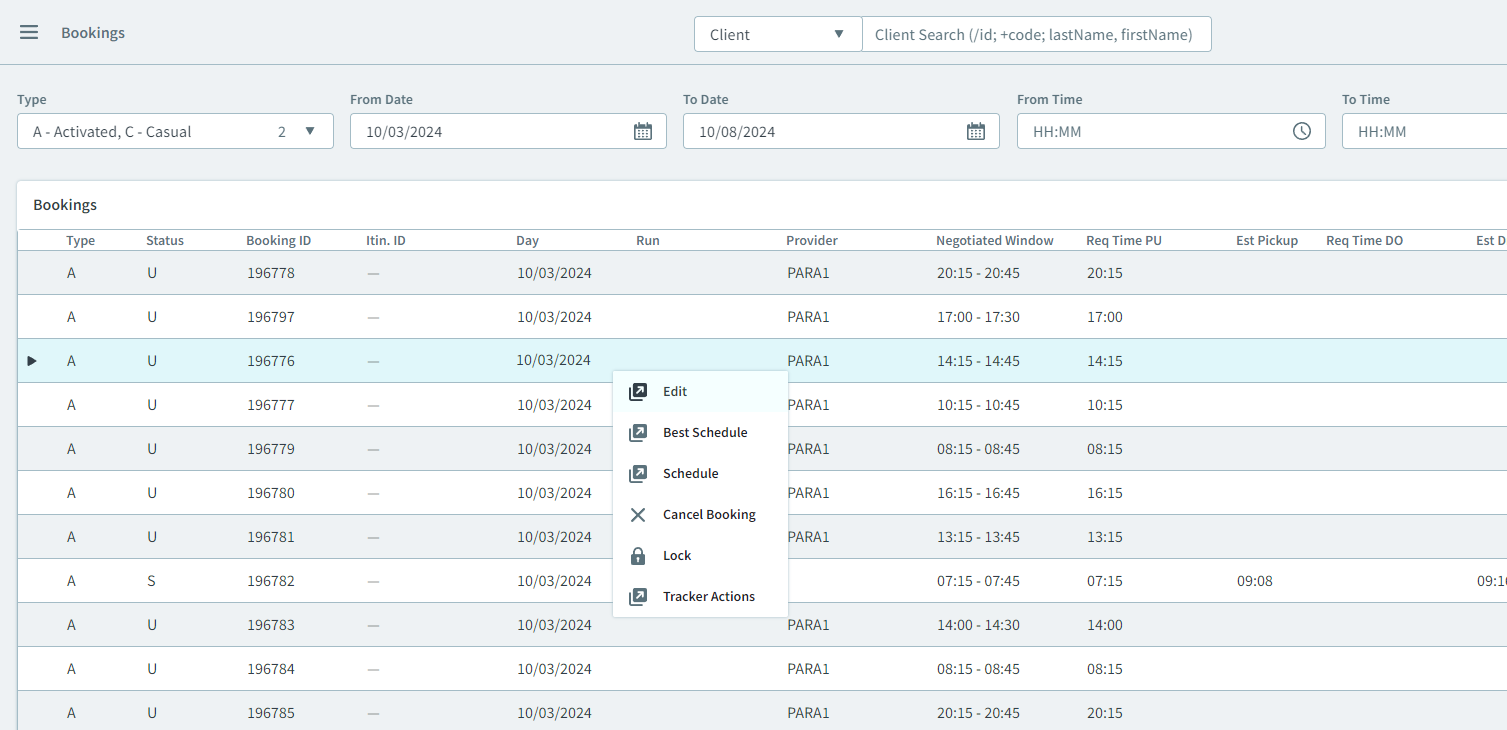
Tracker Actions can now be accessed from the Bookings grid in the context menu (three-dots menu or right-clicking a booking).
-
Fixed an issue where a suspended client was still eligible for bookings on those suspended days. When creating a new booking, the days in the Dates popup calendar were still selectable.
-
Fixed an issue where when searching with an incorrect polygon id in the Polygon search box of the Advanced Search filters, the results still displayed, showing results from a previous polygon ID search.
-
Fixed an issue where when creating a new booking, the fields were not updated after saving. The change detection flag was bypassing the changes.
-
Fixed an issue where the default paraservice selection appeared when a booking was cloned. A cloned booking should allow the user to select a new paraservice.
-
The following issues were fixed for bookings:
-
When attempting to edit a booking that belonged to an itinerary, double-clicking the booking from the client’s booking page did not open the Itinerary grid.
-
Add Return and Add Leg buttons were enabled, even though the required fields were left empty. They should be disabled.
-
Add Return and Add Leg buttons were enabled when a save was in progress. They should only be enabled once the required fields are saved.
-
-
Fixed an issue where the Pick Up Address and Drop Off Address dropdown menus were not displaying matching address results, despite being returned in the backend.
- Fixed an issue where a subscription booking could not be saved when date rules were not created. Only after turning on the On-Demand toggle and clicking Save did it work.
-
Fixed an issue where a save confirmation popup window appeared when saving a subscription booking.
-
Fixed an issue where when adding a leg to an itinerary subscription booking that has date intervals, the new leg date intervals were not saved.
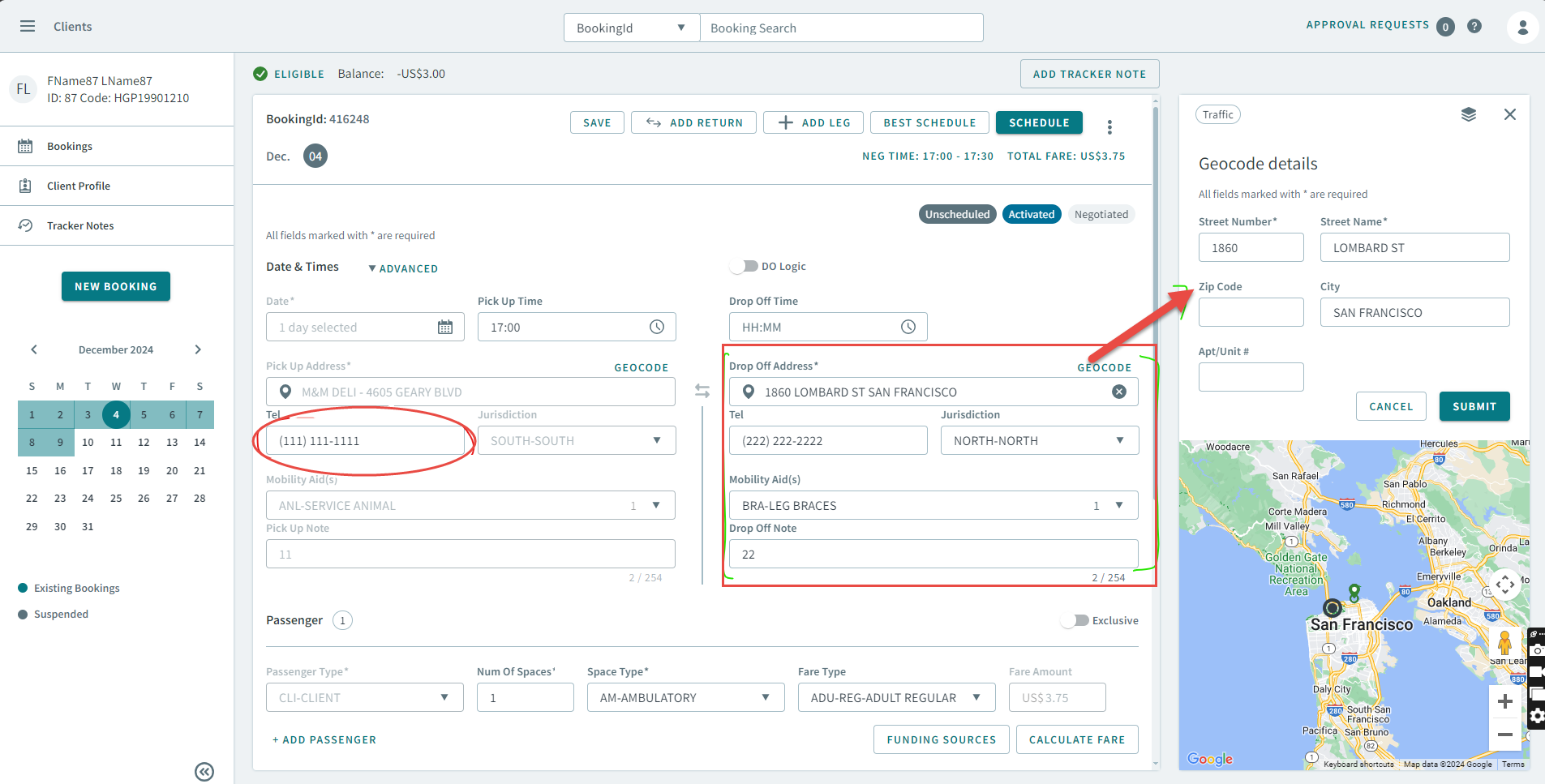
- Fixed an issue where the Tel textbox (phone number) was not disabled
when a pick up or drop off address was being manually geocoded. Now, if a
pick up or drop off address is in the process of being manually geocoded,
the related fields such as, Tel, Jurisdiction, Mob
Aids, and Note for the pick up or drop off addresses are
disabled.
Booking Wizard
- Fixed an issue where when creating a new parameter/violation preset, the newly created preset overwrote the defaults that were set.
-
Fixed an issue where when scheduling a booking, only the first booking from a Booking Itinerary was highlighted in the Booking Wizard. The selected booking should be highlighted instead.
-
In the Parameter dialog box, the OOW Extra parameter now accepts decimal numbers (up to three decimal places). Previously, the value was converted from an integer stored in the database. The API endpoint will now accept the value as a decimal number first, and then convert it to an integer for the database.
-
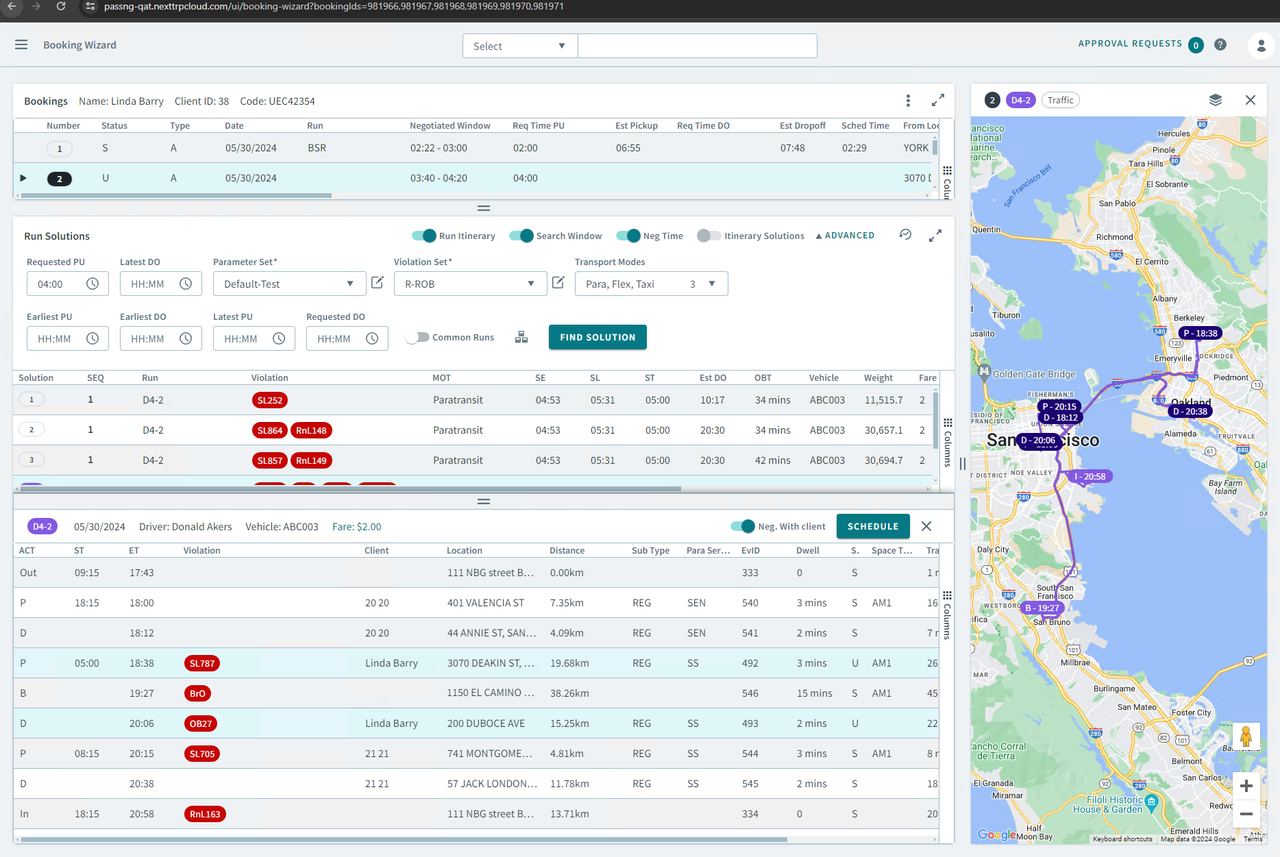
When selecting events in the grid, the events will be highlighted on the map with pins, and will be a different color than the run itinerary to differentiate it.
-
Event type for breaks now appears in the ACT column in the Booking Wizard grid.
Address Matcher
-
Fixed an issue where locations were not being pinned on the map after a pick up or drop off address was entered.
Maps
-
The Polygon Type popup window closes when clicking on the map, or the Close and Apply buttons. This behavior has been improved by only allowing The Polygon Type popup window to close when the Close button is clicked.
Dispatch
-
Fixed an issue where the incorrect minimize and maximize sizes display when the grid layout and map view change.