
Logging a Vehicle On or Off

Viewing the Update MDT Status screen allows you to monitor vehicle login status, log in vehicles or log out vehicles as necessary.

Before you begin

MDT Server must be open.

About this task

In some cases, you must log on or log off a vehicle in order to synchronize the server and a mobile computer.

Procedure

  1. Do one of the following:
    • Click Server > Update MDT Status.
    • Click Update MDT Status:

    The Update MDT Status dialog box appears.
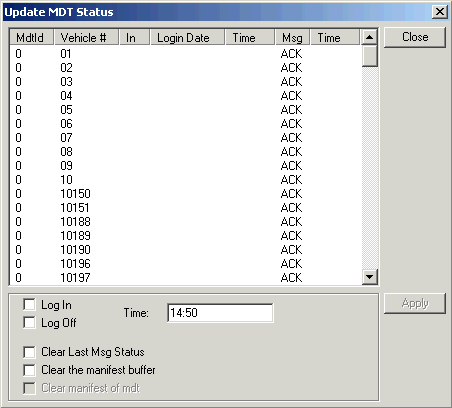
  2. Select the vehicle that is not synchronized.
  3. Select the appropriate check box: Log In or Log Off.
  4. Click Apply.
  5. Click Close.

Results

When logging the vehicle off, to clear the last message that was sent to the vehicle and/or the manifest buffer of the vehicle, select the Clear Last Msg Status and the Clear the manifest buffer check box, respectively, before clicking Apply.