
Setting PASS-IPA System Properties

PASS-IPA system properties help define how PASS-IPA operates.

Before you begin

Open the Trapeze4 Workstation.

About this task

System properties are one type of property used with PASS-IPA. Trapeze6 properties (or context properties) and user-defined properties (set in File > Properties) also help define how any specific instance of the application will behave.

Procedure

  1. Click Tools > System Properties.
  2. Click the Profile tab.
  3. Click IPA.
    A list of IPA properties appears.
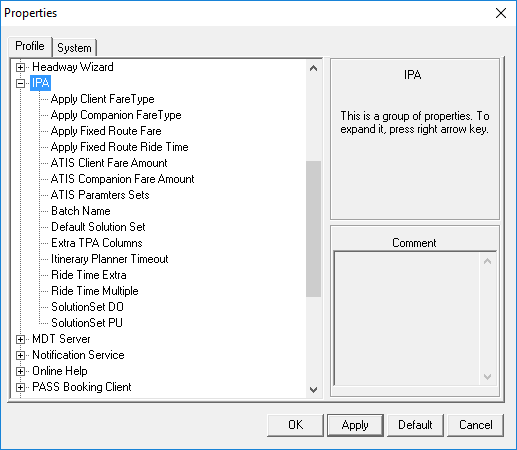
    The Properties dialog box used for System Properties with the IPA group highlighted and IPA property names visible.
  4. Set properties as needed.
  5. After setting each property, click Apply.
  6. Click OK.