
Re-enabling Security
After setting up an administrative user in PASS Real Time Views, re-enable system security.
About this task
Important: While security is disabled, authentication is not
required for any system user.
Procedure
-
In the Service Shell window, click .
The Trace Options dialog box appears.
-
On the Switches tab, expand the Core
folder and the Security folder.
Security options appear.
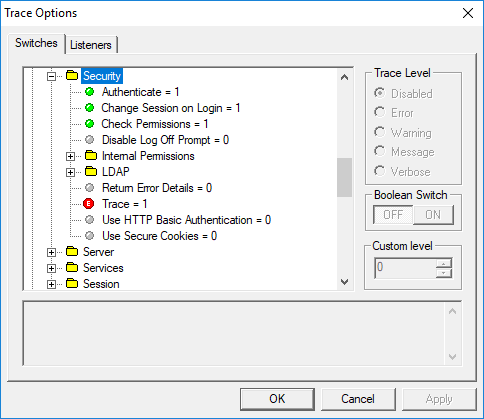
- Click Authenticate.
- In the Boolean Switch frame, click ON.
- Click Check Permissions.
- In the Boolean Switch frame, click ON.
- Click OK.