
Using the Find Runs Dialog Box
The Find Runs dialog box is a search tool you can use to locate a specific run.
Before you begin
Procedure
-
Click the Find button:

The Find Runs dialog box appears.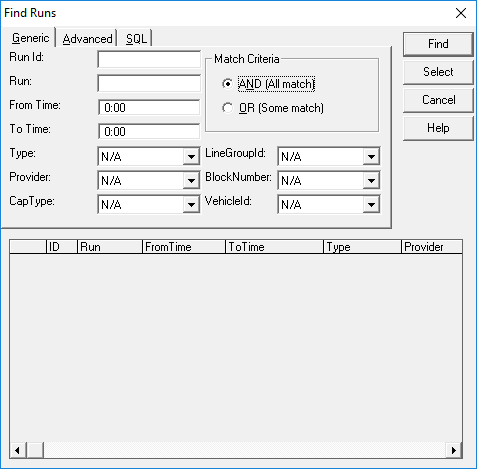
-
Fill in one or more fields.
The From Time and To Time fields allow you to isolate runs beginning/ending at a specific time.The Line Group Abbr and Block Number fields are for FLEX routes only.The Order No option is available only for Daily cluster runs.
- Select the AND (All match) option in the Match Criteria frame to find runs that match the search criteria exactly. If you select OR (Some match), the system generates runs that match one of the criteria but not all.
-
Click Find.
The system shows all runs matching your entry in the search result list.
The From Time and To Time fields show run times using the format selected in Time property. (Found by clicking , and selecting the Formats tab.)
-
Click a run in the search result list.
To select all listed runs, do not click a run in the search result list.
-
Click Select.
The selected run appears.