
About Ancillary Data
Ancillary data is created based on your transit site policies and customizes PASS to the needs of your transit agency.
Ancillary data for PASS is created in Trapeze4 and Trapeze5.
- Ancillary data must be created and system properties must be set up.
- Clients and employees must be registered.
- A database of common locations must be created.
- Garages and vehicles must be registered.
- Polygons must be defined.
- Runs must be created.
After this framework has been created, you can book trips for clients, schedule trips to runs, and perform dispatching activities on the day of operation.
Ancillary Data
Ancillary data reflects the needs of each individual transit agency. As a result, information defined for the space types or mobility types used by one transit agency typically does not reflect the information defined for another transit agency.
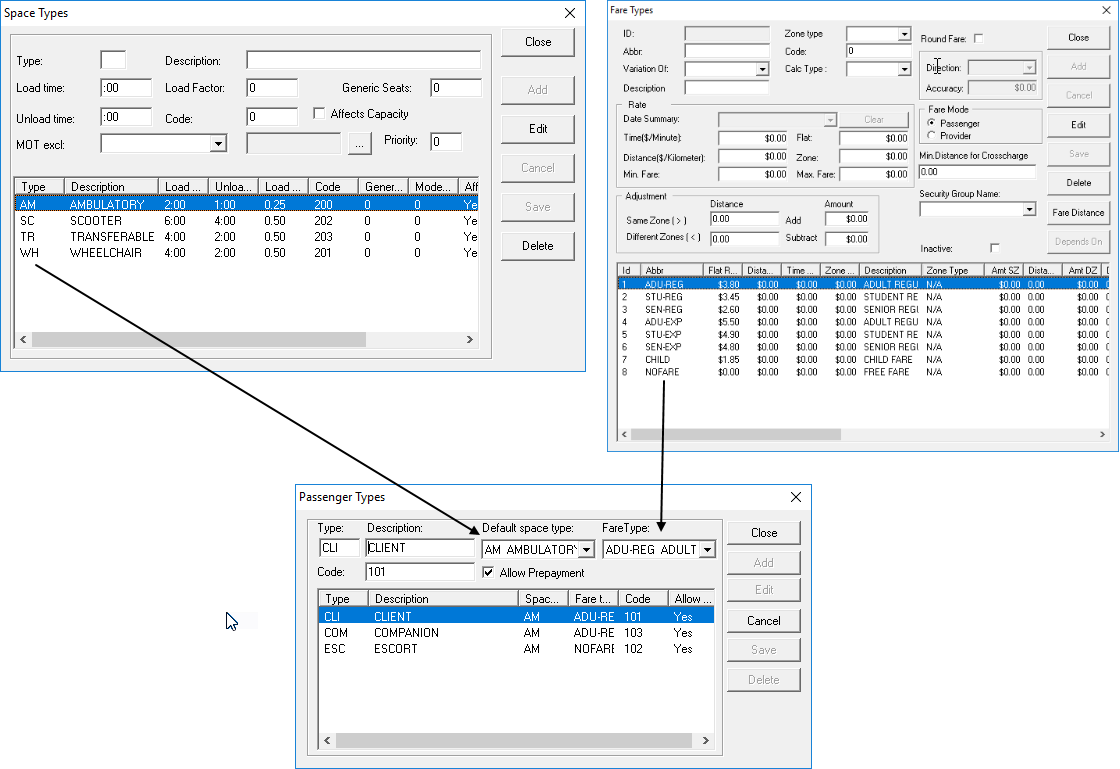
Typically, ancillary data is set up in advance based on your transit agency's needs by your Trapeze representative. However, if new definitions must be added to existing ancillary data in the system, system administrators may the ones performing these duties.