
About Resolving Overlapping Sign-Up Periods
Overlapping Sign-Up Periods can be resolved by a warning message that pop-ups when you try to save.
The Schedule Server takes into account the sign-up period's Production flag when selecting the appropriate sign-up period for a schedule. For more information on the Scheduler Server, contact your system administrator or Trapeze representative.
When creating a sign-up period in production, make sure the dates that you enter do
not overlap with those of any other sign-up period for the same agency in
production. If there is an overlap, a warning message is displayed when you try to
save:
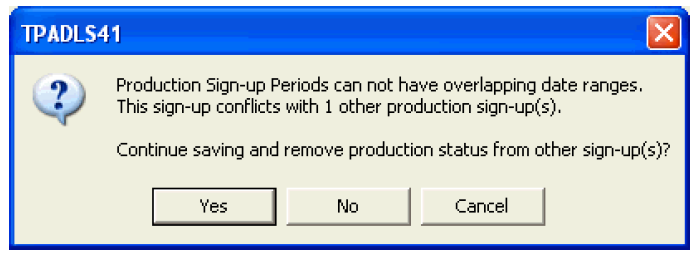
To save the sign-up period and remove the production status of the other sign-up periods, click Yes.