
Adding Sign-up Periods
Sign-up periods define the length of time over which a schedule applies. This is often seasonal.
About this task
Procedure
-
Click .
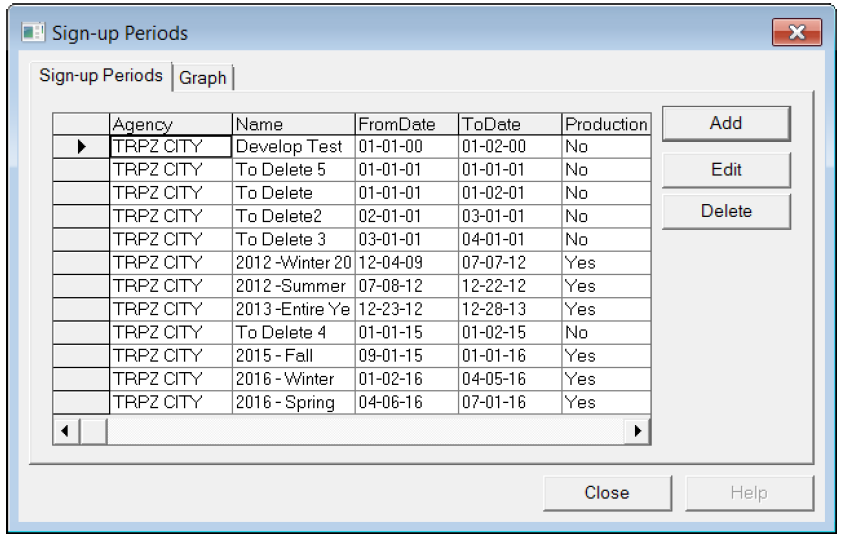
The Sign-up Periods dialog box opens:
-
Click Add.
The Add dialog box opens:
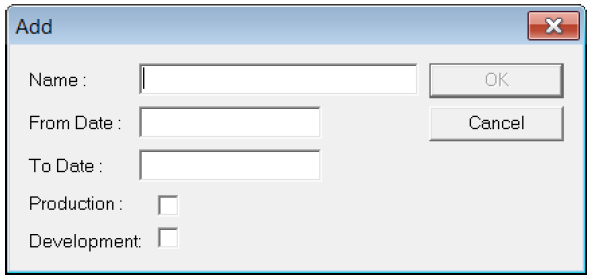
- In the Name box, type a name for the period.
- In the From Date and To Date box, type the values to create the date range of the period.
- (If Applicable) To set the period as production ("streetable"), select the Production check box. This is important for other products such as Trapeze INFO-Agent where the system needs to know the span of dates to retrieve data appropriately.
- (If Applicable) To set the period as development, select the Development check box.
- Click OK.
- In the Sign-Up Periods dialog box, click Close.