
Adding Peak Periods
Set up service periods and define peak service periods for the services you created. Peak services are typically used for custom reports.
Procedure
-
On the Service Groups tab, click
Edit.
The Edit dialog box opens.
-
Click Peaks.
The Peak Periods dialog box opens:
-
Click Add. The Peak type check boxes and the
Col options are activated.
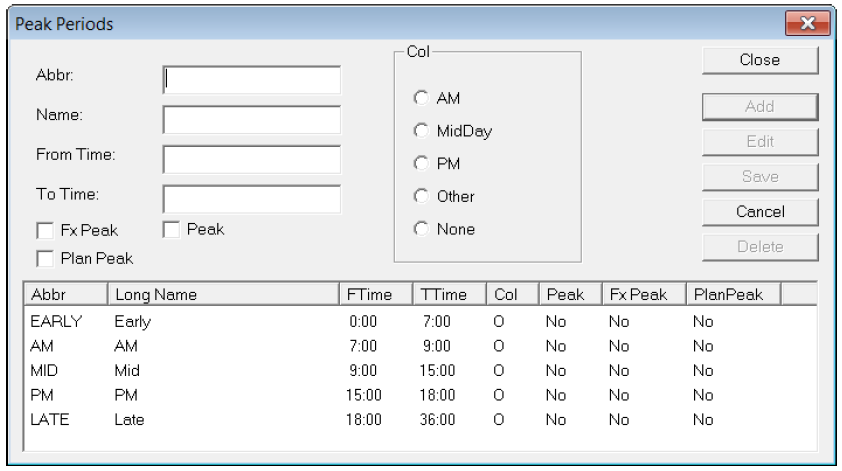
- In the Abbr box, type an abbreviated name for the period.
- In the Name box, type the full name of the period.
- To create a time span for the time period of that service, type values in the From Time and To Time box.
- Choose the appropriate option: AM, MidDay, PM, Other, None in the Col frame.