
Deleting Services
You can delete a service in the Services dialog box.
Procedure
- In the Services dialog box, highlight the service that you want to delete.
- Click Delete. A message appears advising you that the data associated with the selected service will be lost.
-
Click Yes.
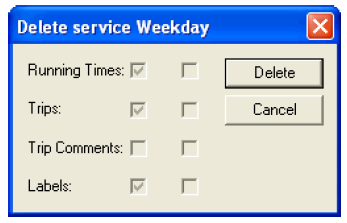
The Delete service (name of service) dialog box appears. It shows data associated with the service to be deleted:
- Click Delete.