
Analyzing Trips in the Trip Plan Analyzer Wizard
Analyze trips in the Trip Plan Analyzer Wizard using criteria such as date, time, and solution set/parameter set.
Before you begin
Procedure
-
Highlight the trips to be analyzed.
To select multiple adjoining trips, use the SHIFT key. To select multiple trips, use the CTRL key. To select all trips, click the leftmost cell in the grid heading row.
-
Right-click in the highlighted area and click Trip Plan Analyzer Wizard.
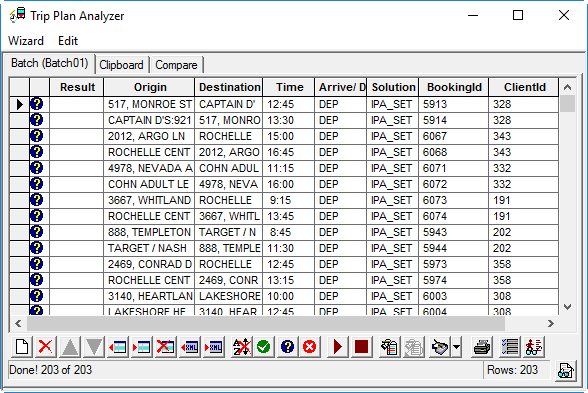
Initially, question marks (representing undetermined results) appear in the column beside the listed trips.
-
To analyze trips for matching fixed route itineraries, click the Run
Batch button:
