
Using PASS-IPA with PASS-CERT
Used with PASS-CERT, PASS-IPA allows you to create and evaluate hypothetical trips for clients and analyze them in the Trip Plan Analyzer Wizard.
Before you begin
About this task
Procedure
- Click .
- Search for and select a client.
- Click the General tab.
-
Click Find Itineraries.

The Evaluate Itineraries dialog box appears.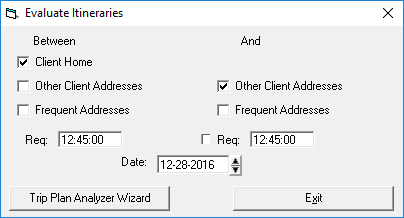
-
Select the settings to use when looking for itinerary options.
Typically, for new clients who do not have travel history, the origin could be the client home address and the destination could be other registered client addresses. For existing clients, either at the time of their recertification or when determining whether to undertake bus travel training, origins and destinations can also be selected from their frequently visited addresses.
-
Click Trip Plan Analyzer Wizard.
Trips matching the selected parameters appear in the Trip Plan Analyzer Wizard.
-
Click the Run Batch button:

Trips are marked as successful or failed.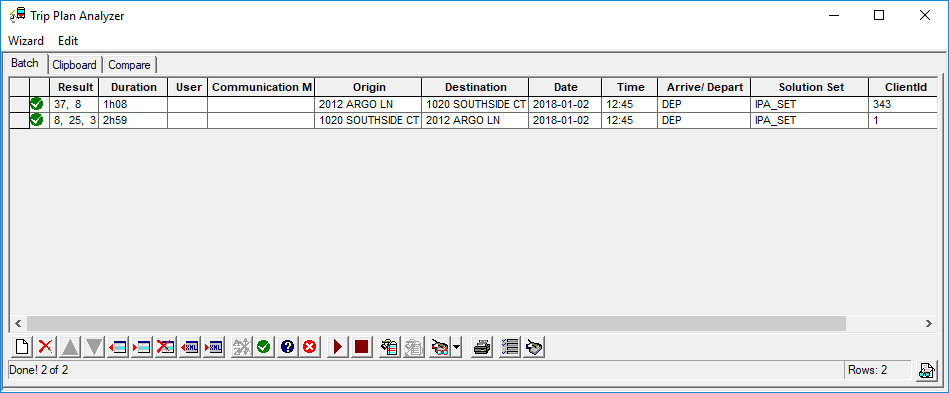
- Optional:
To see trip details, select a trip and click the Show Batch
Details button:
