Applying Exceptions to Trips
You can apply exceptions to trips directly on the Trips grid.
-
On the Trips tab of the Trip Building
screen, go to .
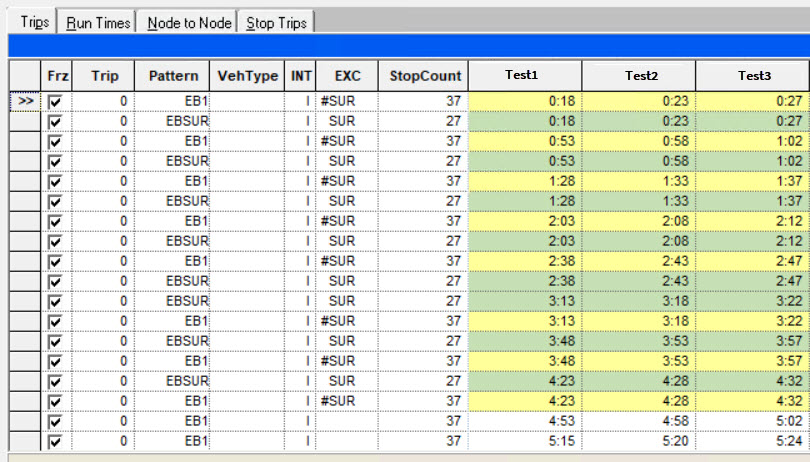
The EXC column is added to the Trips grids.
-
Click the EXC field of the appropriate trip.
The Exceptions dialog displays the list of exceptions.
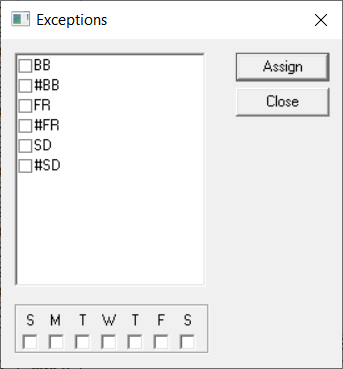 Note: To properly view the exceptions, adjust the size of the dialog accordingly.
 - Select the checkboxes of the exceptions that apply to the trip.
-
Click Assign.
If the selected exceptions are compatible with the exception combination you set in the Set Mode dialog, they appear in the EXC column of the selected trip.
- Optional: For other trips that require exceptions, repeat steps 2 to 4.
-
Click Close.
Exceptions can also be assigned to trips on either the Add or Builds tab in the Trip Building Edit dialog. The following graphic shows exceptions applied to some trips: