
Setting the Exception Combination for Runs
You can set an exception combination as the default for runs.
-
Click .
The Default Run Exceptions dialog appears.
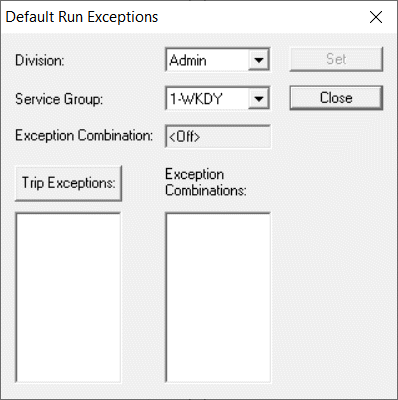
-
To list all of the exceptions on any trips in the current division and service group,
click Trip Exceptions.
The exceptions are listed in the frame below the button. The list of exception combinations with which the selected exceptions are compatible appears in the Exception Combinations frame.
-
In the frame below the Trip Exceptions button, select an
exception.
The exception combinations that contain the exception appear in the Exception Combinations frame.
- Select the appropriate exception combination.
- Click Set.
- Click Close.
-
Press F3.
The Set Mode dialog appears.
- From the Exception Combo dropdown list, select the same exception combination to set it for your current context.
- Click OK.