
MapMaker Screen
The MapMaker screen includes the following tabs:
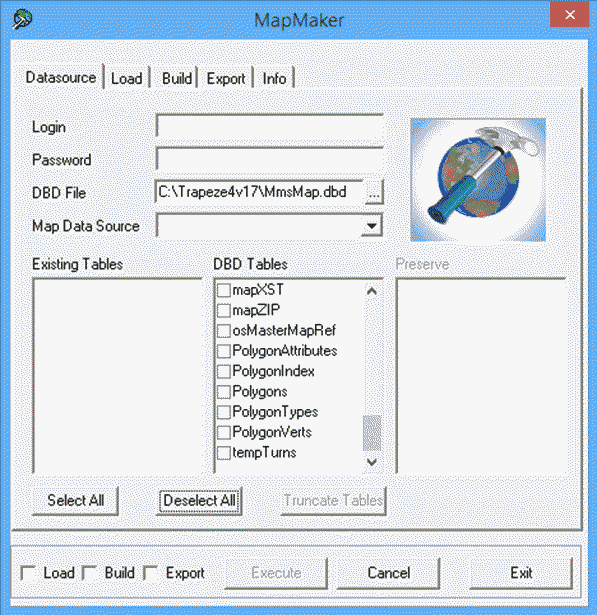
The following table describes the different tabs in the MapMaker screen:
| Tabs | Description |
|---|---|
| Datasource | On the Datasource tab, you can specify the Trapeze4 map data source where you want to load or build map data, or from which you want to export data. You can also specify database tables where you want to preserve data. |
| Load | On the Load tab, you can specify map data files to load into the data source specified on the Datasource tab. If the data is in a flexible format, you can also specify which data to load into specific tables and fields in the Trapeze4 map database. |
| Build | Using the Build tab, you can build new data and binary files that enable Trapeze4 applications to quickly access spatial data. The system builds data based on existing data in the data source specified on the Datasource tab. |
| Export | Using the Export tab, you can export data from the data source specified on the Datasource tab for use in other applications. |
| Info | On the Info tab, you can view the progress of MapMaker data loads, builds, and exports. |