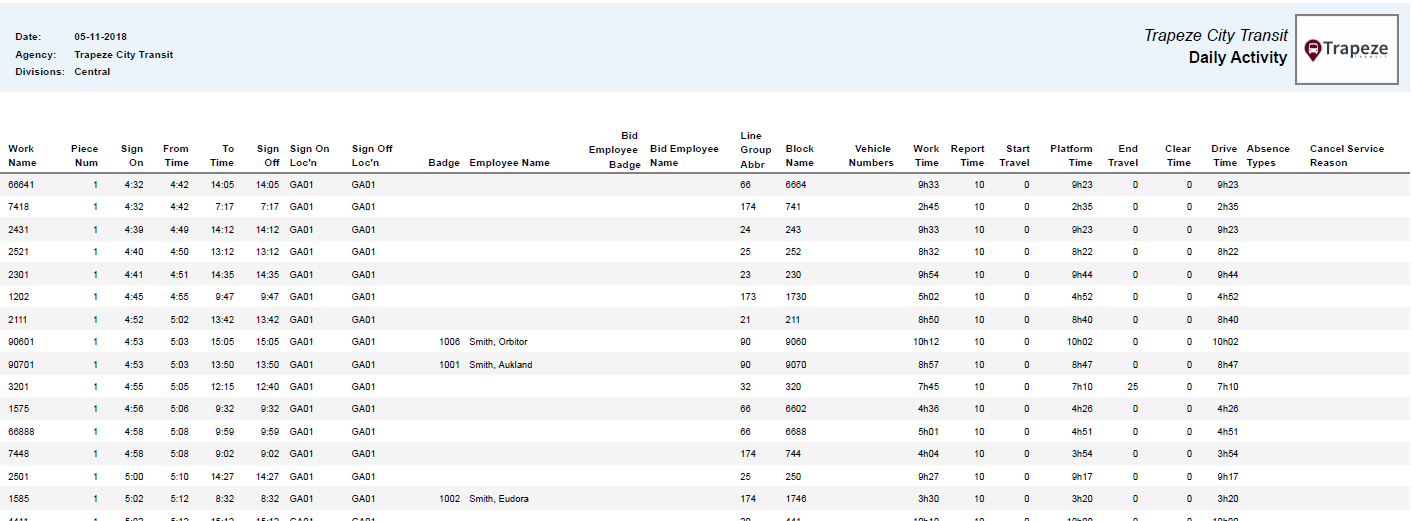
Daily Activity
This report provides dispatch activity information from the Daily Activity screen for the specified date, agency, and divisions. It includes activity-based details for extra work.
| Implementation: | Crystal Report |
| File Name: | Daily Activity.trc6 |
| Crystal Report File Name: | OPSStandardDispatchDailyActivity.rpt |
| DLL File Name: | OpsStandardReports.dll |
| Trapeze Class Name: | OpsStandardReports.DispatchDailyActivity |
| Secured: | Yes |
| Report Parameters: |
Note that time components are shown in the report based on the properties selected in . For example, Include Wait Times and Include Travel Times. |