Roster Detail (HTML)
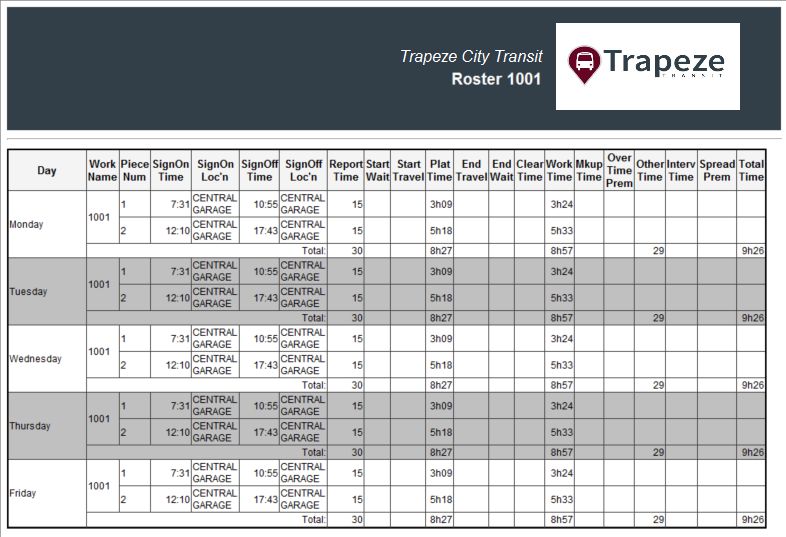
The Roster Detail report shows the details of a selected roster record. For example, the work name, piece number, and the sign on and sign off locations.
| Implementation: | HTML report |
| Report File Name: | ..\Hw\Apps\FixedRoute\Operations\HTMLReport\OpsRosterDetail.xsl |
| Secured: | No |
| Report Execution: | In the OPS Roster Management screen, right-click on a
roster row and click Work Detail. Note that time components are shown in the report based on the properties selected in . For example, Include Wait Times and Include Travel Times. |