Performing Advanced Sorting
You can sort by multiple fields, in opposite directions (ascending and descending).
You perform an advanced sort when you:
- Sort by more than one field.
- Sort in the selected fields in different orders.
For example, in the Subject pane of the COM Investigator screen, you want to sort subjects for a feedback by department name (starting with A, ending with Z). Thus, all subjects for the Operations department are grouped together. Within this group, you also want the subject entries sorted by target date (starting with the oldest date at the top descending to the newest date at the bottom).
-
Click the Sort button:
 .
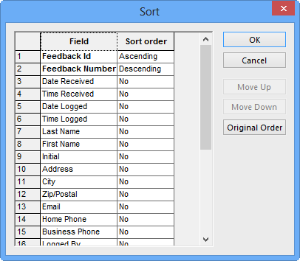
The Sort dialog box appears.
.
The Sort dialog box appears.