
Test 5: Updating Departure Boards
The purpose of this test is to demonstrate that a user can open and make changes to a departure board.
-
On the left pane, click Status.
The right pane shows the list of boards.
-
Click the board that you want to update.
The details of the selected board are shown on the right pane.
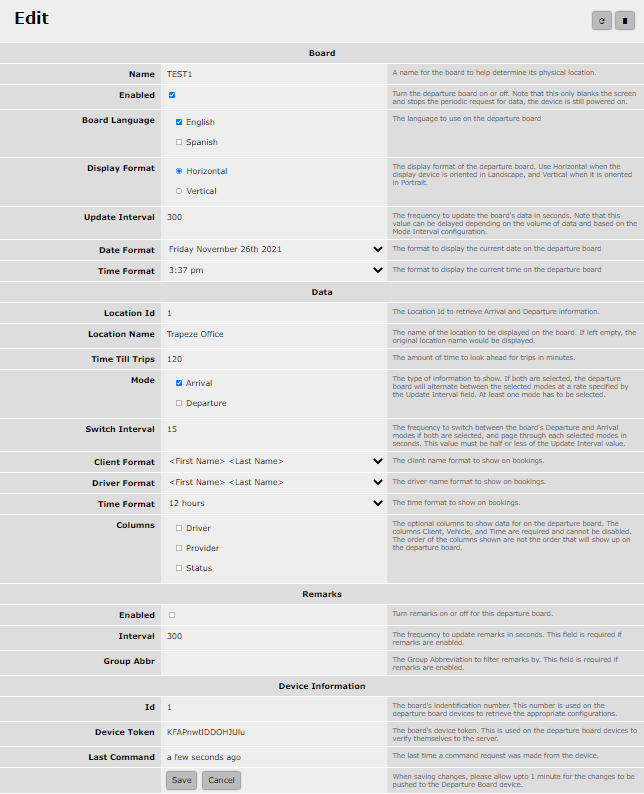
-
Click Save.
The changes are saved.
-
Open the device where the board can be displayed.
The changes are displayed on the board.