
Viewing Transfers
When your itinerary has multiple legs, view the saved transfers which your itinerary used. Viewing transfers is particularly useful for data checking and to see other possibilities.
- Highlight the leg of the itinerary that is part of a transfer.
-
Right-click and choose Transfer Wizard from the shortcut menu.
Alternatively, click the Show Transfer button:
 The Transfer Wizard is launched.
 -
View your transfer.
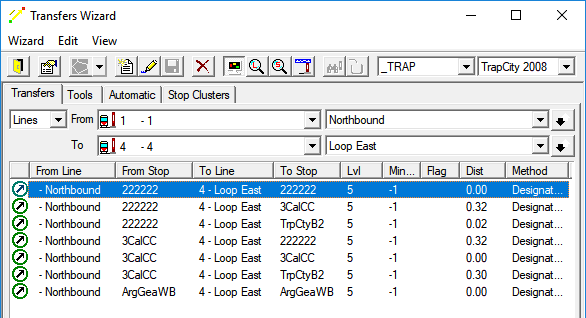 For more information on the Transfer Wizard, contact your system administrator.