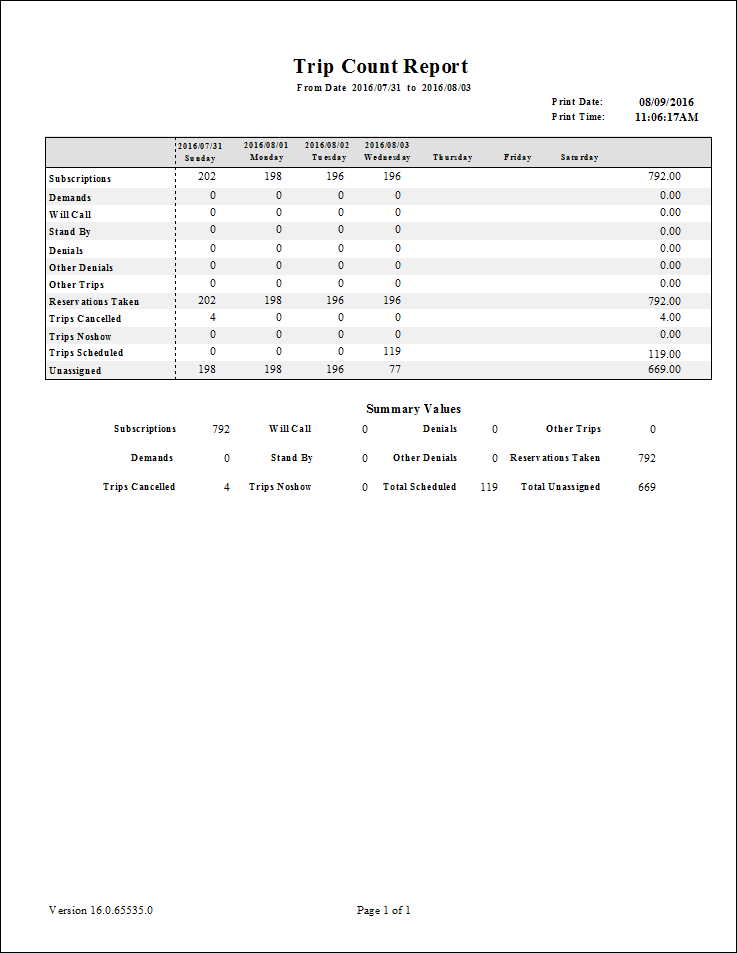
Trip Count Report
The Trip Count report shows trip counts for specified categories and dates.
| Parameter | Description |
|---|---|
| Schedule Type | Schedule type. Note: The report can only be run for live schedules. |
| Date/Weekday | Specifies whether the report is for specific dates or days of the week. Choose
the option appropriate for the schedule type:
|
| Subscriptions | Input booking type (one character). Available values are A (Activated) and C (Casual). |
| Demands | Booking subtype used for the Demands trip type. |
| Will Call | Booking subtype used for Will Call trips. |
| Stand By | Booking subtype used for Stand By trips. |
| Capacity Denial | Booking sybtype used for capacity denials. |
| Adversarial Denial | Booking subtype used for adversarial denials. |
| Eligibility Denial | Booking subtype used for eligibility denials. |
| Other Denial | Booking subtype used for other denials. |
| Providers | If All is selected, records for all providers appear in the report. If All is cleared, select individual providers from the list. The options available to you depend on provider security. |