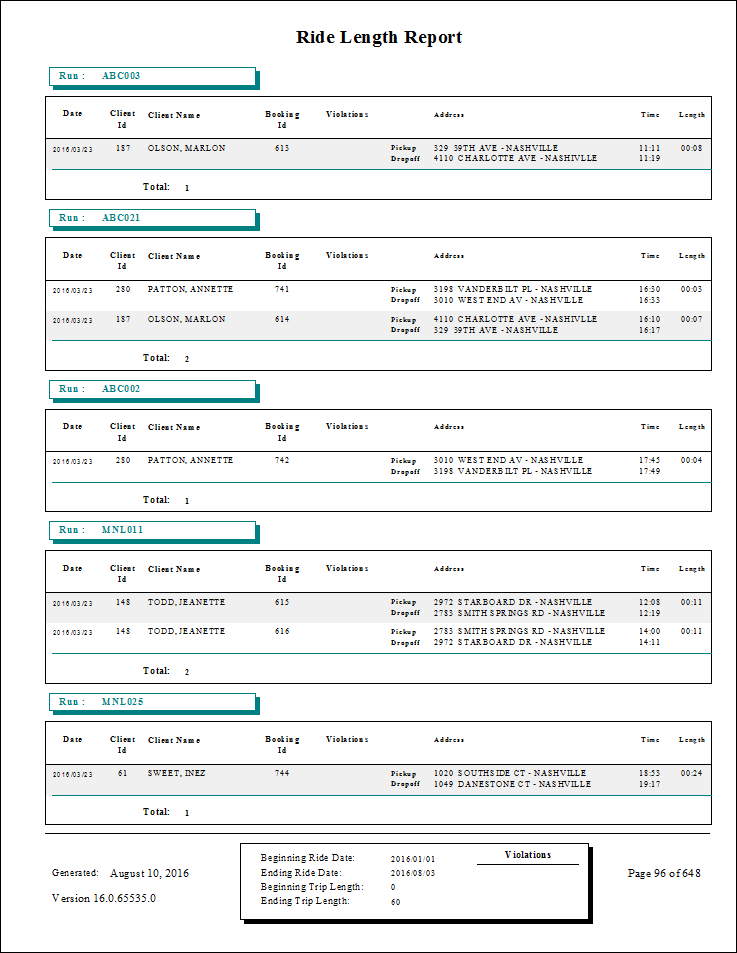
Ride Length Report
The Ride Length report shows the length of time passengers were on vehicles on specified routes.
| Parameter | Description |
|---|---|
| Schedule Type | Schedule type included in the report. |
| Date/Weekday | Specifies whether the report is for specific dates or days of the week. Choose
the option appropriate for the schedule type:
|
| Violation 1 | If no violation type is specified, all trips appear in the report. If violation types are specified, only trips with the specified violation types appear in the report. |
| Violation 2 | If no violation type is specified, all trips appear in the report. If violation types are specified, only trips with the specified violation types appear in the report. |
| > = Minutes | Minimum ride length of included trips. |
| < = Minutes | Maximum ride length of included trips. |
| Providers | If All is selected, records for all providers appear in the report. If All is cleared, select individual providers from the list. The options available to you depend on provider security. |
| Include Dwell Time | If selected, the length of time includes dwell time. |
| Ada Codes | If All is selected, records for all ADA codes appear in the report. Clear All to select specific ADA codes from the list. |