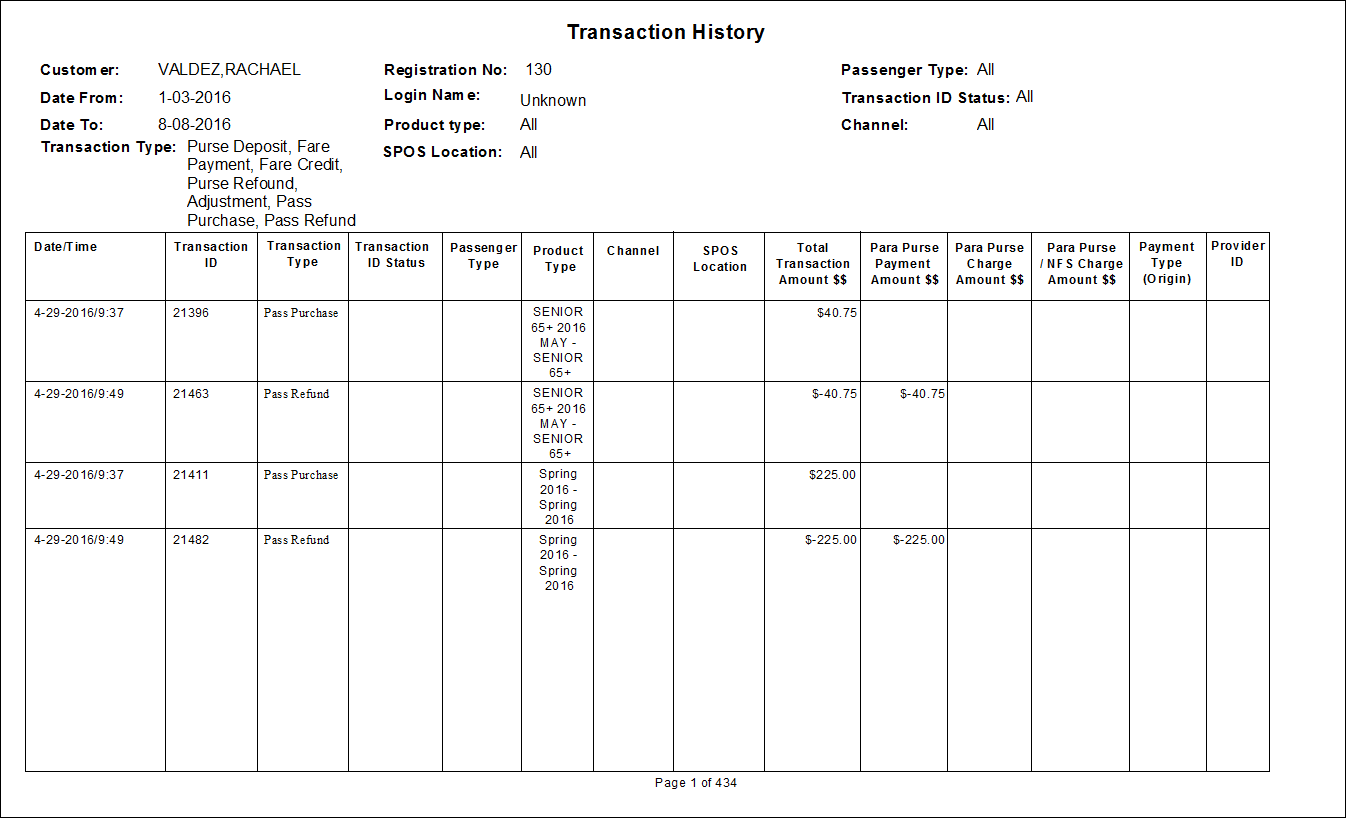
Transaction History Printed Report
The Transaction History Printed report lists the transactions made by a selected client for a selected date or date range.
Note: This report uses data collected from the EZ-Wallet module.
| Parameter | Description |
|---|---|
| Date From | Start date of the report. |
| Date To | End date of the report. |
| Transaction Type | Transaction types to be included. |
| Channel | Location type through which the transit pass was purchased. For example, call center or kiosk. |
| SPOS Location | (Sales at Point of Service location) Location from which the transit pass was purchased. |
| Passenger Type | If All is selected, records for all passenger types are included. If All is cleared, select a passenger type (for example, CLI or COM) for the report from the list. |
| Product Type | Type of transit pass purchased. |
| Transaction ID status | Transaction status of included records. For example, All or Processing. |
| Customer | Customer that the report is about. You can search by client ID number, client last name, or for client last and first name combinations. For example, use /121 to search for the client whose ID number is 121, Smith to search for a client whose last name is Smith, or Sm.J to search for a client named John Smith. |