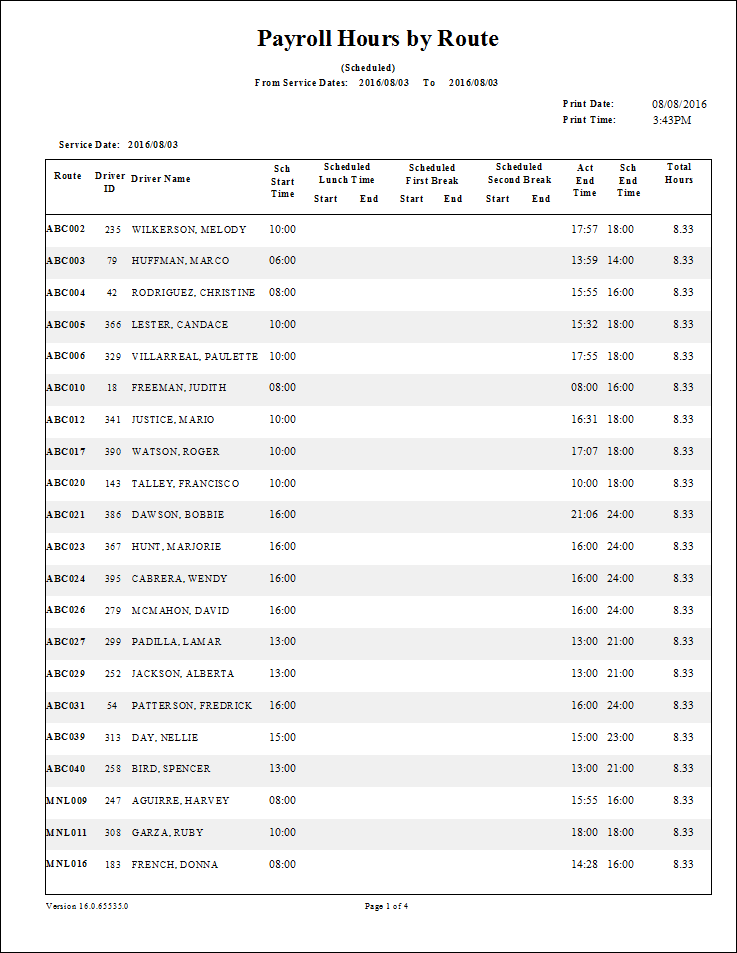
Payroll Hours By Route - Scheduled Report
The Payroll Hours by Route - Scheduled report shows scheduled payroll hours by route for a specified date range.
| Parameter | Description |
|---|---|
| Schedule Type | Schedule type included in the report. |
| Date/Weekday | Specifies whether the report is for specific dates or days of the week. Choose
the option appropriate for the schedule type:
|
| Add Post/Pre Trip Time to Total Hours | Amount of post and pre-trip time to add to the scheduled payroll hours. |
| Providers | If All is selected, records for all providers appear in the report. If All is cleared, select individual providers from the list. The options available to you depend on provider security. |