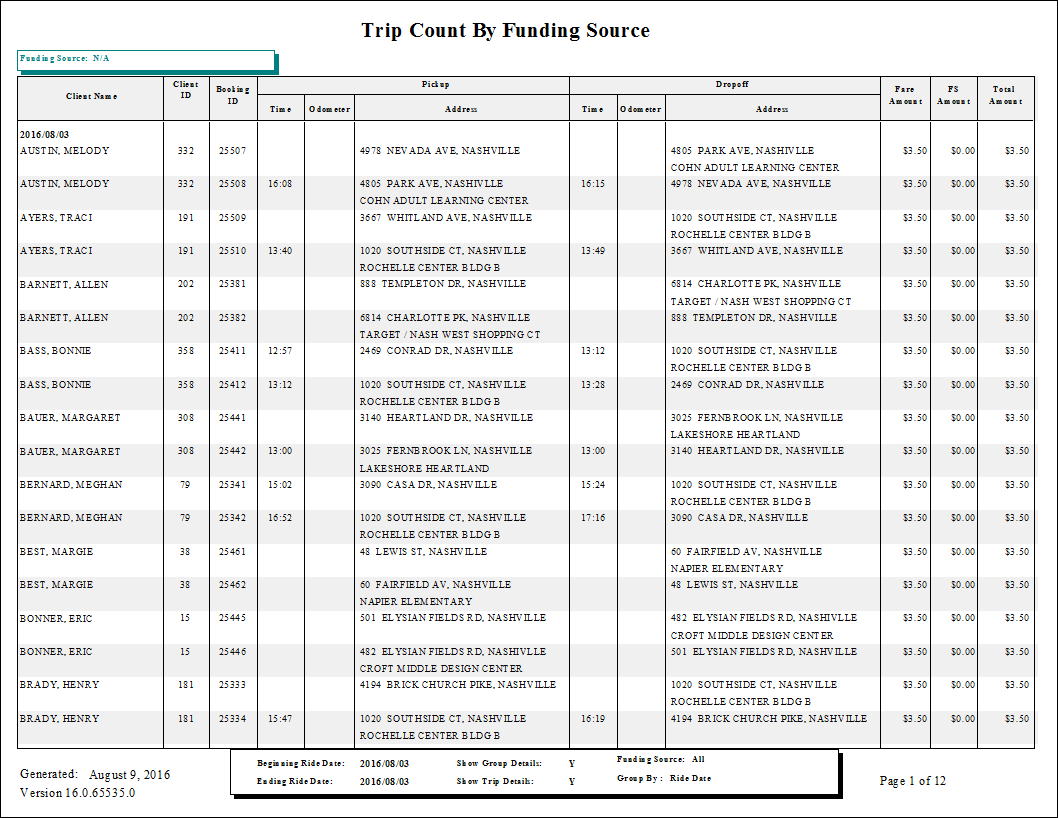
Trip Count by Funding Source Report
The Trip Count by Funding Source report shows trip counts by funding source.
| Parameter | Description |
|---|---|
| Schedule Type | Schedule type included in the report. |
| Date/Weekday | Specifies whether the report is for specific dates or days of the week. Choose
the option appropriate for the schedule type:
|
| Funding Source | If All is selected, the report includes data for all funding sources. Otherwise, select a funding source from the list. |
| Show Group Details | If selected, the report shows group details. |
| Show Trip Details | If selected, trip details are included. |
| Group By Date | If selected, data is grouped by date. |
| Group By Client Name | If selected, data is grouped by client name. |
| Providers | If All is selected, records for all providers appear in the report. If All is cleared, select individual providers from the list. The options available to you depend on provider security. |
| Include Cancels | Cancel schedule status codes to be included. The available cancel codes are those that have been marked as Enabled in PASS ancillary data. Schedule Status Codes ancillary data is found in the Trapeze4 Workstation under . |
| Include No Shows | No show schedule status codes to be included. The available No Show codes are those that have been marked as Enabled in PASS ancillary data. Schedule Status Codes ancillary data is found in the Trapeze4 Workstation under . |
| UnScheduled | If selected, unscheduled trips are included in the report. |