
Improvements and Bug Fixes
Additional improvements and bug fixes for 7.1
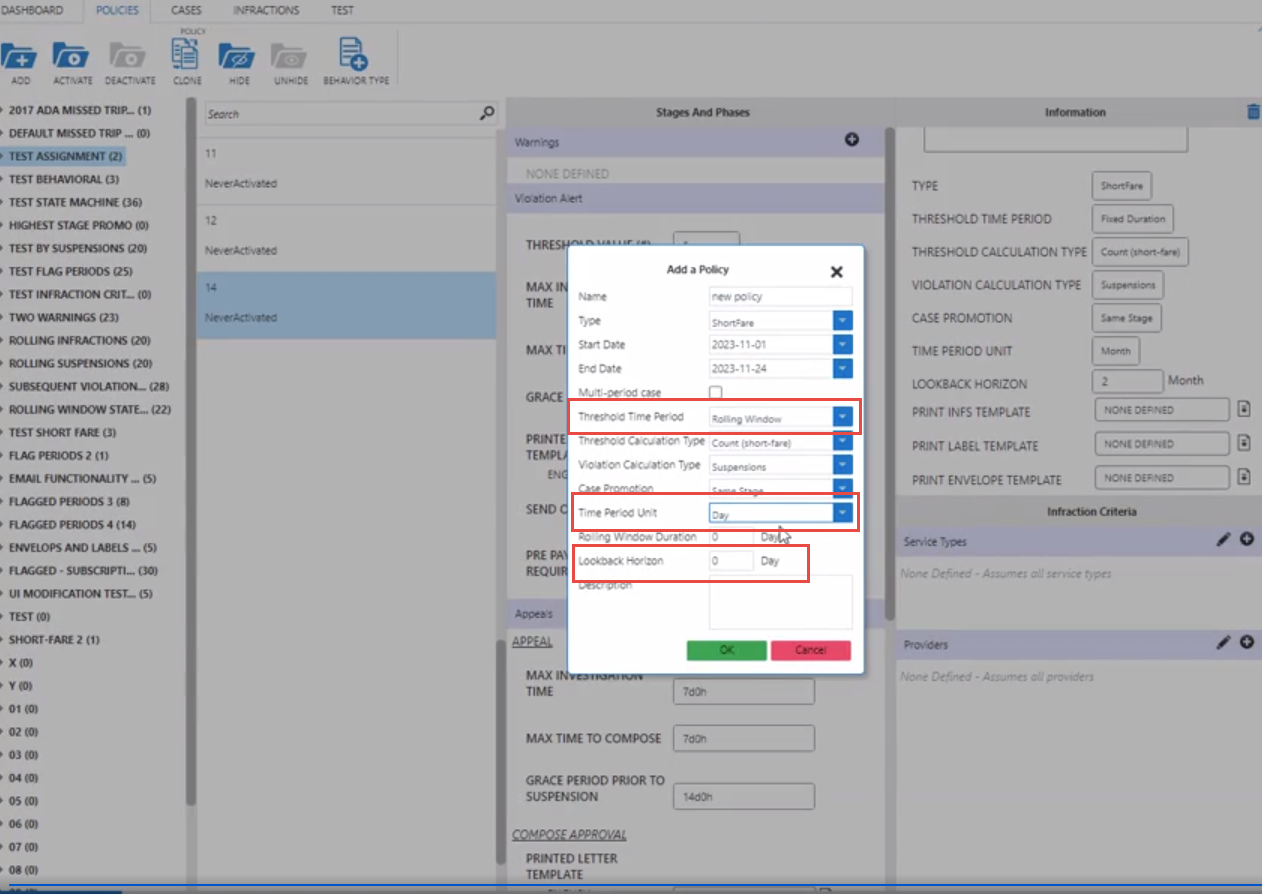
- Added a Lookback Horizon parameter to Rolling Window policies You can now set
the lookback horizon for Rolling Window policies. Previously, Lookback Horizon
was the start date of the policy by default. When Rolling Window is selected
from the Threshold Time Period dropdown list, the Lookback Horizon parameter in
the Add Policy dialog box will display and reflect the same unit as the one
selected from the Time Period Unit drop-down list. For example, if Day was
selected, then the Day (text) will display beside the Lookback Horizon parameter
to indicate the unit that needs to be entered. This enhancements enables sites
to explicitly define the lookback time frame for prior suspensions when
determining the subsequent suspension level for a client.
- Previously it was unclear how to close the AVL map after it was open. The
following user interface improvements were made to the AVL map screen to provide
better user guidance for the screen: The icons are now labelled.
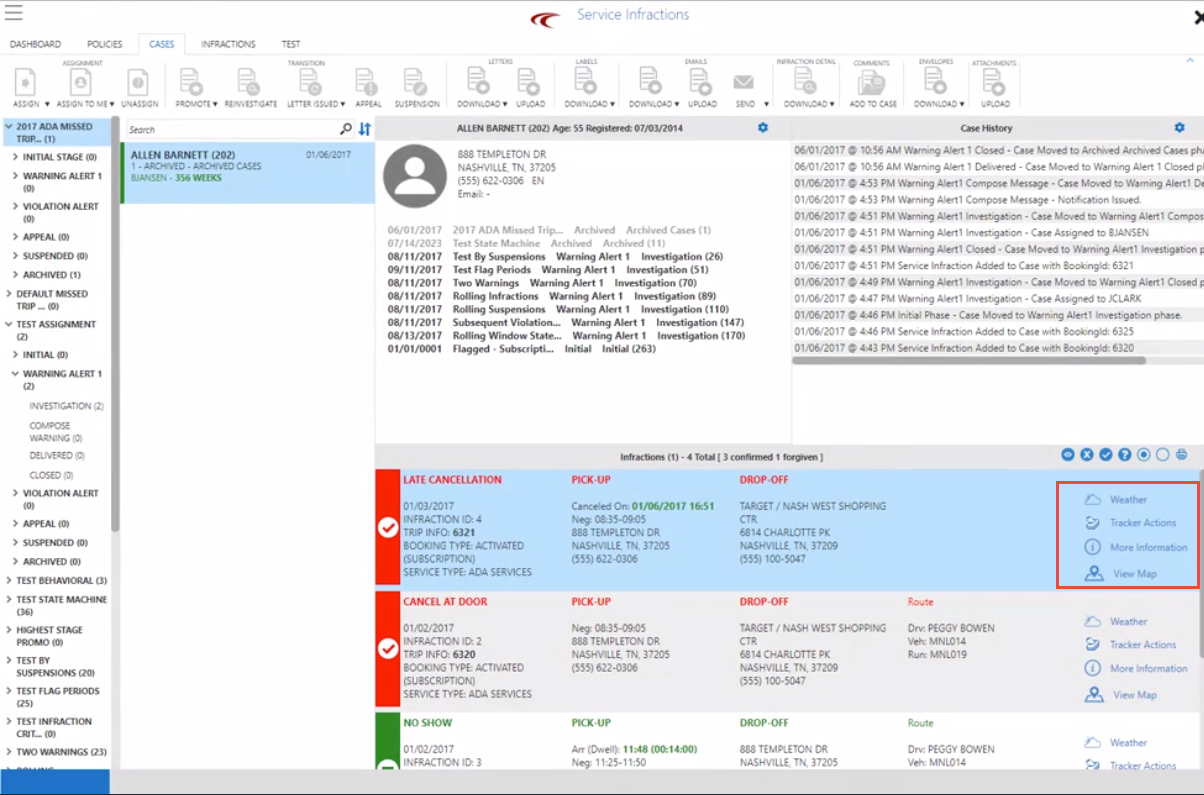
View Map icon is moved to the bottom of the list of icons. When the icon is clicked, the text will change to Close Map.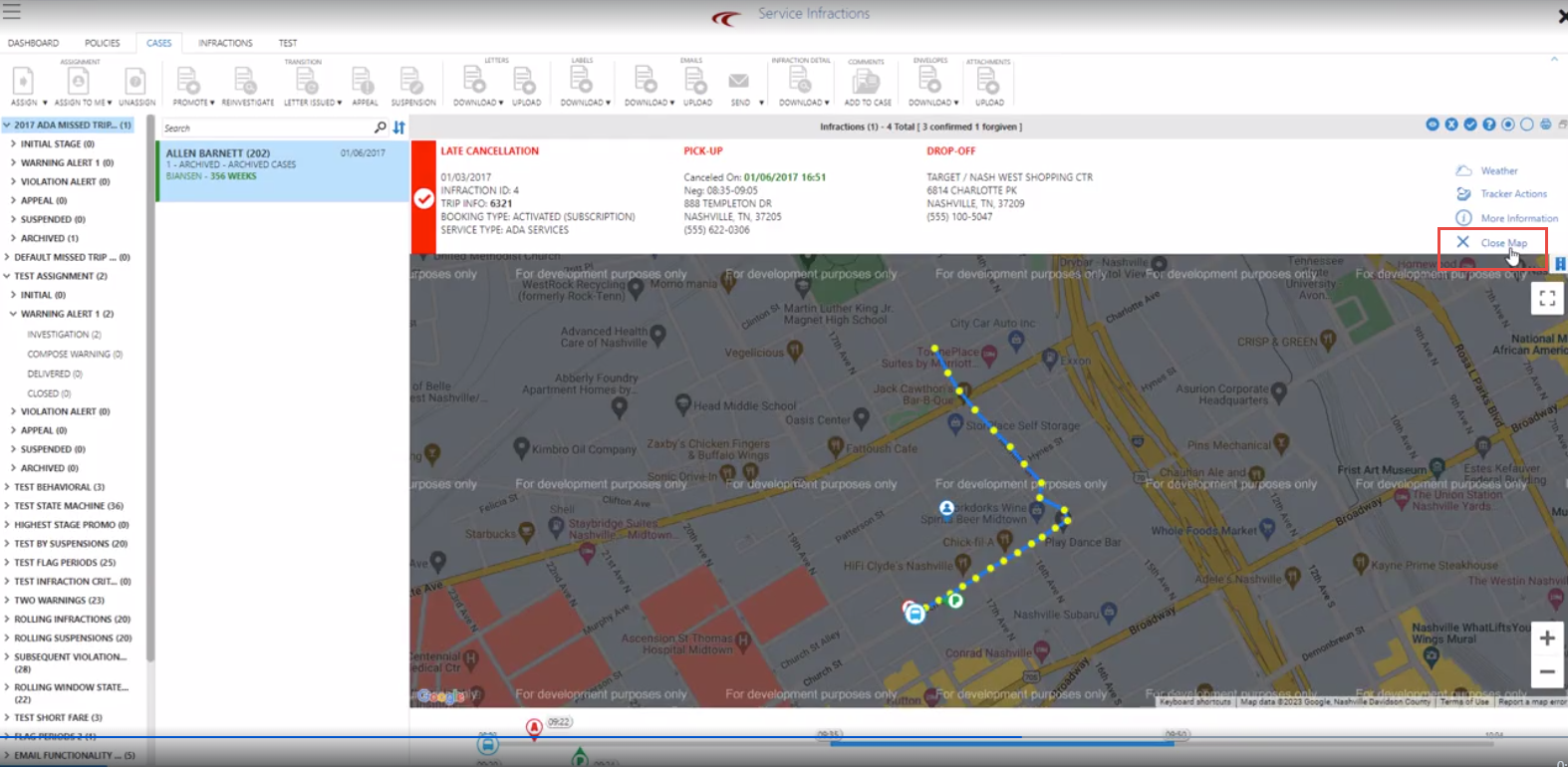
-
Letters can be downloaded and batch downloaded when cases are in the Delivered phase of Warning, Violation and Appeal phase.
-
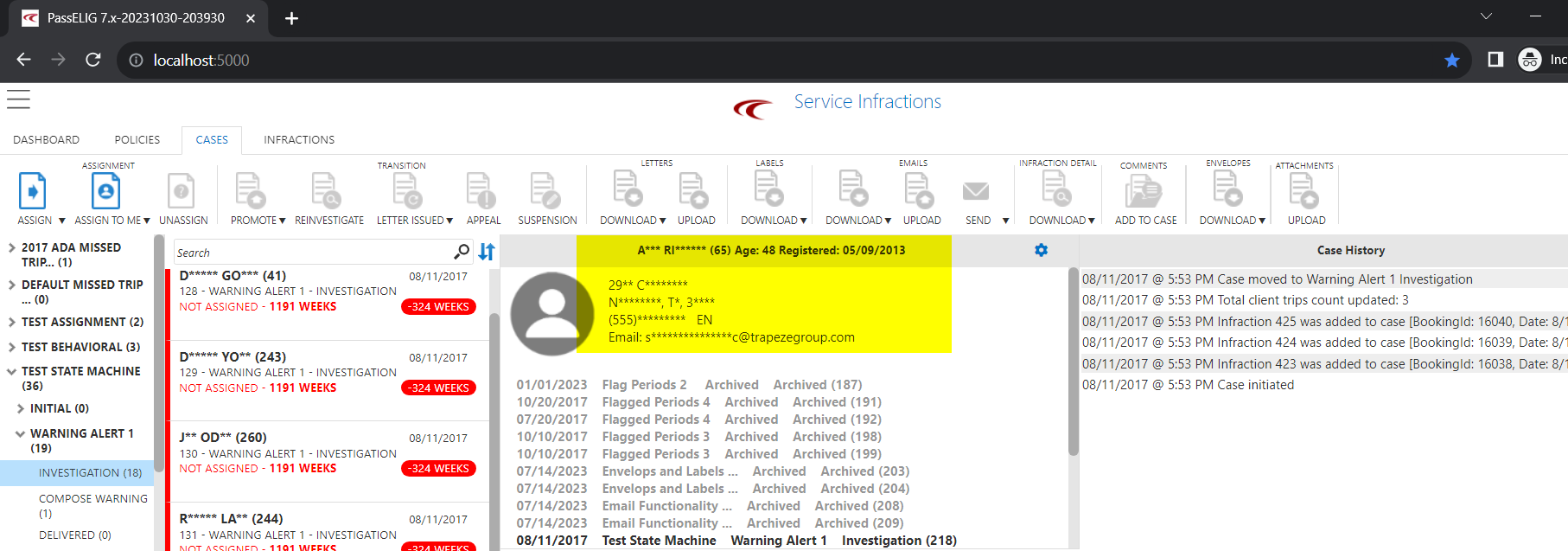
The context property: Mask Client Data was created. When enabled, all client data shown on the screen is masked. This context property is also controlled via a permission setting.
-
The context properties: Background Process Pause and Background Process Resume were added to control a block of time during the day that can pause background process.

-
For Infractions that are marked as excused (Excuse checkbox in a booking), or a policy excuses an infraction with a Cancel Code, they will now be logged in the history log.
-
For flag period policies based on percent, a checkbox was added to stages, which would indicate whether the percentage criteria should be checked for that stage.
- To minimize the risk of memory overload, a limit was placed on maximum document size for file uploads. Max template size will be 1000 kb and max attachment size will be 3000 kb.
- For better readability, color background schemes (for example, case cards) throughout Service Infractions were updated to improve the contrast with text.
-
In the Cases tab, driver and vehicle info will be displayed on Infraction cards.
In the Infractions tab, driver and vehicle info will be loaded when the Issues Only and/or Load Arrive Info checkbox are selected.
-
Updated the client total trip count for the following scenarios:
-
In policies with percent test, client total trip count is updated as soon as a new infraction is imported. A new infraction can potentially promote a case, therefore it’s important for client total trip count to be up-to-date for the correct threshold calculation.
-
To improve performance, client total trip count is refreshed when manually promoting cases.
-
-
The following updates were made to improve widgets:
-
Ensure widgets and Case Cards are only updating once when a case is transitioning to another phase. This will improve the user interface speed.
-
To prevent conflicts between two users that are logged in, hints will also refresh the widgets for the other user.
-
- Include Zero Payment Trips option was removed from the Short-Fare Policy settings as it caused confusion of its use.
-
Fixed an issue where Active Clients Only checkbox did not display in the Infractions tab.
-
Fixed an issue for Short Fare Policy to change FaretypeID to be read from the BookingActivity table instead of the Booking table.
-
Fixed an issue where the Infractions tab with infractions opened could not filter by location.
- Fixed an issue where header and footer were missing from the letter template.