
New Features and Enhancements
Service Infractions 7.1 introduces major enhancements for Short Fare Policy and a Reminder Warnings feature.
Short Fare Policy Enhancements
- A Short Fare policy can set COUNT as a threshold calculation
type
For a Short Fare policy, you can now select COUNT from the Threshold Calculation Type dropdown list. Count allows the agency to set a threshold based on the total number of short fare events rather than using a short fare dollar amount as the threshold. This enhancement supports agencies managing “No Fare” events more efficiently.
- FareTypeID is now read from the BookingActivity
table
How the FaretypeID is read will change to the BookingActivity table instead of the Booking table. This change corrects the previous behavior and will benefit agencies running non-pre-payment environments.
Reminder Warnings for Flagged Period Policies
- Letter and Email templates were added to the initial stage in the Policy Settings screen.
- A context property: PassEligibility/Policies/MissedTrips/Flagged Periods/Enable Reminder Warnings was added to make it possible to hide this feature all together.
-
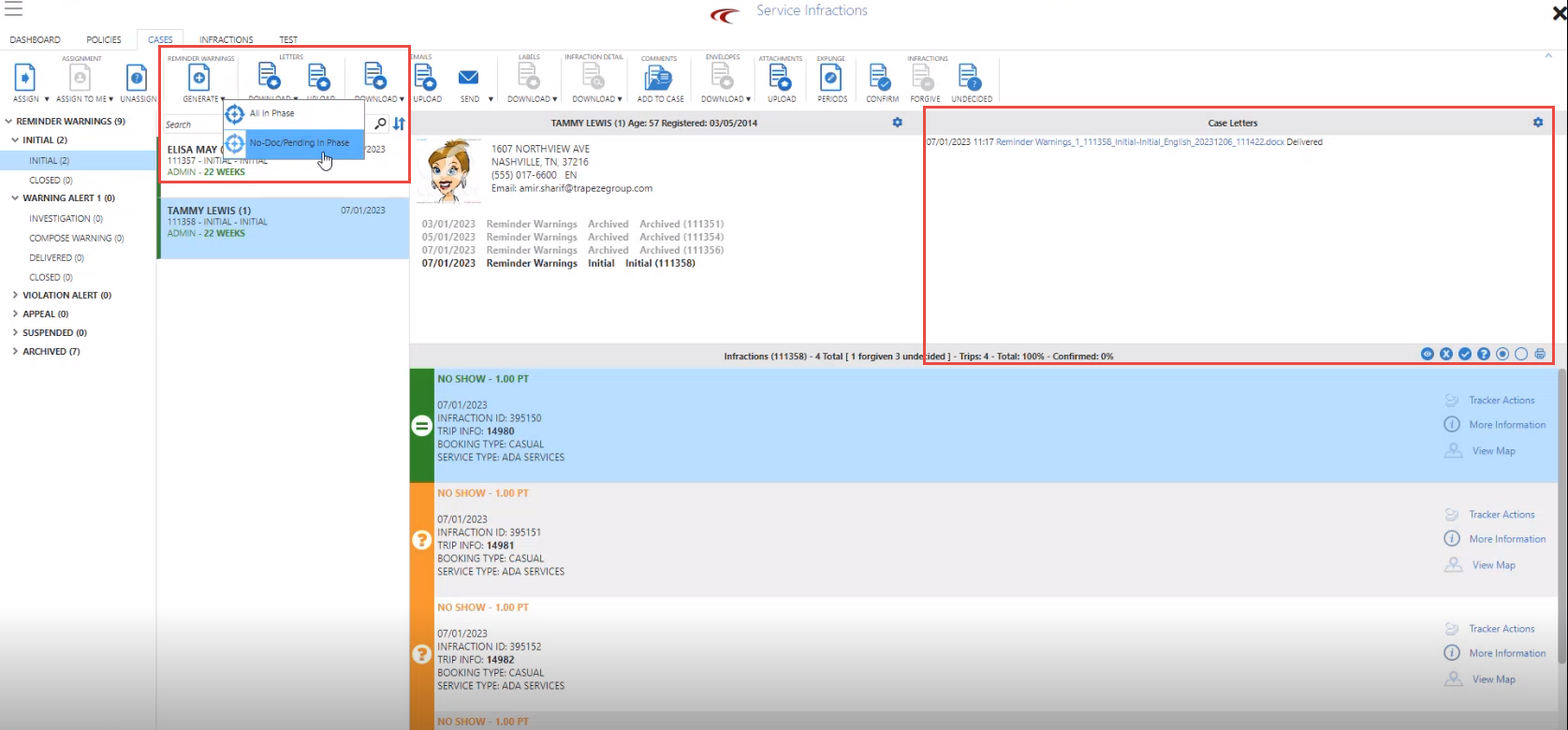
Reminder letters, or sending out Reminder emails will be done using a Generate button on the ribbon. The Generate button will generate letters/emails for every case in the following scenarios:
-
In the Initial phase and in the current period
-
Assigned to the current user
-
Has at least one infraction that is either undecided or confirmed. Reminders will not report forgiven infractions.
-
Does not have a “Reminder Warning“ letter/email.
-
- To make sure only one “Reminder Warning” letter/email is sent out for a client in each time period, letters are marked as “Delivered” when they are downloaded, and emails are marked as “Sent out“ when they are sent out to clients.
- There are two options when downloading reminder warning letters in bulk mode: All In Phase or No Doc/Pending In Phase