
Setting Context for Ancillary Data to Block Optimizer
Before you can work with Block Optimizer data, you must set the context of the data in the Context dialog.
-
In the BlockBuster screen, with any of the Run-related ancillary data screens open,
press F3 or click the Context button:
 The Context dialog appears.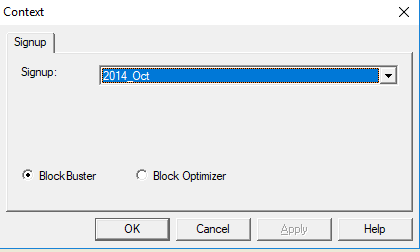
- Select the appropriate sign-up period.
- Click Block Optimizer.
- Click Apply.
- Click OK.