
Place text in quotation marks for exact match search results.
Deleting Exceptions
You can delete exceptions that are no longer required.
Warning: When you delete an exception, the Block events and BlockBuster scenarios
that are associated with it are also modified or deleted.
Click File > Ancillary Data > Fixed > Exceptions.
The Exceptions dialog box appears.
On the Exceptions tab, select the exceptions you want to
delete.
Click Delete.
Click OK.
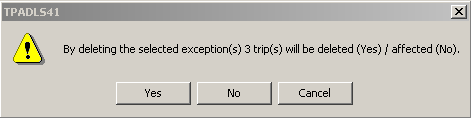
If deleting the exception will affect some records, a message box appears.
Optional: If an exception is part of an exception combination, open the Exception
Combinations tab first and delete the exception from the combination then
delete it from the Exceptions tab.