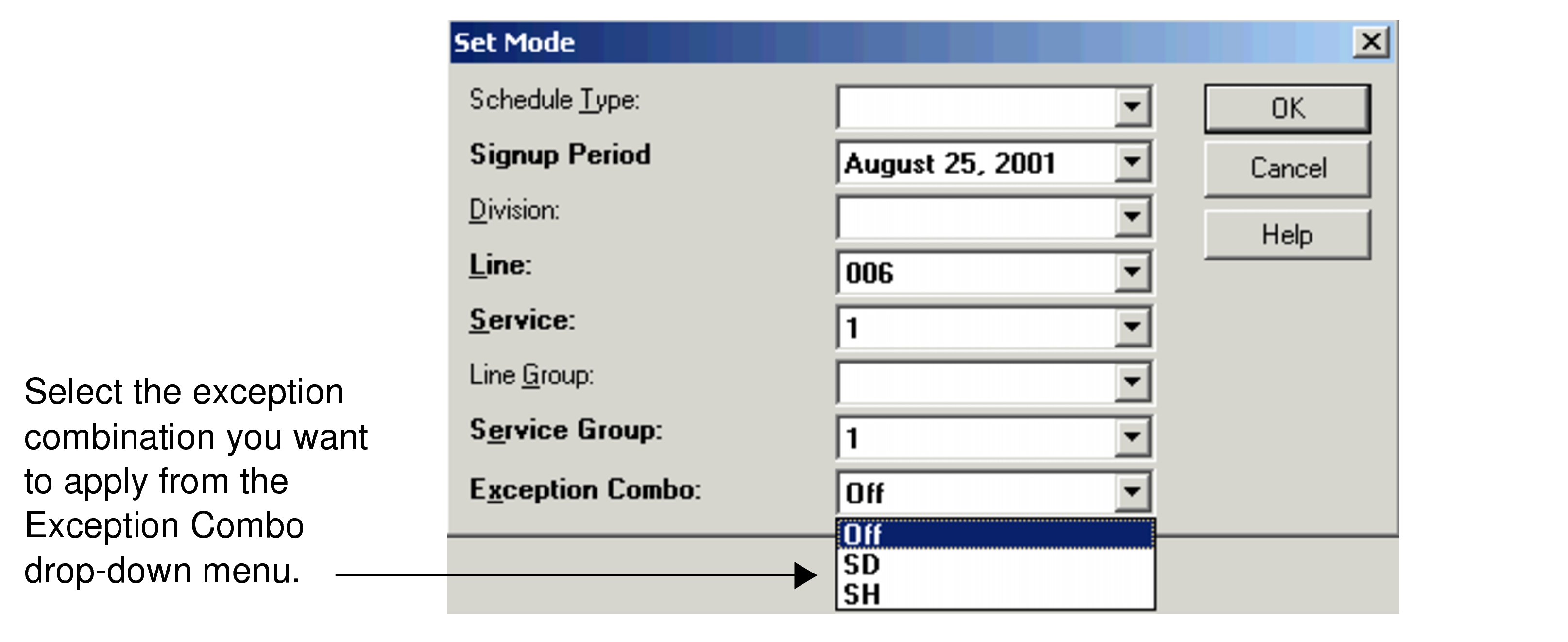
You can set an exception combination from the Exception Combo
drop-down list in the Set Mode dialog box. As a result, only trips with
exceptions compatible with the selected exception combination appear in the
Trips grids of the Trip Building
screen.
-
Select Line, Service, and
Service Group.
Trips that do not have exceptions but match the other required settings
(
Line,
Service, and
Service
Group) appear in the
Trips grid.
For example, when
you set your context and select SD in the Exception
Combo drop-down list, the trips marked with the SD exception as well as
the trips without exceptions appear in the grid. Trips, which are marked with other
exceptions such as #SD, do not appear.
-
Select Off to display trips with and without exceptions in the
Trip Building screen.