
Finding an Intersection Using Street Wizard
After choosing a street on the Street tab, click the Cross tab to see all intersecting streets on the map.
-
Select the cross street in the intersection.
You can reverse the street and cross street by double-clicking the intersection description in the status bar.
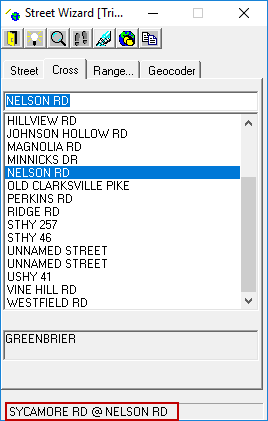 You can switch between viewing the city name or zip code for the intersection by double-clicking in the additional information area. If the intersection is at a boundary, more than one city or zip code might appear.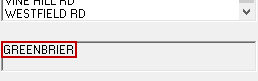
- Optional:
View the selected intersection on the map.
-
If the map is not currently open, do one of the following:
- Press CTRL + M.
- Click the System Map button:

- Zoom to current selection

- Highlight street or point

- Mark current selection

- Follow current selection (zoom or highlight)

Click either Zoom or Highlight.
-
If the map is not currently open, do one of the following:
- Optional:
To copy the intersection's main street to an address box, click the Copy
Selection button:

Copy the street to the address box before geocoding the address. - Optional:
To geocode the intersection, click the Geocode button:

The Geocode feature records the longitude and latitude values of the intersection but does not transfer the address information to the address box of the active screen. You must type the address information manually after geocoding.