
Selecting One Line
Choosing only one line is handy if you want to copy an existing line to a new line, thereby creating a new route.
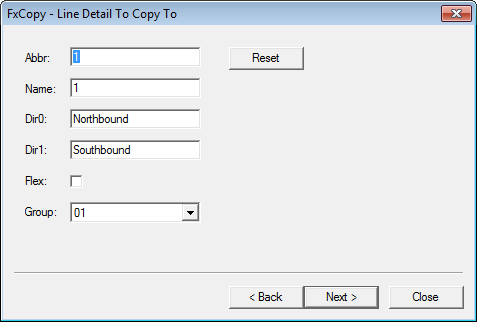
- In the Abbr field, change the name of the line abbreviation.
- In the Name field, type the long name of the line.
-
In the Dir0 and Dir1 fields, change the
direction information.
Note: The Flex checkbox is automatically selected if your site has FLEX.
- From the Group list, select the line group abbreviation associated with the new line. Alternatively, the system creates a new group based on the line abbreviation you entered in the Abbr field.
- Optional: To change the data back to its original information, click Reset and click Next.
- In the Select items to be copied view, continue the procedure starting with step 4 of Selecting Lines to Copy .